After 9 April They will approve [covid-19]
After you get the email of acceptance with the student Id then
Go to : https://bw11.clpccd.cc.ca.us/pls/OWA_PROD/twbkwbis.P_WWWLogin
Enter your student Id and Enter 032497 as password and login.
which vpn are u using and from which state
Tell us
Here are some Debug logs while I was running this bot, Hope this might help to fix the bot
[0315/185850.963:ERROR:process_reader_win.cc(123)] NtOpenThread: {Access Denied} A process has requested access to an object, but has not been granted those access rights. (0xc0000022)
[0315/185851.081:ERROR:exception_snapshot_win.cc(98)] thread ID 3104 not found in process
[0315/185851.969:ERROR:process_reader_win.cc(123)] NtOpenThread: {Access Denied} A process has requested access to an object, but has not been granted those access rights. (0xc0000022)
[0315/185851.969:ERROR:exception_snapshot_win.cc(98)] thread ID 2052 not found in process
Thank you
I wanted to ask if you got the Online Admissions Application Confirmation gmail can I use that to get the student ID or do I have to wait for the Gmail with the student ID(it has been 4 days now and I haven’t gotten it yet)
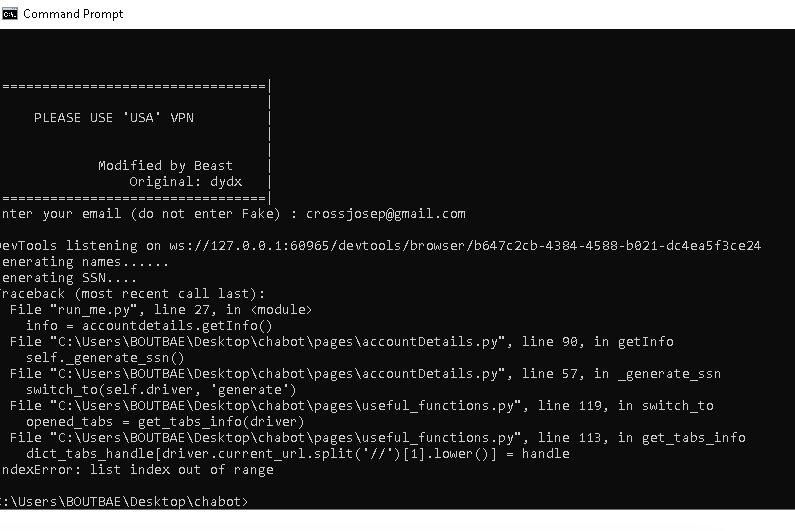
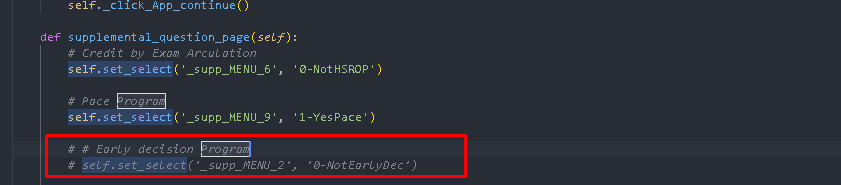

its creating the account in command mode confirmation. but till now didn’t get any updated email form the university/college regarding the email address confirmation. anybody has any luck so far?
Filling college application form for you …
Traceback (most recent call last):
File “run_me.py”, line 30, in
chabot.start_process()
File “C:\Users\PC HP\Desktop\edu mail\chabot\pages\chabot.py”, line 61, in start_process
self.collegeApplication()
File “C:\Users\PC HP\Desktop\edu mail\chabot\pages\chabot.py”, line 199, in collegeApplication
self.supplemental_question_page()
File “C:\Users\PC HP\Desktop\edu mail\chabot\pages\chabot.py”, line 328, in supplemental_question_page
self.set_select(‘_supp_MENU_2’, ‘0-NotEarlyDec’)
File “C:\Users\PC HP\Desktop\edu mail\chabot\pages\chabot.py”, line 428, in set_select
box = WebDriverWait(self.driver, 30).until(
File “C:\Users\PC HP\AppData\Local\Programs\Python\Python38-32\lib\site-packages\selenium\webdriver\support\wait.py”, line 80, in until
raise TimeoutException(message, screen, stacktrace)
selenium.common.exceptions.TimeoutException: Message:
There are some errors here as well. Anyway, thanks for your good work!
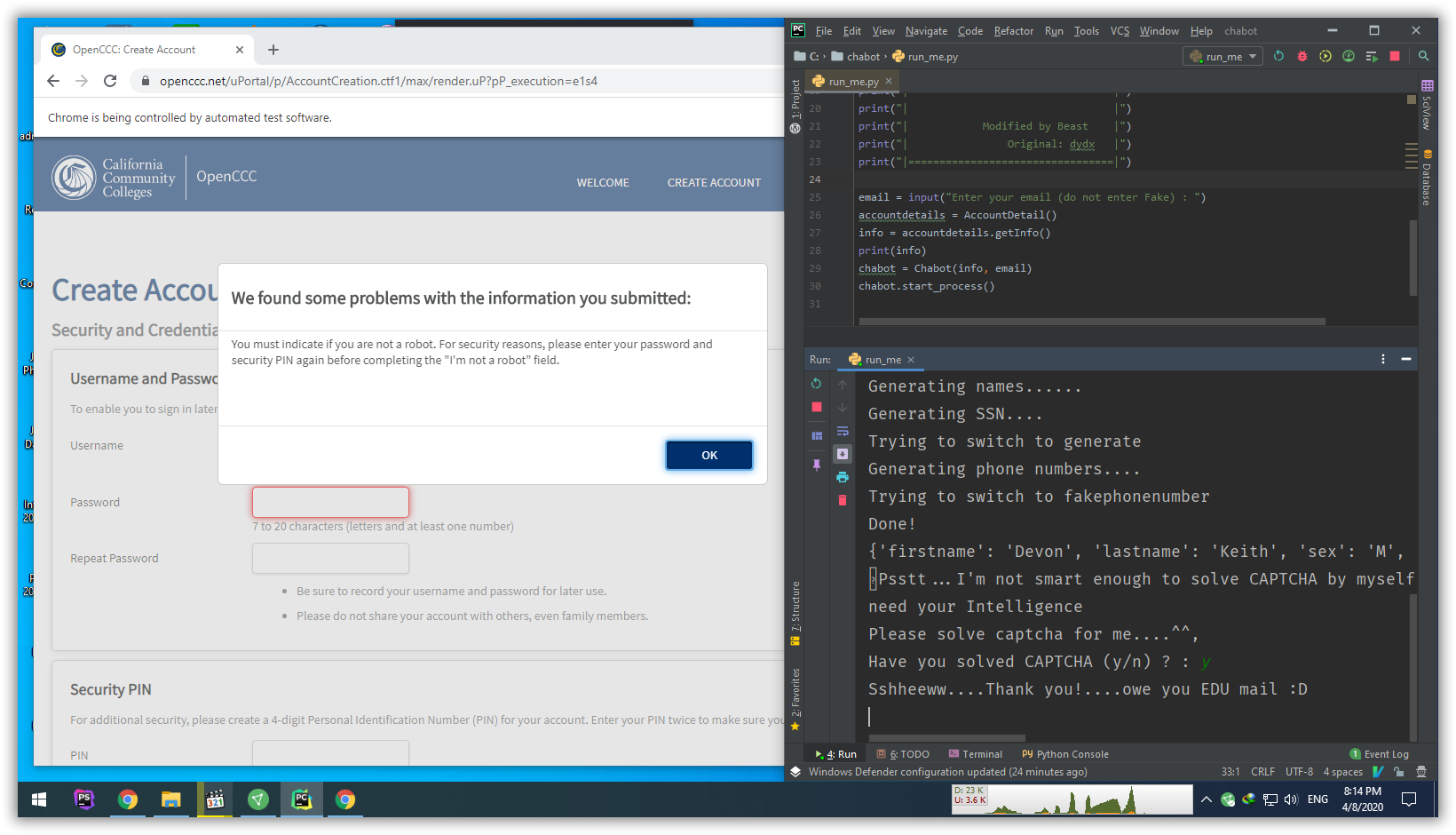
Have you solved CAPTCHA (y/n) ? : y
Sshheeww…Thank you!..owe you EDU mail 
Traceback (most recent call last):
File “C:/chabot/run_me.py”, line 30, in
chabot.start_process()
File “C:\chabot\pages\chabot.py”, line 59, in start_process
self.account_created_page()
File “C:\chabot\pages\chabot.py”, line 168, in account_created_page
cccid = WebDriverWait(self.driver, 30).until(
File “C:\Users\Administrator\PycharmProjects\1\venv\lib\site-packages\selenium\webdriver\support\wait.py”, line 80, in until
raise TimeoutException(message, screen, stacktrace)
selenium.common.exceptions.TimeoutException: Message:
DevTools listening on ws://127.0.0.1:50747/devtools/browser/a66c6486-ec98-4fe7-b
897-cddd8e3f338a
Traceback (most recent call last):
File “run_me.py”, line 30, in
chabot.start_process()
File “c:\Users\gabriel\Desktop\chabot\pages\chabot.py”, line 56, in start_proc
ess
self.openccc_apply_page_1()
File “c:\Users\gabriel\Desktop\chabot\pages\chabot.py”, line 65, in openccc_ap
ply_page_1
self._click_by_link_text(‘Create an Account’)
File “c:\Users\gabriel\Desktop\chabot\pages\chabot.py”, line 423, in _click_by
_link_text
WebDriverWait(self.driver, 30).until(
File “C:\Users\gabriel\AppData\Local\Programs\Python\Python38-32\lib\site-pack
ages\selenium\webdriver\support\wait.py”, line 80, in until
raise TimeoutException(message, screen, stacktrace)
selenium.common.exceptions.TimeoutException: Message:
Hello, does anyone know why the program stops there? don’t create the edu account
Don’t get me wrong but i get cheap edu mails from ebay.co.uk in indian rupee it is hardly around 250/- not a huge amount and it is still working perefect and normal no issues nothing
plzz can u make 1 for me
i really need it
bro its not working getting this error
DevTools listening on ws://127.0.0.1:50074/devtools/browser/740dcbac-b419-46fa-8252-011c205de9bd
Traceback (most recent call last):
File “run_me.py”, line 26, in
accountdetails = AccountDetail()
File “C:\Users\Sahil Nagda\Downloads\Compressed\chabot\chabot\chabot\pages\accountDetails.py”, line 17, in init
self.driver = webdriver.Chrome(executable_path=self.path)
File “C:\Python38\lib\site-packages\selenium\webdriver\chrome\webdriver.py”, line 76, in init
RemoteWebDriver.init(
File “C:\Python38\lib\site-packages\selenium\webdriver\remote\webdriver.py”, line 157, in init
self.start_session(capabilities, browser_profile)
File “C:\Python38\lib\site-packages\selenium\webdriver\remote\webdriver.py”, line 252, in start_session
response = self.execute(Command.NEW_SESSION, parameters)
File “C:\Python38\lib\site-packages\selenium\webdriver\remote\webdriver.py”, line 321, in execute
self.error_handler.check_response(response)
File “C:\Python38\lib\site-packages\selenium\webdriver\remote\errorhandler.py”, line 242, in check_response
raise exception_class(message, screen, stacktrace)
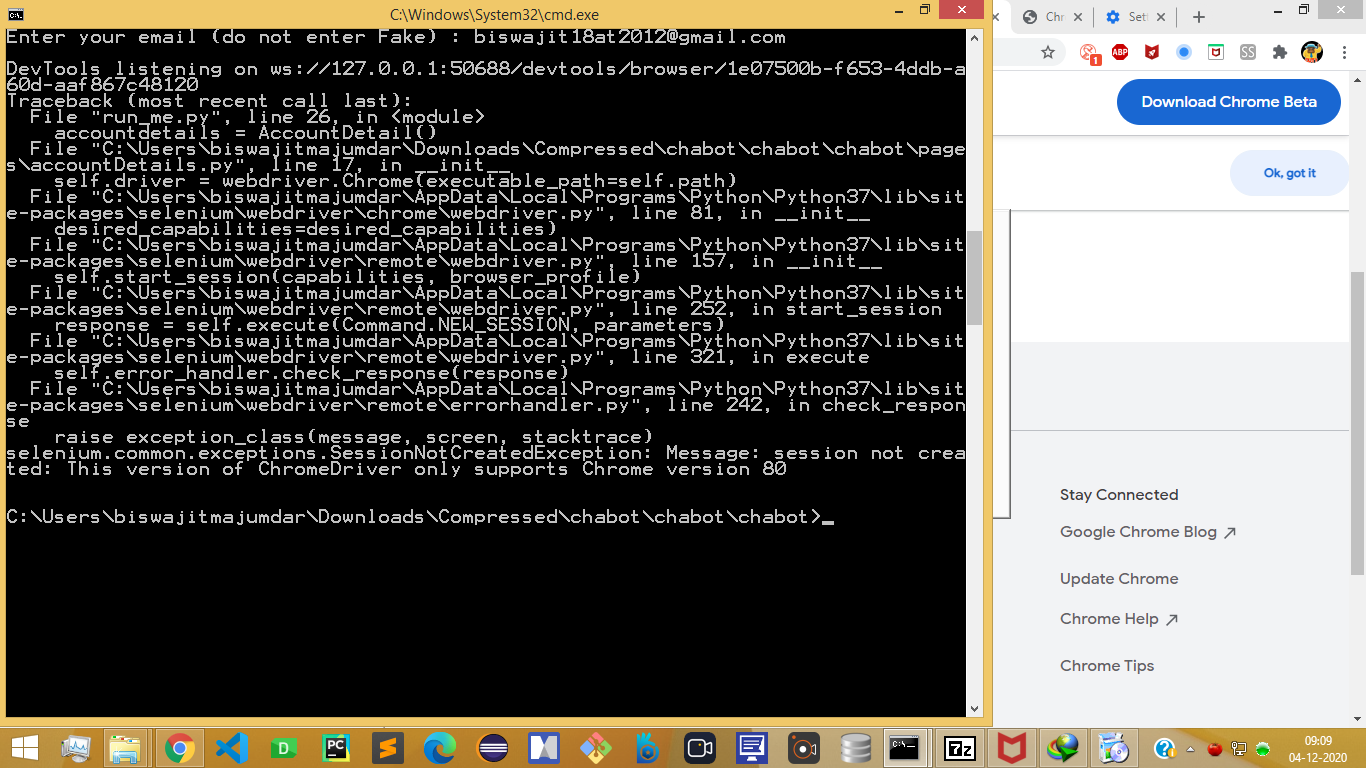
selenium.common.exceptions.SessionNotCreatedException: Message: session not created: This version of ChromeDriver only supports Chrome version 80
It only brings up the fake name generator page then crashes with this error:
Traceback (most recent call last):
File “C:\Users\Administrator\AppData\Local\Programs\Python\Python36\lib\random.py”, line 255, in choice
i = self._randbelow(len(seq))
File “C:\Users\Administrator\AppData\Local\Programs\Python\Python36\lib\random.py”, line 232, in _randbelow
r = getrandbits(k) # 0 <= r < 2**k
ValueError: number of bits must be greater than zero
During handling of the above exception, another exception occurred:
Traceback (most recent call last):
File “C:\Users\Administrator\Documents\EDU Bot\chabot\run_me.py”, line 27, in
info = accountdetails.getInfo()
File “C:\Users\Administrator\Documents\EDU Bot\chabot\pages\accountDetails.py”, line 89, in getInfo
self._generate_names()
File “C:\Users\Administrator\Documents\EDU Bot\chabot\pages\accountDetails.py”, line 37, in _generate_names
index = random.choice(range(1, num_of_names))
File “C:\Users\Administrator\AppData\Local\Programs\Python\Python36\lib\random.py”, line 257, in choice
raise IndexError(‘Cannot choose from an empty sequence’)
IndexError: Cannot choose from an empty sequence
[14596:7832:0716/133805.100:ERROR:device_event_log_impl.cc(208)] [13:38:05.100] Bluetooth: bluetooth_adapter_winrt.cc:1074 Getting Default Adapter failed.
lets try, i hope success

 !
!