hey, is the original code working for you or are we only getting the error ? 
don’t worry i will soon post a video… mine is working properly

This fixed that issue man
@dydx
worked ! Thanks for the kind tweak
Worked amazingly !
1 Like
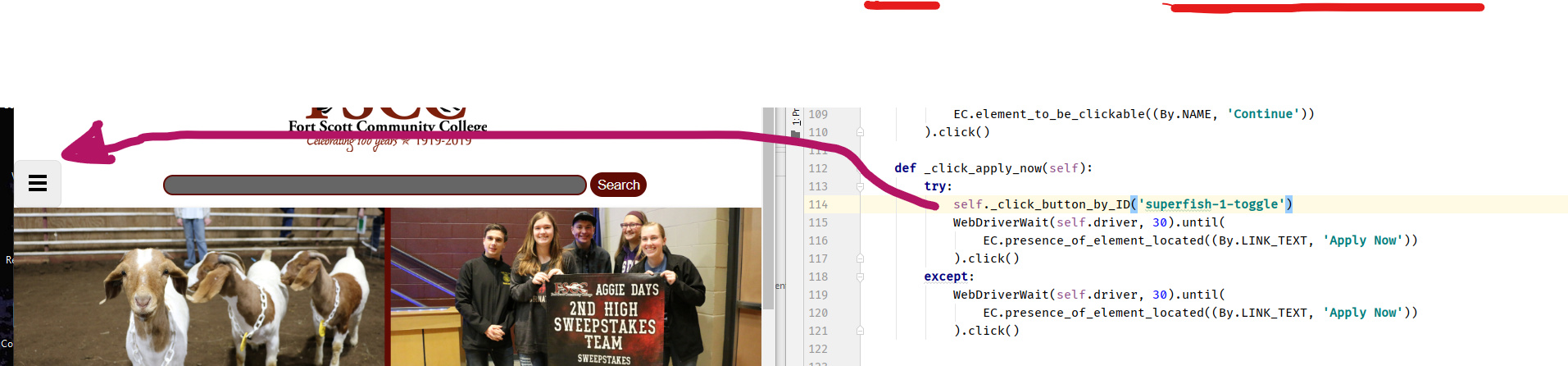
whatt we are trying to do is
1st click that 3-layer button … then click apply button..
but that button only appears if the window size in its default …
if you maximize the window that button disappear and that 3-layer button disappear !
but we keep on trying to find it …still no find within 30 seconds ..hence TimeOutException
do not worry
i’ll edit that part… i’ll add try-expect block !
3 Likes
Man, I have to say Its a lovely bot you created. You clearly brushed up your skills. The little fix is working. Time intervals are ok, no need to change.! 

3 Likes
Thank you very much bro… just waiting for your confirmation
i am really glad it worked
3 Likes
This tweak works wonders. Overall a brilliant code. Thanks a lot @dydx. Lets hope the email is received.
1 Like
Best part is that you receive your .edu email instantly. !!
work so great!!! appreciate it
1 Like
yeah…but that edu mail is not activated yet!
you will have to wait 1-week or so
some are saying this trick got busted …so won’t work … and some got perfectly working edu mail
lets hope for best 
2 Likes
Though you get the email but it has to be activated yet as I tried logging now but it doesn’t work. Lets hope it gets activated.
2 Likes
Yeah, Lets hope it works. If it does I get another .edu email created by bots in my collection!! 
1 Like
Nice!, it is working
1 Like
i forgot to tell you one thing …
i did not follow the exact same procedure told in original post..
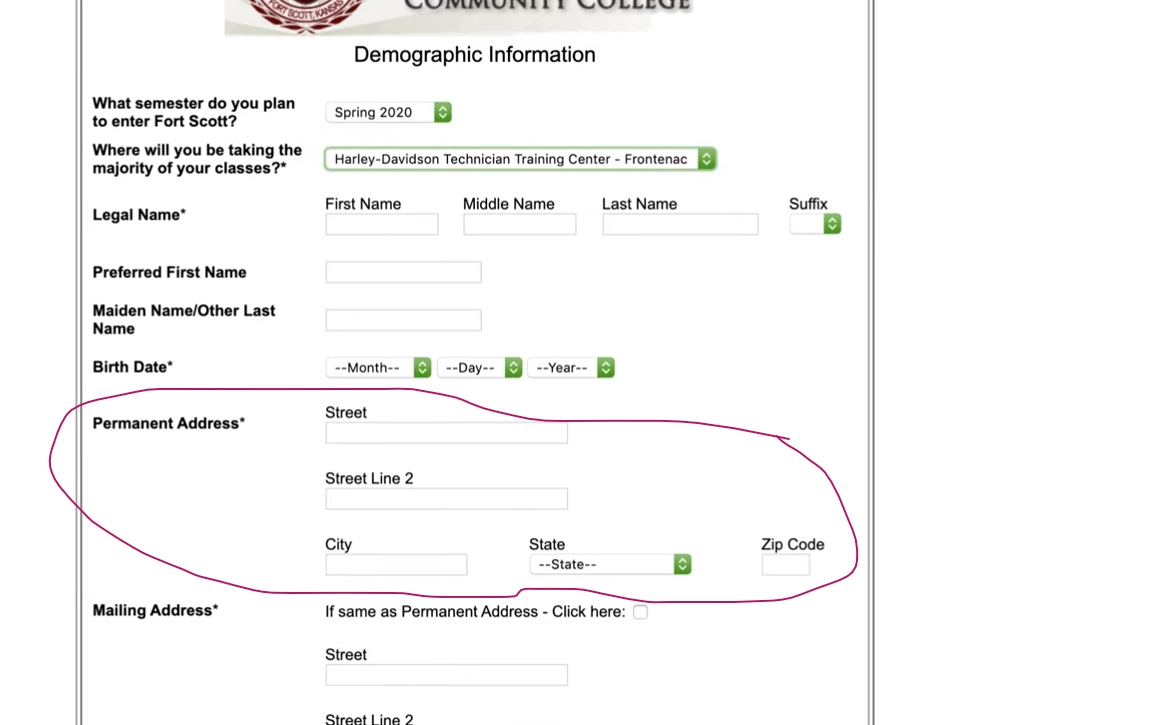
original post: added some random US address from newyork
i’ve added fortscott college's local area address which is located in Fortscott city, Kansas
original post selected this option
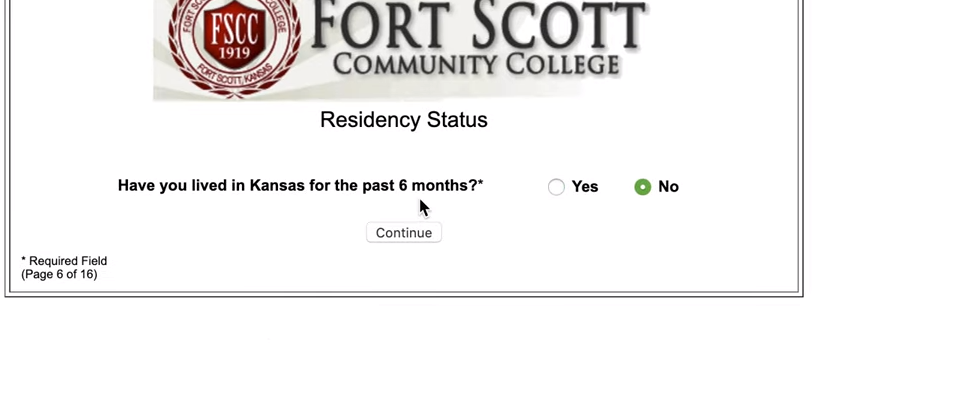
i’ve seleted this…

because i selected yes..this page poped up
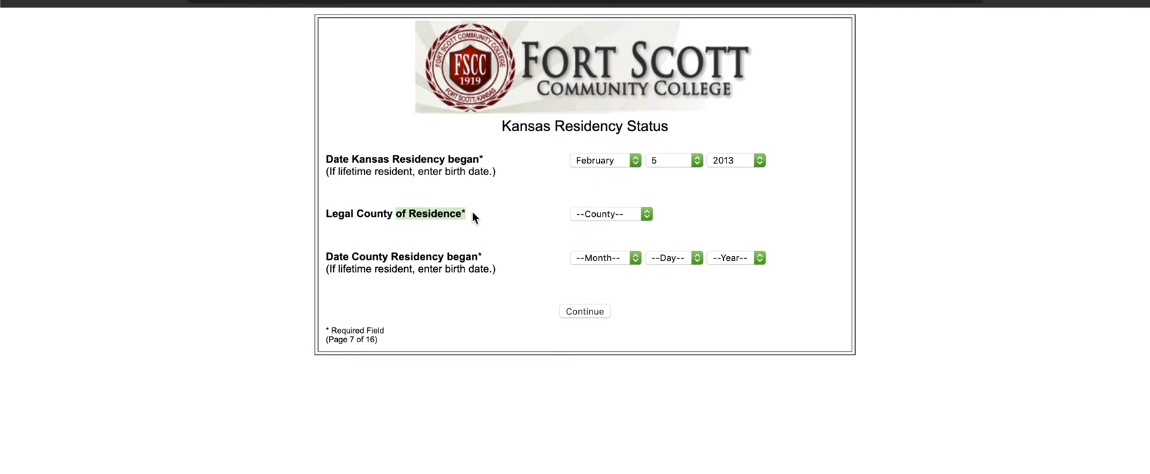
because this college located in Kansas so i thought it would make more sense to add local address
other than that..everything is same.
if you are not happy with these 3 changes …i can change it back to original one as shown
1 Like
but bro in my system it shows some error can u resolve it
[0310/130240.736:ERROR:gl_surface_egl.cc(690)] EGL Driver message (Error) eglQueryDeviceAttribEXT: Bad attribute.
[0310/130255.142:ERROR:gl_surface_egl.cc(690)] EGL Driver message (Error) eglQueryDeviceAttribEXT: Bad attribute.
[0310/130255.958:ERROR:gl_surface_egl.cc(690)] EGL Driver message (Error) eglQueryDeviceAttribEXT: Bad attribute.
[0310/130240.736:ERROR:gl_surface_egl.cc(690)] EGL Driver message (Error) eglQueryDeviceAttribEXT: Bad attribute.
[0310/130255.142:ERROR:gl_surface_egl.cc(690)] EGL Driver message (Error) eglQueryDeviceAttribEXT: Bad attribute.
[0310/130255.958:ERROR:gl_surface_egl.cc(690)] EGL Driver message (Error) eglQueryDeviceAttribEXT: Bad attribute.
Thank you bro , great share
1 Like
How and where ? you are trying to run
are you following all steps
Hey @dydx why don’t you update the code according to the changes you made in the comments and update your original post?
That way people can go through the post and not all of the comments.
While doing so just update the status of the post saying that you are updating the files and ask people to wait.
Also thank-you for this. Could you share the link of the forum from where you got this or name it at least?
 !
!