when i open the bot it shows this error what to do
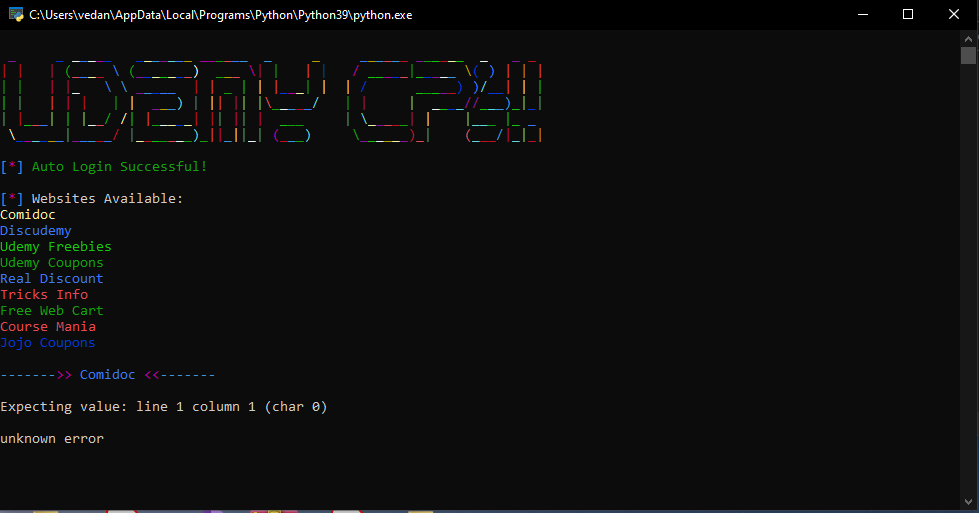
are you downloaded the latest version from github? some issues like that is fixed.
Are you installed the newest version from github? If you not, then install the newest version in Udemy-Courses-Grabbber
thanx this one worked this is more like an app insteed of bot thing. i have a question is there any way we can set a specific language i want and course type
I have posted a bot that like you want.
Another Automatic Udemy Grabber
I you want to set a laguange and course type make sure its same with your translation. If the laguange you choose is english but you’re indonesian, then the website turn english to inggris. And then the bot will skip it because its not the same as your type in terminal.
pls tutorial video 
The 64 bit version works wonders, thank you for the hard work !
Im gonna give you a raw tutorial, not a video tutorial.
-
Make sure you’ve installed python Python Downloads and add it to PATH (option to add to PATH in the installer)
-
Git clone (If you have git installed) or download the zip file from the repostory Udemy-Course-Grabber Github Repostory and then extract it.
-
Open the terminal/command prompt and do cd your folder location that you extracted (example: users/???/Downloads/udemy-Course-Grabber)
-
Do pip install -r requirements.txt (if you encountered any issues, you need to install microsoft visual. After that click the modify button, and then choose the C++ for development for computer (I forgot the name but it have computer images and its C++) and then wait until its downloaded and installed (If you not have any issues its okay)
-
Double click the udemy.py or do python udemy.py in terminal/command prompt
-
If you see Auto login and Cookie login button choose auto login and make sure you’re login to your udemy account or it will not work. (if you choose cookie login its a bit complicated so i recommended using auto login. If you want to using cookie login im gonna explain it in the end of this post)
-
If you already login in the browser its should show your udemy username and the udemy sources list. If it doesn’t, then check your chrome browser to see if you already logged in (After that you need to click the Auto Login again and its should work). Now you need to choose the udemy courses source. Click on the square to choose the udemy sources. After you choose then click the Start button
-
Boom. Now you need to wait to get the udemy courses.
Using cookie login: Firstly go to udemy.com, then follow the images guide below.
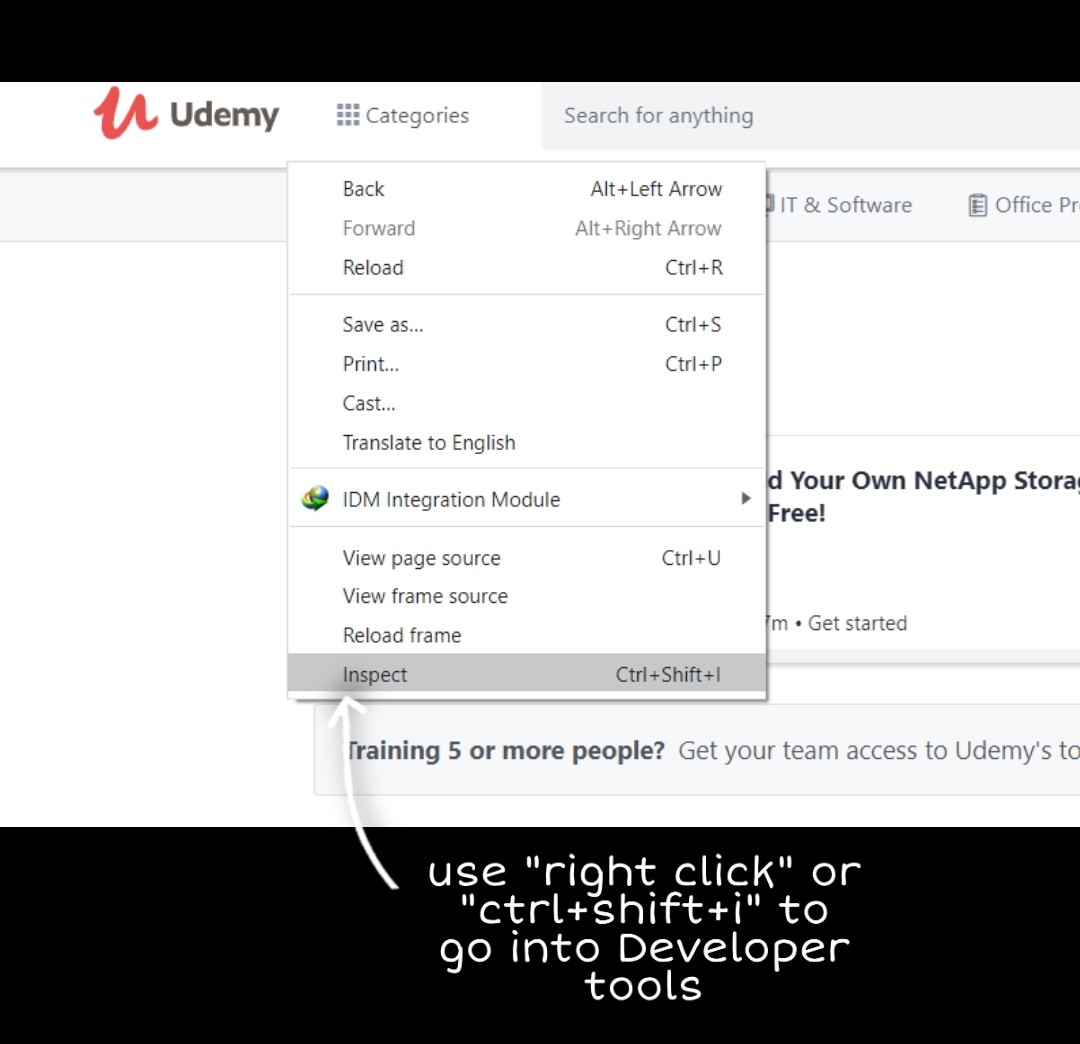
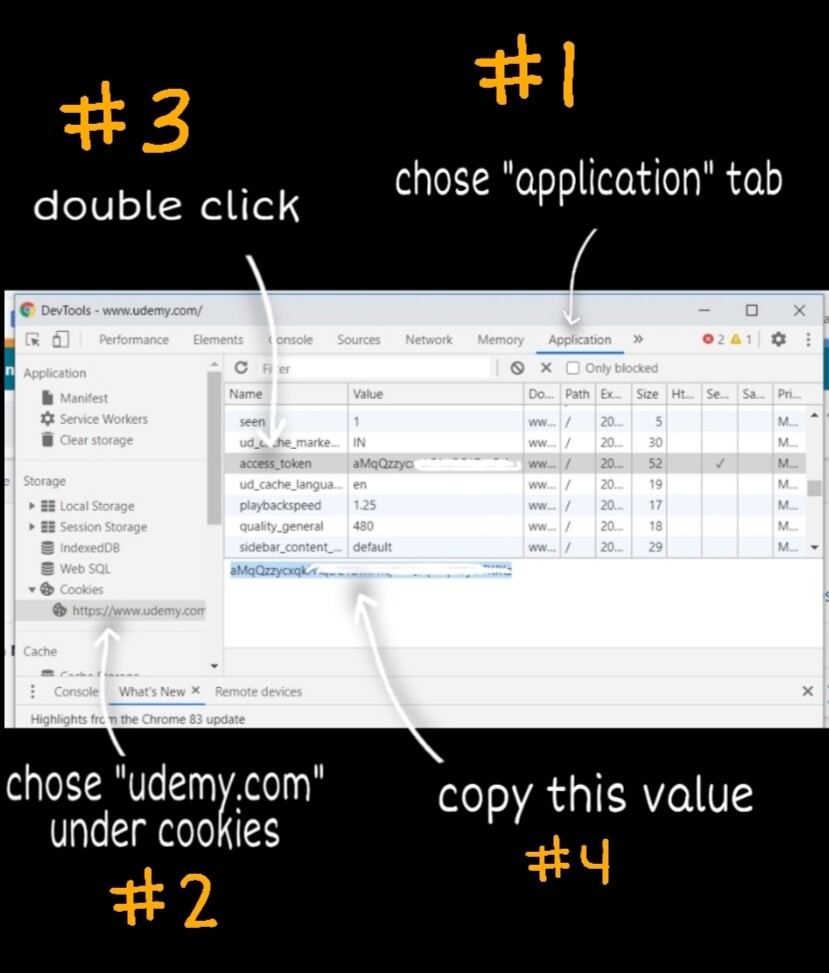
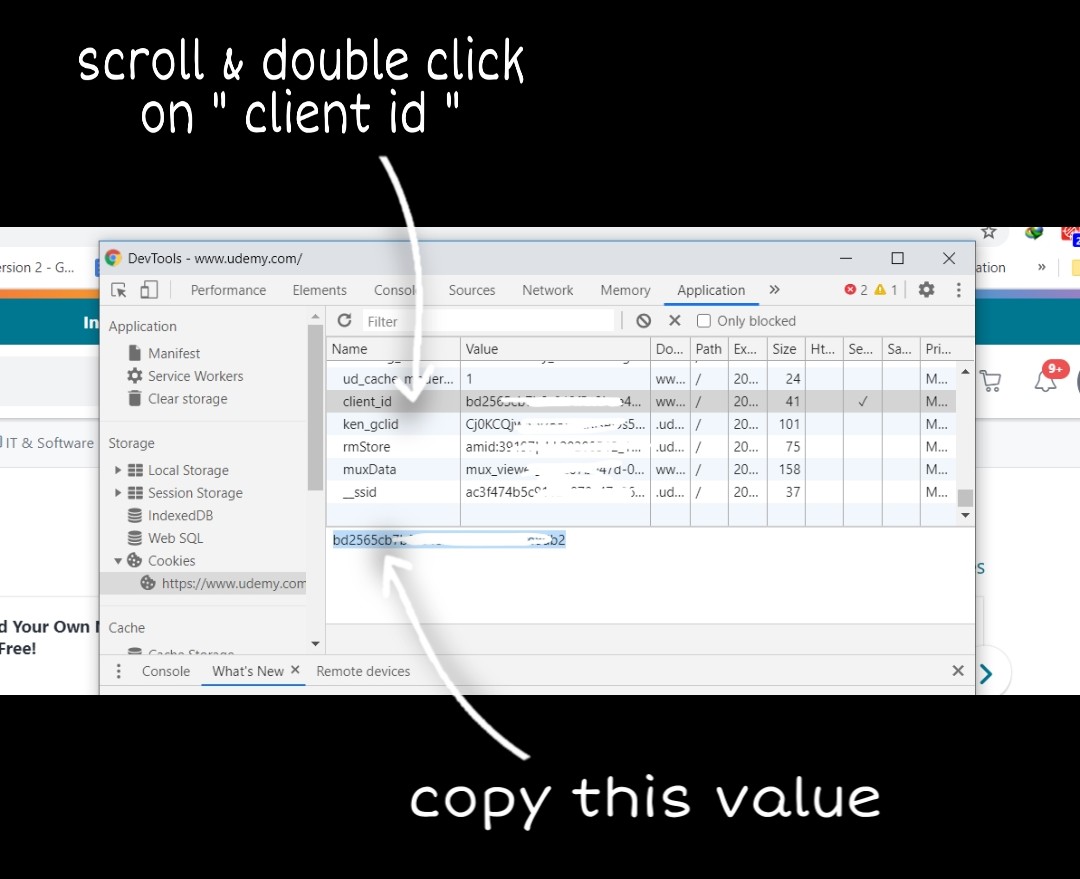
after doing all of that, open udemy.py then choose cookie login then insert the value ito the right bar and then you logged in.
Hope I help you with this post if you are facing some issues!
this version perfectly working for me,
Updated
What changed:
- Added Course Counter
- Fixed many bugs
- Added Comidoc (https://comidoc.net/)
- Shows Logged in account name
Thanks @Techtanic Really appreciate your help and support.
the bot is awesome, but there should be kind of filter in it (it enrolls you to pretty much every couirse available)
Please @techantic modify it a bit ie add language preferences and topic selection.
Adding language will be soon, but a topic filter will be in the late future.
contact me plz
I wish - ‘that late future will come soon’
How can I add more links for udemy courses in this program?
This is my first comment on this great community! Thank you so much. I struggle with python instalattion and modules instalattion, ive never used it. But could sort all problems and its working to me!
Thanks im saving lot of time
 !
!