Share screenshot

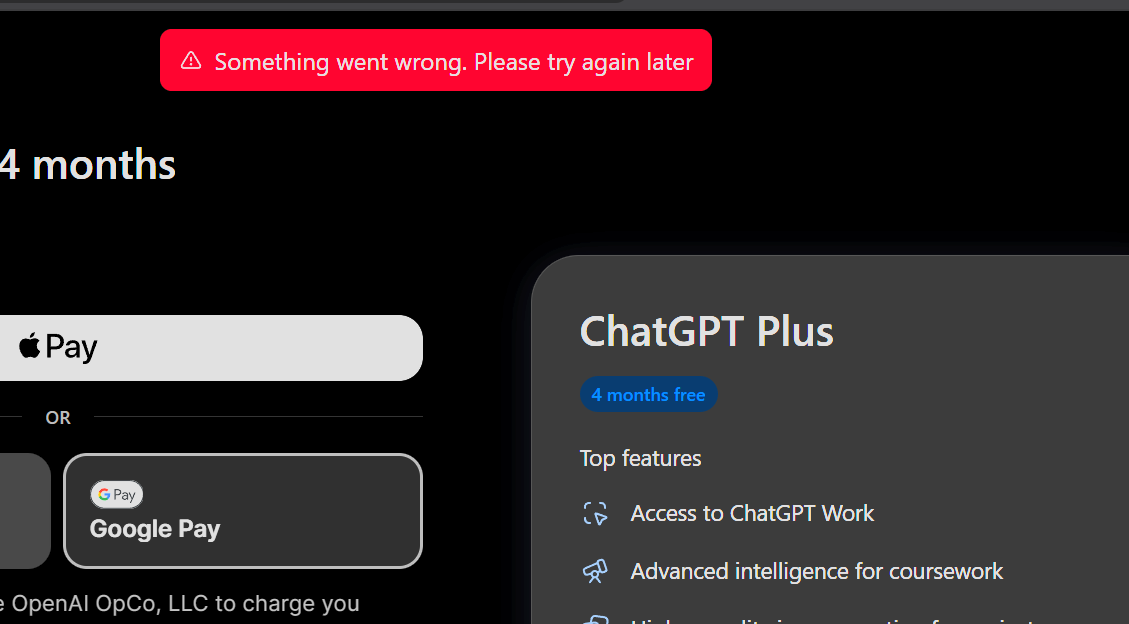
Can I create a new Gmail account for ChatGPT and then verify it with a student email, or do I have to create the ChatGPT account using the .edu email right from the start? I’ve tried both methods, but I keep getting verification errors regardless of the time of day.

Try apple pay brother
Ignore it after all your intention was not actually the university but the possibilities of claiming as much student discount offers as possible unless this is not your intention then go on and verify brother.
1 个赞
.edu only bro
For the time try Central Africa Time 4am and 6am
That’s the time I used
2 个赞
doesn’t work bro(
do you mean that chatgpt account have to be that umgc . edu ?
If you tap the link they will ask for .edu first before anything that is why it is a must for you to have the .edu account to claim the offer
Afterall this whole thing is all about .edu not Gmail brother.
I have already given enough guidance in this post go over it brother
Actually my question is that can i claim this offer in my gmail account by using the edu mail , i have the edu mail btw Or Can i only claim this gpt offer in .edu gpt account ?
Oh now I got you brother
Yes you can claim it in .edu only.
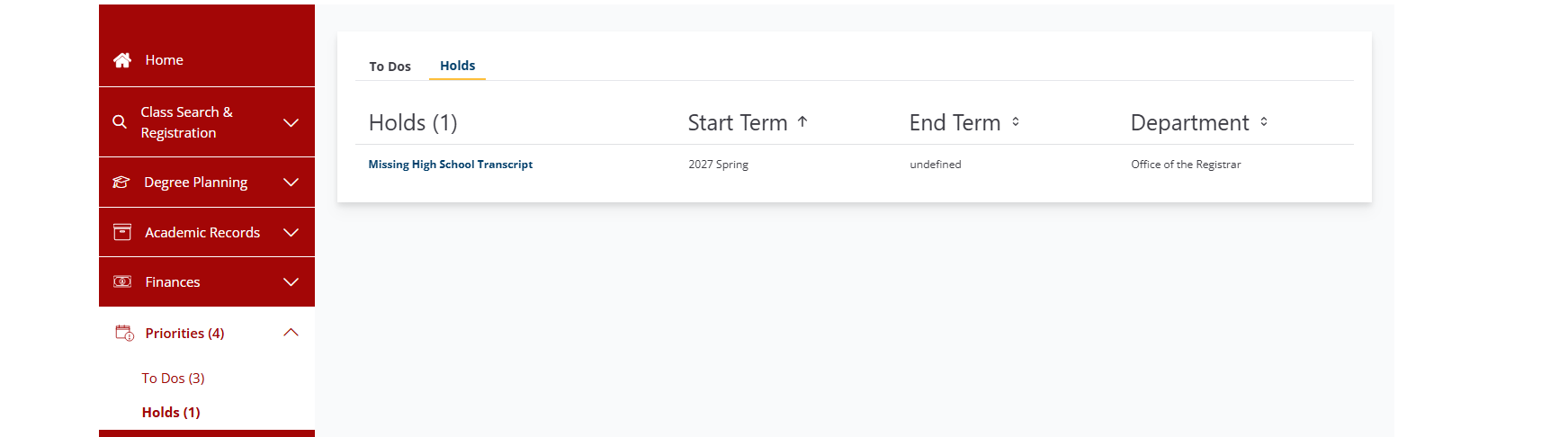
i have 4 priorities in the dashboard and i think In your tutorial video you have only 3 so did i made a mistake somewhere? and i have a concern Is making this edu account and taking cources doesnt gonna cause trouble right? 
If your edu is fully activated you don’t need to worry about holds. Make sure you take screenshot of class schedule because you will be eventually disenroll because of the holds. Also take screenshot of student id
Those two + admission letter and registration confirmation letter will help you to claim student offers and discounts which requires SHEERID and those that doesn’t requires it.
So no need to worry.
Thanks  for your help
1 个赞

 SheerID Verification Failed — Here’s Why & How to Fix It
This is a common, fixable error — SheerID’s automated check couldn’t confirm your enrollment, and there are a few likely reasons plus a clear path forward.
Why This Happens
- Name mismatch — your entered name doesn’t exactly match your school’s official records
- School not in database — some institutions, especially outside the US/Canada or smaller colleges, aren’t recognized by SheerID
- VPN or proxy active — SheerID checks your IP location against your claimed school’s country
- Personal email used — Gmail instead of your school-issued email lowers approval odds
- Browser flagged — repeated failed attempts from the same device can trip fraud detection
- Ineligible country/school level — some regions aren’t supported for this specific offer
Step-by-Step Fix
- Turn off any VPN completely — this is the most common cause of instant rejection
- Clear browser cache/cookies, or switch browsers — failed attempts can get flagged in your browser fingerprint
- Restart from the official page — go to the official page directly https://chatgpt.com/students/2026, not an old bookmarked link
- Use your school-issued email, not a personal one — this meaningfully improves approval odds
- Match your name exactly to your school’s records — no nicknames, no missing initials
- Contact SheerID support directly if it fails again — explain you’re a legitimately enrolled student and attach a recent document (transcript, dated student ID, or fee receipt) showing your name, school, and enrollment dates
- Request your school be added to the database if it’s not recognized at all — this can take 30+ days, so treat it as a slower fallback
Bottom Line
Start with steps 1-2 since they’re fastest and cover the most common causes, then retry. If it fails again, focus on the exact name match plus contacting support with a document ready.
1 个赞
same issue brother, do u have any solution @Emanuel_Branson bro
Brothers I did some digging and this is what I found about the payment method as of this student offer
The only allowed payment method
Virtual card with balance or bank issued card.
Google pay and apple pay is not allowed to be use for this specific student offer but these two method can work for other chatgpt subscription and trial
Could the Edu account be created only before September 1st?
 !
!