I searched for it and they said you need a physical card not a virtual and i only have virtual cards
I have a account where i am getting 1 month free gpt plus but i tried everything (upi ,link ,card) its just shows payment was not approved region= india, anyone have sol to this?.
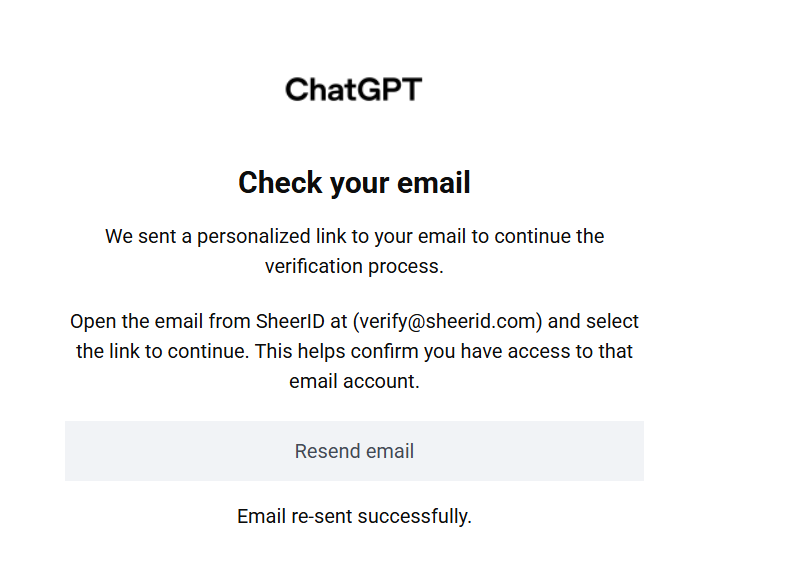
Finally in the game again after verification limit problem. But iam not getting sheerid mail in my outlook account.
1 Like
Bro Congrats, which country card you used?
Same with my UPI button
@Emanuel_Branson where to upload the documents? i only get the email to click. There is no option to upload. After clicking the Verify option i got from the email it’s say error
Copy the email link by long pressing and paste it on your internet browser and continue the verification from the browser.
I had exactly the same problem. I get no emails in the outlook.
Our bad luck 
By some holy miracle i got verified
@Emanuel_Branson Thanks for all your help man love you.
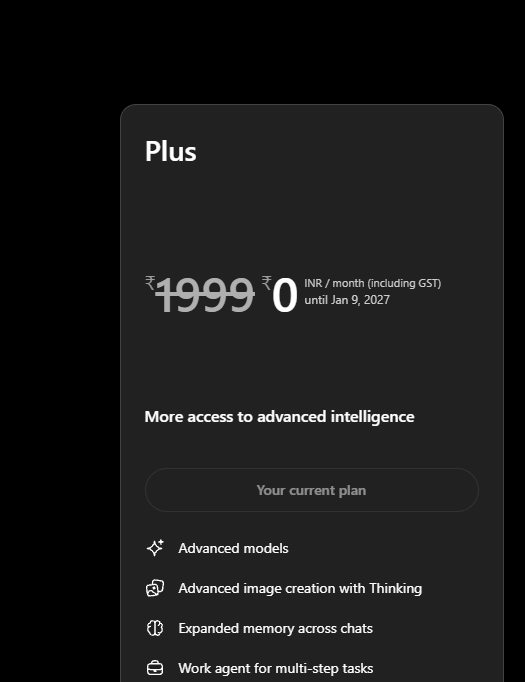
Got it without vpn
Region India
Normal browser (Chrome)
in address i used university id name ,and all other details are fake
Used my local bank card and it didnt even confirmed it , it took 5 sec and just BOOM GPT PLUS
And legendry thing is i got it in my personal mail LOL
1 Like
University ID name?
Also, is it a disposable card you can share?
Sorry cant share the card as its my personal one. (Its a local indian Card)
University ID name? = the name i used while making the UMGC university mail.
Thank you, chief
how on personal mail?like your indian edu mail?
Personal normal mail
they don’t accept personal email then how you did it
Long story short: I didn’t realize at first that I had to use my university email ID to claim this. I initially used my personal email and entered my university ID in the educational information section.
The problem was that I wasn’t receiving the Outlook verification email. So, out of frustration, I kept clicking the “Send Verification Link” button multiple times — even trying it repeatedly in incognito mode.  I also sent several emails explaining that I wasn’t receiving the verification email.
Then, suddenly, one time it directly opened the page where I could enter my details/upload documents. But when I tried to complete the process, it repeatedly gave me an error saying that I wasn’t verified.
After dealing with this multiple times, I got frustrated and went back to check how the verification process was actually supposed to work. Saw full process on this thread and realized that using a university email gives you a much higher chance of getting verified.
So I tried again using my university email. However, this time I got “Verification limit exceeded.” I tried a few more times, but the same error kept appearing.
I then emailed ShareID multiple times explaining that I was stuck and that the verification limit wasn’t being reset. Eventually, I just left it alone for 2–3 days.
After a couple of days, I tried again with my personal email, this time i am able to enter the details again , but that didn’t go through either. I sent another email explaining that I still couldn’t get verified.
And then, today evening, completely unexpectedly, I received an email from ShareID saying that they had manually approved my verification! 
So after all those verification attempts, errors, emails, incognito tabs, and the dreaded “verification limit exceeded” message… they finally manually approved me. 
1 Like
For some reason I don’t get the verification email sent to my umgc edu account. How did you fix that?
I also tried so much that I kept running into the error “Verification limit exceeded”
That is so werid.
You will never gonna get that email, keep trying in diff browser and keep complaining, 2-3 days later they will check things manually which is happened with me and if luck is on your side at that time they will approve it (COMPLAINT AS DETAILED AS POSSIBLE USING GPT AND FUC**NG SPAM IT).
 !
!