around how many gb u have downloaded i am asking bcz i have 10 gb on going
1 Like
Thanks 
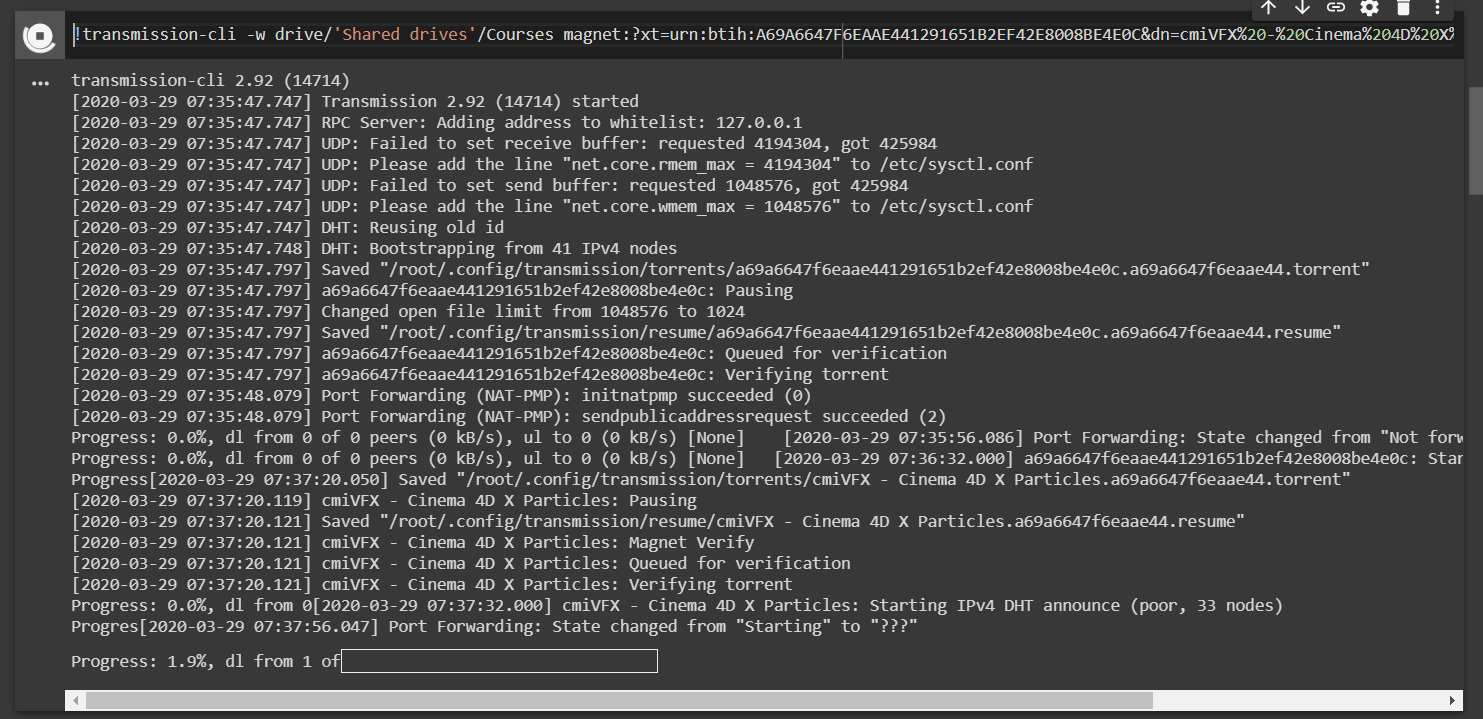
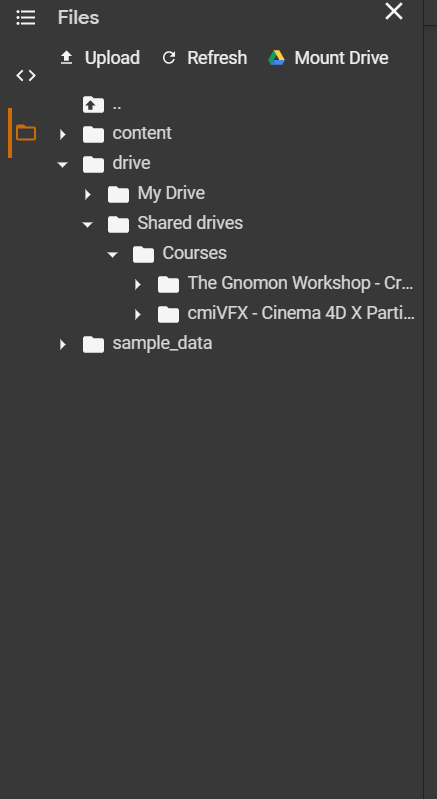
Every thing works fine but there are some changes in second code line make it as shown in pic and u are good to go. u can also change the directory but make sure if it contains space then use ’ ’ to write it o.w. it count it as torrent every thing after that space.
2 Likes
Around 20-25GB total I think.
in one day?
not working disconnect pretty fast within 2 min. error saying Port Forwarding: Stopped
See. If you connect using GPU you can download around 30 GB. If you connect using TPU or normally, you will get around 80 GB to download. Around 6 months ago you could download around 350 GB, but now they have reduced it drastically for unknown reasons.
1 Like
i know that i am asking bcz that guy says google restricts u after some amount of data usage and doesn’t let u allow to connect to backend. well till now i have no issue, i am already gone over 100 GB.
1 Like
Hi all,
This is detail guide. Can you see here
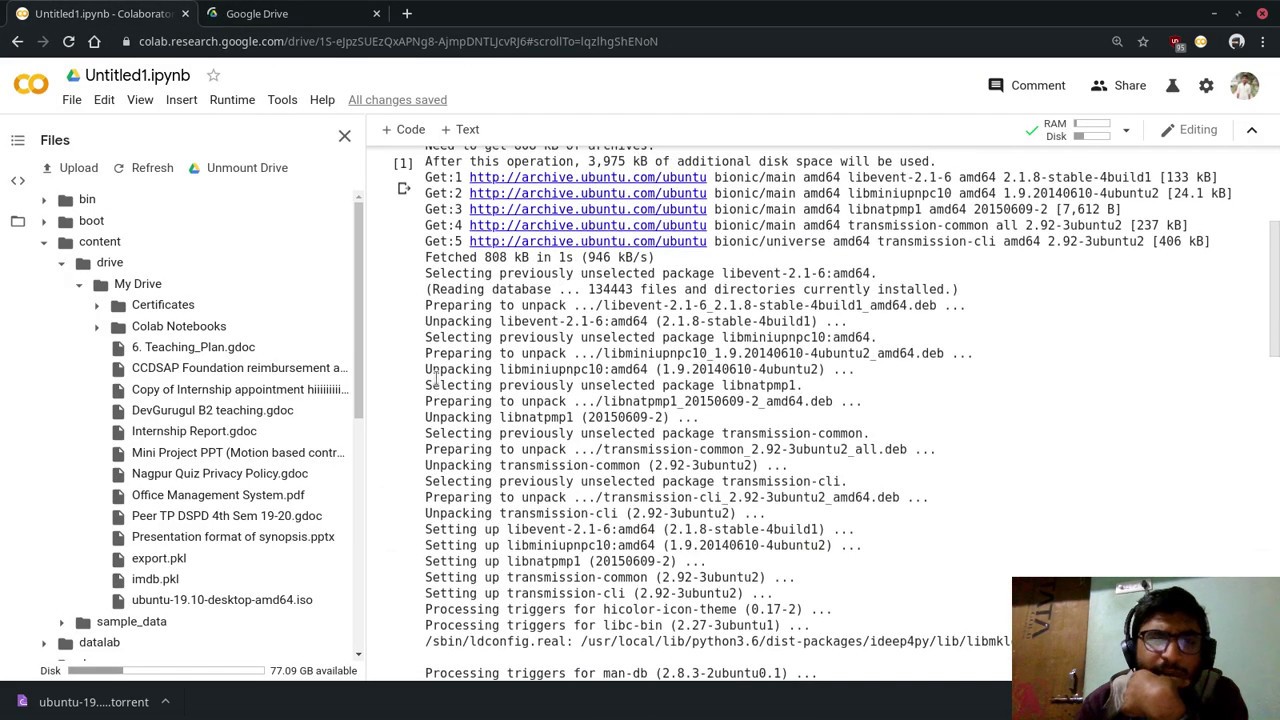
3 Likes
Great video. Would it be fair to say that this entire method with Google Collab is a slightly more long winded version of aria2 (Fully set up)?
Here’s a video guide that might help:-

I have compiled the code, so you just need to click it, no need to add more codes:-
2 Likes
Hi,
Use Shared drives instead of Shared Drives.
Attention : Case sensitive
Do you know how to tweak the code for Shared Drives?
Yes ,
Replace My Drive with Shared drives/name of Shared drive
hey can i join on your shared drive..
Whats means??! If i download juste simple file not torrent. I will be restricted also they will mot ne allowed to connect backend normal
guy,just want to clarify that, if i download a huge file using co lab, Does it affect to my local internet data package? as a example if download 10GB file, Did a use 10GB of my local data traffic ?
No, when you use colab all the resources that’s being used are from google servers. So, don’t worry, your bandwidth will not be used.
1 Like
No it doesn’t. That’s why you should select the appropriate runtime at the start.
Local runtime (don’t use this option) : uses your computer local system resources.
Host runtime (this is the option you should choose): uses your host (google colab) resources
Resources here refer to your CPU, RAM and internet bandwidth.
Hope this is clear enough.
Cheers!!!
… And Over Every Possessor of Knowledge, There is (Some) One (Else) More Knowledgeable.
2 Likes
 !
!