I think there is an error on custom address. I choose to use custom address but looks like the script still use fake address.
Great work buddy 
Will I get a python script for learning?
thank you
There are many open-source python scripts like this on the forum, they work the same. But you need to read and modify to make it work perfectly as some scripts may out of update
https://onehack.st/search?q=edu%20email
where is the .edu email
shame bruh
you putted malware into exe.
why don’t you gave .py files ?
try at your own risk
Wdf , is this true???
No, it’s not malware. As I said from the beginning the compiler I used somehow gets flagged. I also suspect it’s because I included all the python modules and libraries needed within the self extracting exe. Also bear in mind that the AVs that picked it up, are the ones no one’s heard of. That’s begs to question their reliability.
The reason I only gave the .exe is to 1. make it harder to leak, 2. allow non experienced people an easy way to run the program.
That virus total scan was run by me, after compilation and I addressed it in the readme and the post above.
Are you still getting this error?
It means the bot fails to correctly control Google Chrome, do you have the correct version of chrome and web driver?
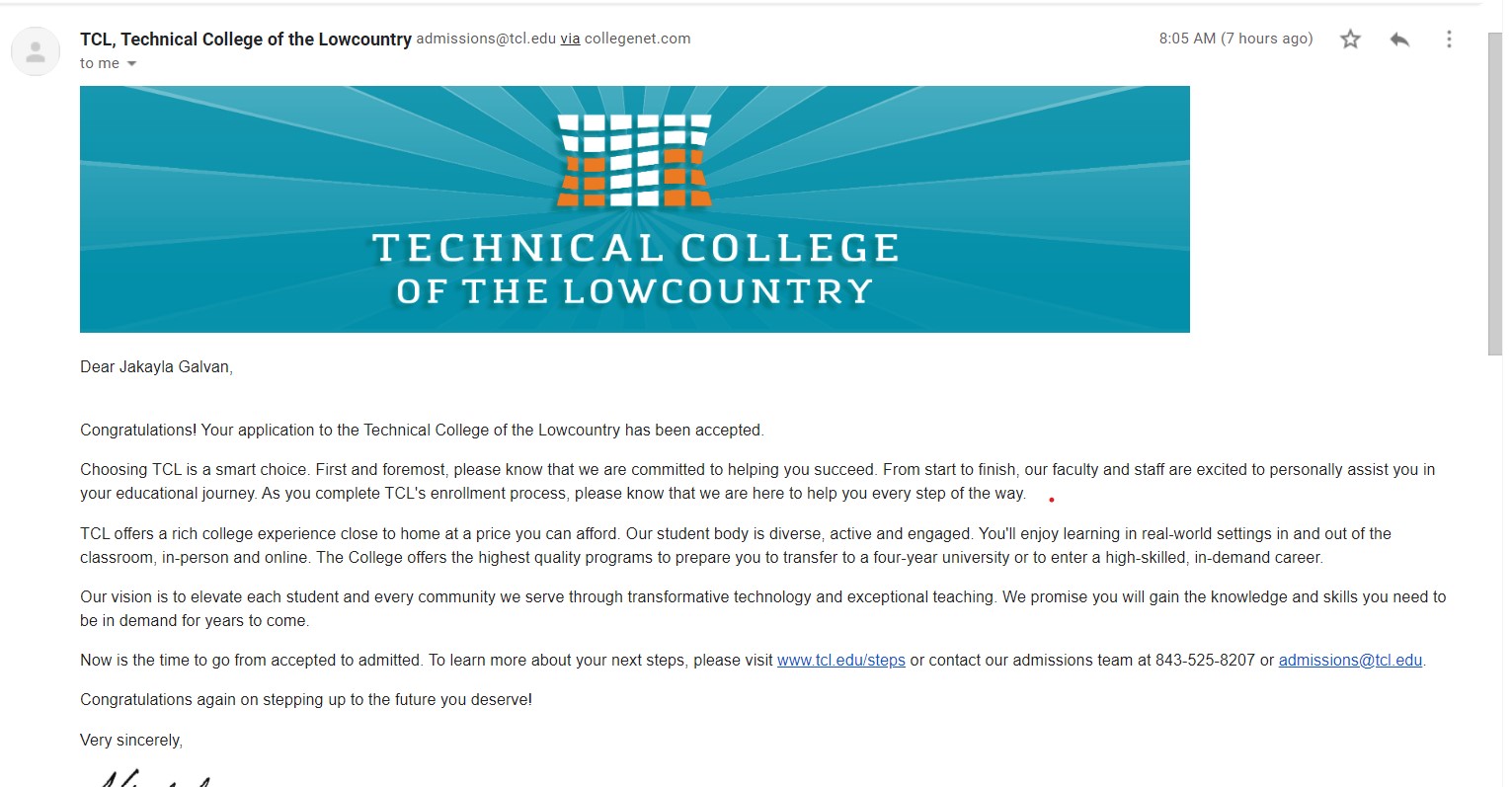
You have been accepted now wait for the second email
Getting this Error
If you managed to use a disposable email then gg…
Traceback (most recent call last):
File “<C:\Users\Illicita\Desktop\TCL Bot V2\Exe\obf\run.py>”, line 2, in
File “”, line 23, in init
File “site-packages\selenium\webdriver\chrome\webdriver.py”, line 76, in init
File “site-packages\selenium\webdriver\remote\webdriver.py”, line 157, in init
File “site-packages\selenium\webdriver\remote\webdriver.py”, line 252, in start_session
File “site-packages\selenium\webdriver\remote\webdriver.py”, line 321, in execute
File “site-packages\selenium\webdriver\remote\errorhandler.py”, line 242, in check_response
selenium.common.exceptions.WebDriverException: Message: unknown error: cannot find Chrome binary
I believe I have the same version.
I will double-check everything again, hope it works.
i can’t download the file, i’m stuck on this ads page…http://gestyy.com/eqnhVe
it says checking if you’re not a bot and nothing happens.
Pretty self explanatory, it means it cannot find your installation of chrome. Perhaps reinstall chrome?
Again, check the version and driver.
Probably your vpn or adblock blocking something!
I HAVE TRIED IT THREE TIMES…!!!
EVERY TIME IT SAYS ::
Traceback (most recent call last):
File “<C:\Users\Illicita\Desktop\TCL Bot V2\Exe\obf\run.py>”, line 2, in
File “”, line 23, in init
File “site-packages\selenium\webdriver\chrome\webdriver.py”, line 76, in init
File “site-packages\selenium\webdriver\remote\webdriver.py”, line 157, in init
File “site-packages\selenium\webdriver\remote\webdriver.py”, line 252, in start_session
File “site-packages\selenium\webdriver\remote\webdriver.py”, line 321, in execute
File “site-packages\selenium\webdriver\remote\errorhandler.py”, line 242, in check_response
selenium.common.exceptions.WebDriverException: Message: unknown error: cannot find Chrome binary
PLEASE HELP BRO CHECK THE CODE AGAIN…??
Are u running on linux or windows btw?
I cant seem to replicate this problem during my testing on several systems.
You will have to provide a bit more information to me. Perhaps pm me.
Nothing is free.
ClipBanker Trojan Description
The ClipBanker Trojan is a Trojan that hijacks transactions such as cryptocurrency payments by redirecting them towards the threat actors’ accounts. Monitoring your transaction history can help with identifying the telltale symptoms of this threat, which, otherwise, leaves few traces of its attacks. Always have your anti-malware program uninstall the ClipBanker Trojan before disputing any misdirected charges as is necessary.
didn’t work on windows 8.1 it comes to gmail screen and then in a flick sec it gets closed
As I start it , it closes down in seconds!!
 !
!