Brother it seems you used VPN during the verification don’t use VPN and when GitHub prompted you to share location share it allow location share. I know location spoofing worked for others but may not work for all. Like me I successfully verified more than 2 GHSP account without VPN.
Try and drop your feedback if you face any issues.
You really put in a lot of effort. Thank you. 
I had a related question. In the video, I saw that you listed n Gmail accounts. Was there a specific trick? If there is, please tell me. I added more than seven or eight, but Android won’t let me add a new gmail account.
Thank you very much. I have successfully submitted the request.
2 curtidas
I had the same issue, and my GitHub Education request got rejected six times, but I finally succeeded.
I’ll tag you in the comment under the post that’s about this topic.
1 curtida
Bro ,
Github education Benefit package really strict; it can’t be fixed just by spoofing GPS. You have to remove additional language, fully set the time (U.S. time), make sure site data and cookies are remove your browser, and a lot of other things based on my personal experience. It’s almost similar to the problem we had before.
1 curtida
Thank you very much. However, I managed to do it successfully last night after four attempts.
2 curtidas
Bro this was possible because I did not save number on Google account for verification so they don’t ask me to verify, I just create account from the Gmail app but as time goes and as I keep creating more account. Google manage to save my phone number for verification and from that time I could not create any other account without being asked to verify. So basically that’s how I managed to get those account even google locked one of the account I had to appeal and then they restored back my access.
1 curtida
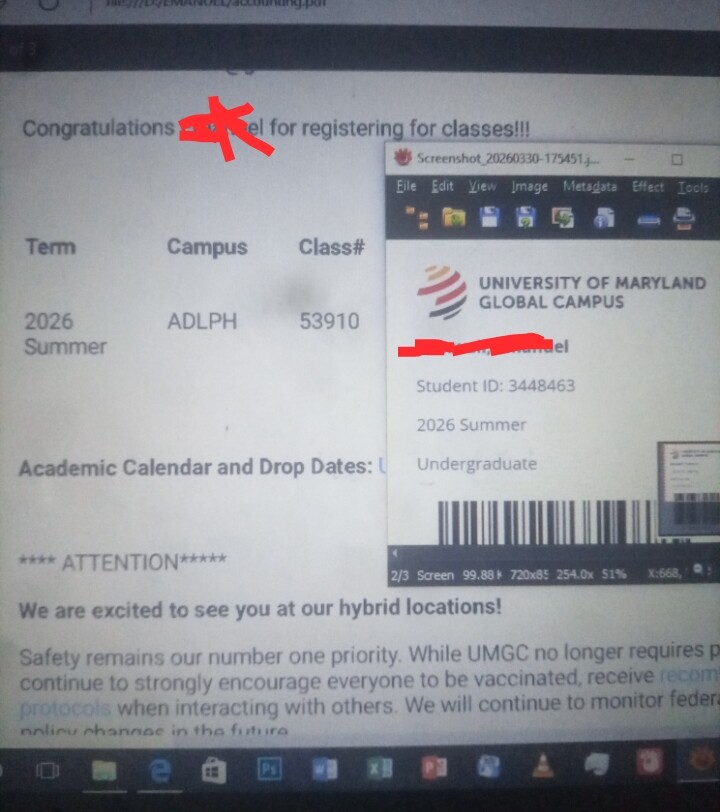
Simple! Send the screenshot of the student id to your computer open it.
Save your registration confirmation letter as pdf and open it too on the same computer.
Place both side by side and make sure the university logo on the id your name on the id should be seen clearly not blurry.
The heading of the registration confirmation letter should be visible not blurry.
Use your phone to verify or claim the offer and at the option for where you need to choose.
Then choose enrollment letter option and use your phone to capture the picture of both id and registration confirmation letter.
Picture must not be blurry try again and again when it is blurry don’t rush to submit because you will be rejected.
Look at the sample I used on one of my GitHub student pack.
It works because they want prove of enrollment that’s all provided your profile name, billing address name and name on student id are matching you will be approved shortly.
2 curtidas
Thank you so much bro for your time and detailed answer. Much appreciated. However, one thing, on billing information on my GitHub account, I used the US fake address as I belong to a South Asian country. Should I use my real country info?
Another thing i made ugmc student mail in February, and it’s working, so I didn’t make a new one. I can access that portal, and the student id card is also available. Should I use the old email of registration, of course, or should I enroll in a new course? as still there is time of 2 days till admisions closses,
edit i saw your video in which you said it won’t work on old accounts. Apologies.
1 curtida
Since they are old just try your luck if it fails.
You know what to do brother creating New account( edu). As a backup plan I suggest you create edu account now since the fee waiver is still on and will end on 30th of this month so think about it brother.
Concerning your fake billing information let them be as it is only the name must match with the profile name and student id name.
2 curtidas
How long would it take to get the provisioning mail? I just received the mail for admissions letter
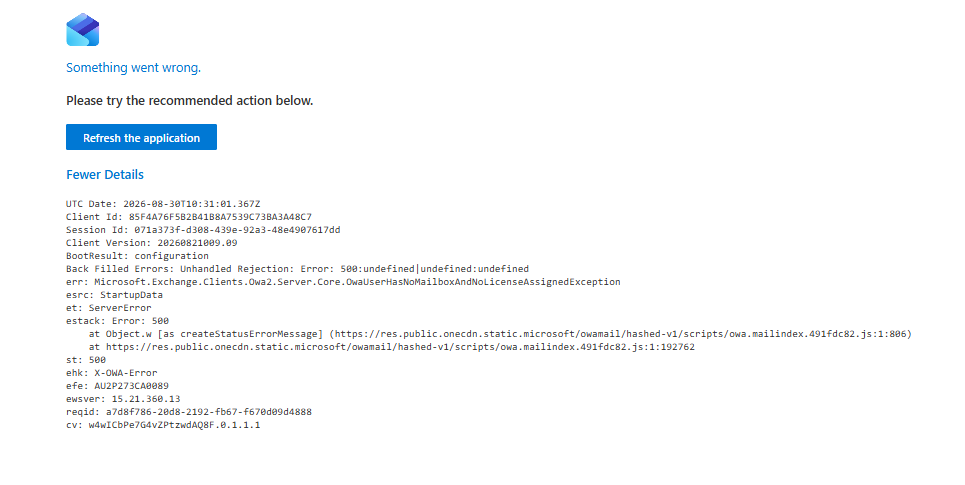
btw i created an email almost 5-7 monhs ago but im still not able to login the email and getting the error like Nam_Tuan shared
Is this outlook app or browser if outlook app uninstall and install again then add you umgc account if it fails then you might have not registered in class at the time of account creation. But if you had registered then create new account now or tomorrow and register it immediately since fee waiver will not apply on 1 September.
@Emanuel_Branson bro i’m able to register for a class for umgc on a different new account so now how much should i wait before check if the edu mail is working or not, and also how to check edu mail, please guide
48 hours or less you will receive email from the school in each account you used during application. It will help you to setup your edu account but for your edu id to be functional you will have to register for class in each account and wait 6 hours prior to registration.
 !
!