Aina
23
Step 1. Go to the below page:
Step 2. Enter your E-mail and click the “GET 180/90 DAYS FREE” button:
Step 3. Create a Bitdefender Central account:
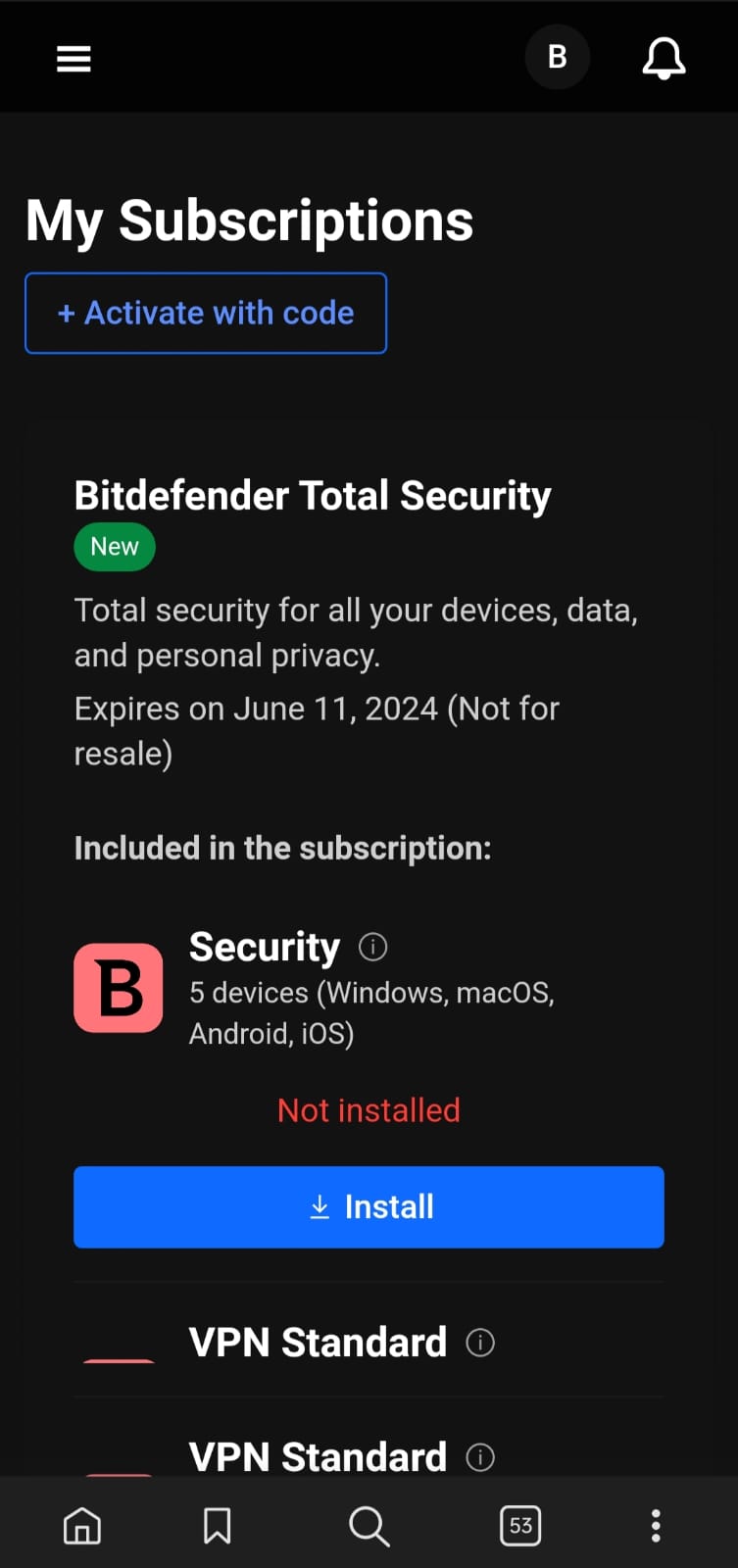
Step 4. Check your mailbox to verify your account then access the Bitdefender Central → My Subscriptions → Install protection on a new device
Step 5. Now just run the installer and enjoy!
- This trial subscription cannot be used to extend any other active subscription you have,
- Trials are for new users only. Data collected according to the privacy policy
ENJOY! 
sk8t3r
24
Oh yeah! Thanx a lot SaM!! 
Aina
26
Step 1. Go to the below page:
Step 2. Enter your E-mail and click the “GET 180/90 DAYS FREE” button:
Step 3. Create a Bitdefender Central account:
Step 4. Check your mailbox to verify your account then access the Bitdefender Central → My Subscriptions → Install protection on a new device
- This trial subscription cannot be used to extend any other active subscription you have,
- Trials are for new users only. Data collected according to the privacy policy
ENJOY!
Aina
27
Step 1. Go to the below page:
Step 2. Enter your E-mail and click the “GET 180/90 DAYS FREE” button:
Step 3. Create a Bitdefender Central account:
Step 4. Check your mailbox to verify your account then access the Bitdefender Central → My Subscriptions → Install protection on a new device
- This trial subscription cannot be used to extend any other active subscription you have,
- Trials are for new users only. Data collected according to the privacy policy
Enjoy!
Thank you @Aina it works perfectely for 180 Days..
Nice Thank you very very much
[Update] Bitdefender Total Security 2024 for 90 Days
Step 1. Go to the below page:
GIVEAWAY PAGE 180 DAYS
Step 2. Enter your E-mail and click the “GET 90 DAYS FREE” button:
Step 3. Create a Bitdefender Central account:
Step 4. Check your mailbox to verify your account then access the Bitdefender Central → My Subscriptions → Install protection on a new device.
- This trial subscription cannot be used to extend any other active subscription you have,
- Trials are for new users only. Data collected according to the privacy policy.
ENJOY.
Thank you so much! My last 3 months subscription expired today 
Aina
35
Step 1. Go to the below page: GIVEAWAY PAGE 90 DAYS
Step 2. Enter your E-mail and click the “GET 90 DAYS FREE” button:
Step 3. Create a Bitdefender Central account:
Step 4. Check your mailbox to verify your account then access the Bitdefender Central → My Subscriptions → Install protection on a new device
Step 5. Now, just run the installer and enjoy it form 3-month free!
- This trial subscription cannot be used to extend any other active subscription you have,
- Trials are for new users only. Data collected according to the privacy policy
- You have 45 days to activate the product
Enjoy!
Aina
36
Step 1. Go to the Bitdefender Total Security giveaway page
Step 2. Enter your E-mail and click the “GET 90 DAYS FREE” button:
Step 3. Create a Bitdefender Central account:
Step 4. Check your mailbox to verify your account, then access the Bitdefender Central → My Subscriptions → Install protection on a new device
Step 5. Now, just run the installer and enjoy it for 3-month free!
- This trial subscription cannot be used to extend any other active subscription you have,
- Trials are for new users only. Data collected according to the privacy policy
- You have 45 days to activate the product
Enjoy!
 !
!