[Giveaway] Steganos VPN Online Shield | 1 Year License | Time Limit ⭐

Steganos VPN Online Shield - free (Unlimited traffic service for 1 year)

How to get a free Steganos VPN Online Shield license for 1 year

  1. Follow the link and register a new account, be sure to confirm it.
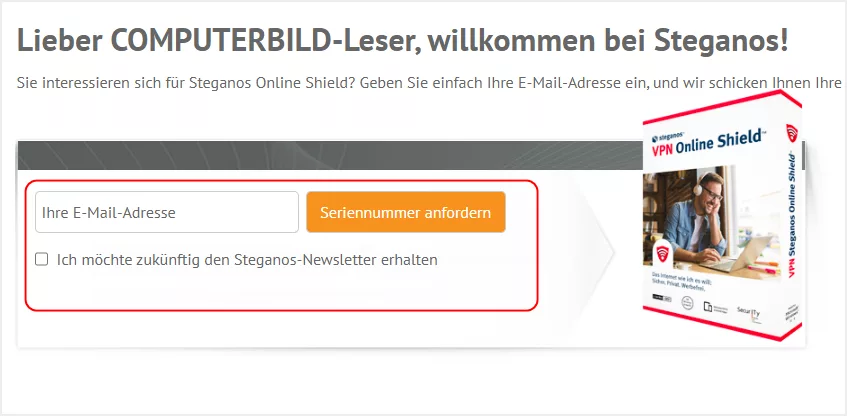
  1. Go to the offer page and request a serial number using the same E-Mail

https://www.steganos.com/specials/cobi1223/sos

  1. Confirm the email address from the received letter, get a license key and activate it on this page

  2. Download Steganos VPN Online Shield and install:

System Support: Windows 11, 10, 8.1, 8, 7 | macOS 10.11 or later | Android 7.0 and above | iOS 12.1 or later.

  1. Log in to the application and use it for free for a whole year.

Terms & Conditions
With this serial number, you get unlimited traffic volume for one device for one year
If you have any questions or suggestions, their support will help you: http://support.steganos.com

5 Likes

Thanks for sharing. super useful and working

2 Likes

Step 1. Go to the Steganos account page to log in or create a new account for free:

Step 2. Open this Steganos VPN Online Shield giveaway page and enter your email address then press the button to get a license code for free!

Step 3. A second email will then be sent containing your Steganos VPN Online Shield serial number for activation.

Step 4. Go to the “Enter Serial” page; enter your serial number and click on Redeem:

Step 5. Download the official installer here: http://file.steganos.com/software/sosint.exe
After installation, launch the software and login to your existing account:

Now enjoy this VPN software for 1 year!

  • With this serial number, you get unlimited traffic volume for one device for one year
  • If you have any questions or suggestions, their support will help you: http://support.steganos.com

Enjoy! :heart:

5 Likes

Step 1. Open this Steganos VPN Online Shield giveaway page and enter your email address then press the button to get a license code for free!

A second email will then be sent containing your Steganos VPN Online Shield serial number for activation.

Step 2. Go to the Steganos account page to log in or create a new account for free:

Go to the “Enter Serial” page; enter your serial number and click on Redeem:

Step 3. Download the official installer here: steganos-vpn-online-shield.exe
After installation, launch the software and log in to your existing account:

  • With this serial number, you get unlimited traffic volume for one device for one year
  • If you have any questions or suggestions, their support will help you: http://support.steganos.com

Enjoy! :heart:

7 Likes

Thanks worked like a charm.

1 Like

Thank you…its work

1 Like

Always valuable information and tools from Sam. Thank you for ur efforts!

1 Like

Please update it… new version

1 Like

No update for this year?