\
**Category:** Discussion & Solutions\
**Tags:** solved\
**Created:** [March 7, 2026, 1:22am UTC](https://onehack.st/t/read-120mb-html-file-problem/319328 "2026-03-07T01:22:16Z")\
**Posts on this page:** 9\
**Page:** 1
**Author:**  [@Aikon](https://onehack.st/u/Aikon)\
**Post date:** [March 7, 2026, 1:22am UTC](https://onehack.st/t/read-120mb-html-file-problem/319328/1 "2026-03-07T01:22:16Z")
Hello all,
Got a situation which I would really appreciate some help. Got a Whatsapp chat as HTML which is around 120MB. Browsers are unable to read it all due to the size which will create memory issues. I need the messages with one particular contact and not all. Is there any tool that can help in this pls? Maybe a tool that can split up the html file into smaller ones html ones and then I can check the content from each? Any help appreciated.
Thanks all
---
**Author:**  [@yoursoul](https://onehack.st/u/yoursoul)\
**Post date:** [March 7, 2026, 5:07am UTC](https://onehack.st/t/read-120mb-html-file-problem/319328/2 "2026-03-07T05:07:22Z")
notepad++ is best for this purpose, use its search functions and just select the file or even the folder.
---
**Author:**  [@Aikon](https://onehack.st/u/Aikon)\
**Post date:** [March 7, 2026, 6:13am UTC](https://onehack.st/t/read-120mb-html-file-problem/319328/3 "2026-03-07T06:13:29Z")
It will grind to a halt and crash due to the sheer size (more than 72k records) when trying to load it completely in memory. I was thinking of a parser that would maybe load it piecewise.
---
**Author:**  [@yoursoul](https://onehack.st/u/yoursoul)\
**Post date:** [March 7, 2026, 10:19pm UTC](https://onehack.st/t/read-120mb-html-file-problem/319328/4 "2026-03-07T22:19:30Z")
i hope this thing will work [https://github.com/riversun/LLPAD](https://github.com/riversun/LLPAD)
actually i have used a tool like this for logs file upto 500mb but it was a long time ago and i donot recall its name in my mind, still give the github repo a try.
---
**Author:**  [@Indianapolis](https://onehack.st/u/Indianapolis)\
**Post date:** [April 6, 2026, 9:50am UTC](https://onehack.st/t/read-120mb-html-file-problem/319328/5 "2026-04-06T09:50:44Z")
> [@Aikon](#):
>
> Hello all,
>
> Got a situation which I would really appreciate some help. Got a Whatsapp chat as HTML which is around 120MB. Browsers are unable to read it all due to the size which will create memory issues. I need the messages with one particular contact and not all. Is there any tool that can help in this pls? Maybe a tool that can split up the html file into smaller ones html ones and then I can check the content from each? Any help appreciated.
>
> Thanks all
**📄 120MB WhatsApp HTML Chat Export: Extract Only One Contact’s Messages Without Browser Crashes**
Yeah, that’s a classic pain — WhatsApp’s HTML exports can balloon to huge sizes when you’ve got years of chats, and browsers just choke trying to load the whole thing at once. You only need the messages from one specific contact, so there’s no reason to wrestle with the full 120MB file.
The good news is you don’t need any paid software or risky online uploaders. The cleanest and most reliable fix is a short Python script that parses the HTML and pulls out **only** the messages from that one contact (plus timestamps, media references, etc.). It runs locally, keeps everything private, and spits out a much smaller, usable file.
* * *
**🚀 Best Solution: Quick Python Script (Takes 2–3 Minutes to Set Up)**
This uses BeautifulSoup — super lightweight and perfect for WhatsApp’s HTML structure.
**Step 1: Install the tools (one-time only)**
Open your terminal / command prompt and run:
Bash
```auto
pip install beautifulsoup4 lxml
```
**Step 2: Save this script as extract\_whatsapp\_contact.py**
Python
```auto
from bs4 import BeautifulSoup
import sys
# === CHANGE THESE TWO LINES ===
input_file = "your_chat.html" # your 120MB file
contact_name = "Exact Contact Name" # put the exact name as it appears in the chat
output_file = "chat_with_" + contact_name.replace(" ", "_") + ".html"
# Load the big file
print("Loading the big HTML file... (this might take a minute)")
with open(input_file, "r", encoding="utf-8") as f:
soup = BeautifulSoup(f, "lxml")
# Find all message blocks
messages = soup.find_all("div", class_="message") # WhatsApp HTML uses this class
extracted = []
for msg in messages:
# Look for the sender name (adjust selector if your export is slightly different)
sender_tag = msg.find("span", class_=["author", "sender", "chat-author"]) or msg.find(string=lambda text: contact_name in text if text else False)
if sender_tag and contact_name.lower() in str(sender_tag).lower():
extracted.append(str(msg))
# Build a clean new HTML file
if extracted:
new_html = f"""
Chat with {contact_name}
Chat with {contact_name}
{"".join(extracted)}
"""
with open(output_file, "w", encoding="utf-8") as f:
f.write(new_html)
print(f"✅ Done! Created {output_file} with only {len(extracted)} messages from {contact_name}")
else:
print("No messages found for that contact name — double-check the spelling.")
```
**Step 3: Run it**
Bash
```auto
python extract_whatsapp_contact.py
```
The resulting file will be tiny (usually just a few MB) and opens instantly in any browser.
**Tip** : If the script doesn’t catch the messages, open a tiny part of your HTML in a text editor and search for the contact name — tell me what tags surround it and I can tweak the selector for you.
* * *
**🛠 Alternative: Split the Big File Into Smaller Chunks (If You Prefer Manual Checking)**
If you really want to split the full HTML into smaller pieces first:
- **On Windows** : Use a free tool like **GSplit** (portable, no install) → [https://www.gdgsoft.com/gsplit/](https://www.gdgsoft.com/gsplit/) Split by size (e.g. 10MB chunks) — then open each small HTML and Ctrl+F for the contact name.
- **On Mac/Linux** : In terminal:
Note: Pure splitting can sometimes break the HTML formatting, so the Python method above is cleaner and more targeted.
* * *
**⚠ Quick Tips**
- Make a backup copy of the original 120MB file before doing anything.
- The script runs completely offline — nothing gets uploaded.
- If your export includes media, the links will still work as long as the media folder is in the same place.
This should get you exactly what you need without any memory headaches. Drop the exact contact name (or a sample of how it appears in the HTML) if you want me to adjust the script further.
You’re all set now.
---
**Author:**  [@Nightypop](https://onehack.st/u/Nightypop)\
**Post date:** [April 8, 2026, 7:04pm UTC](https://onehack.st/t/read-120mb-html-file-problem/319328/6 "2026-04-08T19:04:54Z")
you can create your own webhosting free here and read the html files easily via your browser : [https://souini.eu.cc/](https://souini.eu.cc/)
---
**Author:**  [@lee\_lee](https://onehack.st/u/lee_lee)\
**Post date:** [April 9, 2026, 8:05am UTC](https://onehack.st/t/read-120mb-html-file-problem/319328/7 "2026-04-09T08:05:41Z")
Thanks for this
---
**Author:**  [@Tempo\_Khan](https://onehack.st/u/Tempo_Khan)\
**Post date:** [May 7, 2026, 4:40pm UTC](https://onehack.st/t/read-120mb-html-file-problem/319328/8 "2026-05-07T16:40:08Z")
> [@Aikon](#):
>
> Hello all,
>
> Got a situation which I would really appreciate some help. Got a Whatsapp chat as HTML which is around 120MB. Browsers are unable to read it all due to the size which will create memory issues. I need the messages with one particular contact and not all. Is there any tool that can help in this pls? Maybe a tool that can split up the html file into smaller ones html ones and then I can check the content from each? Any help appreciated.
>
> Thanks all
### 1. Quick & Dirty Splitting (No Coding)
- Use a text editor that handles huge files:
- Or use an **online HTML splitter** (if it accepts 120MB) or split the file into smaller parts using:
Then open the smaller HTML pieces one by one and search for your contact’s name.
### 2. Other Good Tools
- **WhatsApp-Chat-Exporter** (GitHub) → Great for handling large exports and splitting.
- Convert the HTML to text first, then filter with any text tool.
look up on github for more tools, attaching this one tool here 1-[Tool](https://github.com/KnugiHK/Whatsapp-Chat-Exporter)
---
**Author:**  [@TheStrength](https://onehack.st/u/TheStrength)\
**Post date:** [July 4, 2026, 5:56pm UTC](https://onehack.st/t/read-120mb-html-file-problem/319328/9 "2026-07-04T17:56:37Z")
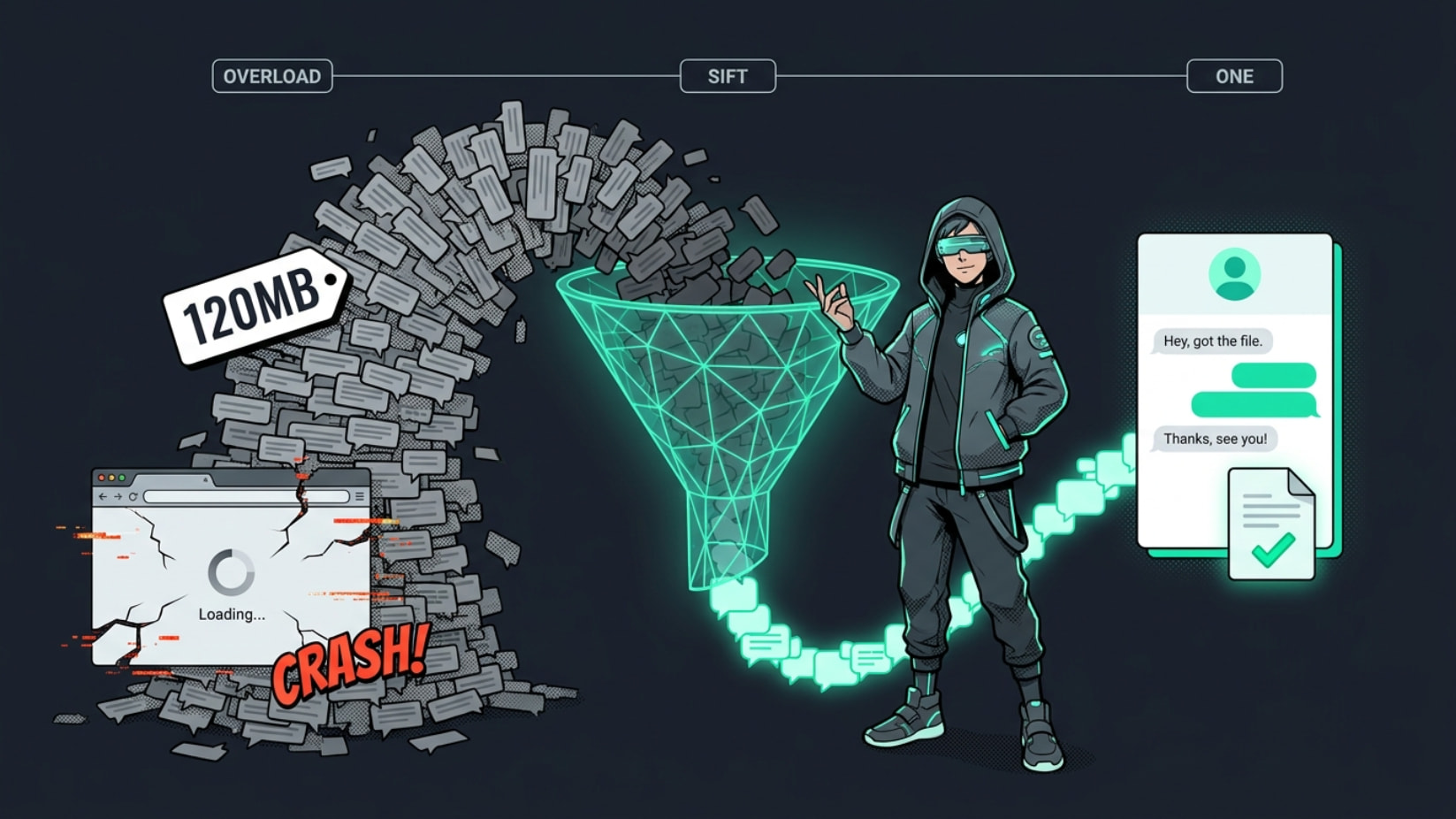
**The file’s fine — the browser just tries to paint all ~72k messages at once and dies. Stop rendering it and the problem’s gone.**
* * *
```auto
❌ browser → loads ALL 120MB at once → 💀 out of memory
✅ tool → reads/streams, keeps 1 person → ✅ tiny clean file
```
Every fix below runs **100% on your PC** (never feed a private chat to an online “splitter”). Lazy pick = **klogg**. Grab a lane 👇
> **🖱️ open the beast without it biting — zero code**
>
> - **[klogg](https://klogg.filimonov.dev/)** — free viewer that reads a file _off disk_ instead of loading it into RAM (memory), so 120MB (or 120GB) opens instantly. Type the contact’s name → every hit shows live. Win/Mac/Linux.
> - **[EmEditor](https://www.emeditor.com/)** — opens files up to 16TB; even the free tier eats huge files + regex (search-by-pattern).
> **⌨️ one line → their whole thread, ripped out**
>
> Okay with a terminal? **[ripgrep](https://github.com/BurntSushi/ripgrep)** (`rg`):
>
> ```auto
> rg -i -C 3 "Contact Name" chat.html > just_them.txt
>
> ```
>
> `-i` ignores caps, `-C 3` grabs 3 lines around each hit (context, not naked matches), `>` saves it to a new file. Whole thing, ~2 seconds.
>
> - Message spans several lines? **[ugrep](https://github.com/Genivia/ugrep)** does multi-line + `name AND date` searches.
> - **[rga](https://github.com/phiresky/ripgrep-all)** searches _inside the zip_ without even unpacking it.
> **📄 walk away with a clean transcript (csv / json / txt)**
>
> Tiny Python script — just use a parser that **streams** instead of swallowing the whole file:
>
> - **[selectolax](https://github.com/rushter/selectolax)** — fast, low-memory, grabs elements by tag; keep only your contact’s blocks. 5–30x lighter than BeautifulSoup (the library that chokes on big files).
> - **[lol-html](https://github.com/cloudflare/lol-html)** — Cloudflare’s streaming HTML tool, literally built for files bigger than your RAM.
> **🚪 the door WhatsApp left open (skip the HTML)**
>
> WhatsApp’s own **Export Chat makes a plain `_chat.txt`, not HTML** — your 120MB came from some converter. Still have the chat on your phone? Re-export **one contact** and there’s no giant HTML to fight.
>
> - **[whatstk](https://github.com/lucasrodes/whatstk)** — feed the `.txt`; `df[df.username=='Their Name']` _is_ the whole job. Ships a `whatstk-to-csv` command.
> - **[WhatsApp-Chat-Exporter](https://github.com/KnugiHK/WhatsApp-Chat-Exporter)** — from the phone database, `--include` pulls just one number.
> **🕰️ old tricks that still slap (steal the fix)**
>
> Pulling one sender out of one giant file was solved decades ago — for email.
>
> - **[grepmail](https://github.com/coppit/grepmail)** — yanks every _complete_ message from one sender, never chopping one in half, stays light on memory. An email archive is the same shape as a chat log.
> - Copy the move from **[DiscordChatExporter](https://github.com/Tyrrrz/DiscordChatExporter)** (per-user filter + file split, built in) or **[sigtop](https://github.com/tbvdm/sigtop)** (Signal, matches names by regex).
> - Chopping the file yourself? Cut on **message boundaries, not size** — **[awk RS](https://www.gnu.org/software/gawk/manual/html_node/awk-split-records.html)** never slices a message.
> - Name shows as `José` instead of `José`? Just an encoding mixup, not a broken file — **[ftfy](https://github.com/rspeer/python-ftfy)** un-garbles it so your search matches again.
> **💡 where this actually saves your ass**
>
> - **Evidence for court / HR / a dispute** — hand over _only_ one person’s messages as a clean file, not 72k lines to scroll.
> - **Backing up before you block or delete someone** — keep just their thread.
> - **Group chat ballooned to 200MB** — pull one member’s messages out and dump the rest.
> - **Old phone died, all you’ve got is the export** — recover a single conversation from it.
> - **Feeding your own chats to an AI / building a dataset** — export one person’s lines straight to CSV.
**Recap:** peek with **klogg** , rip with **ripgrep** , or skip the whole mess via **`_chat.txt`**. One clean file, ~10 minutes, browser never touches it.
_Never open the haystack. Reach in and pull the needle._ 🪡