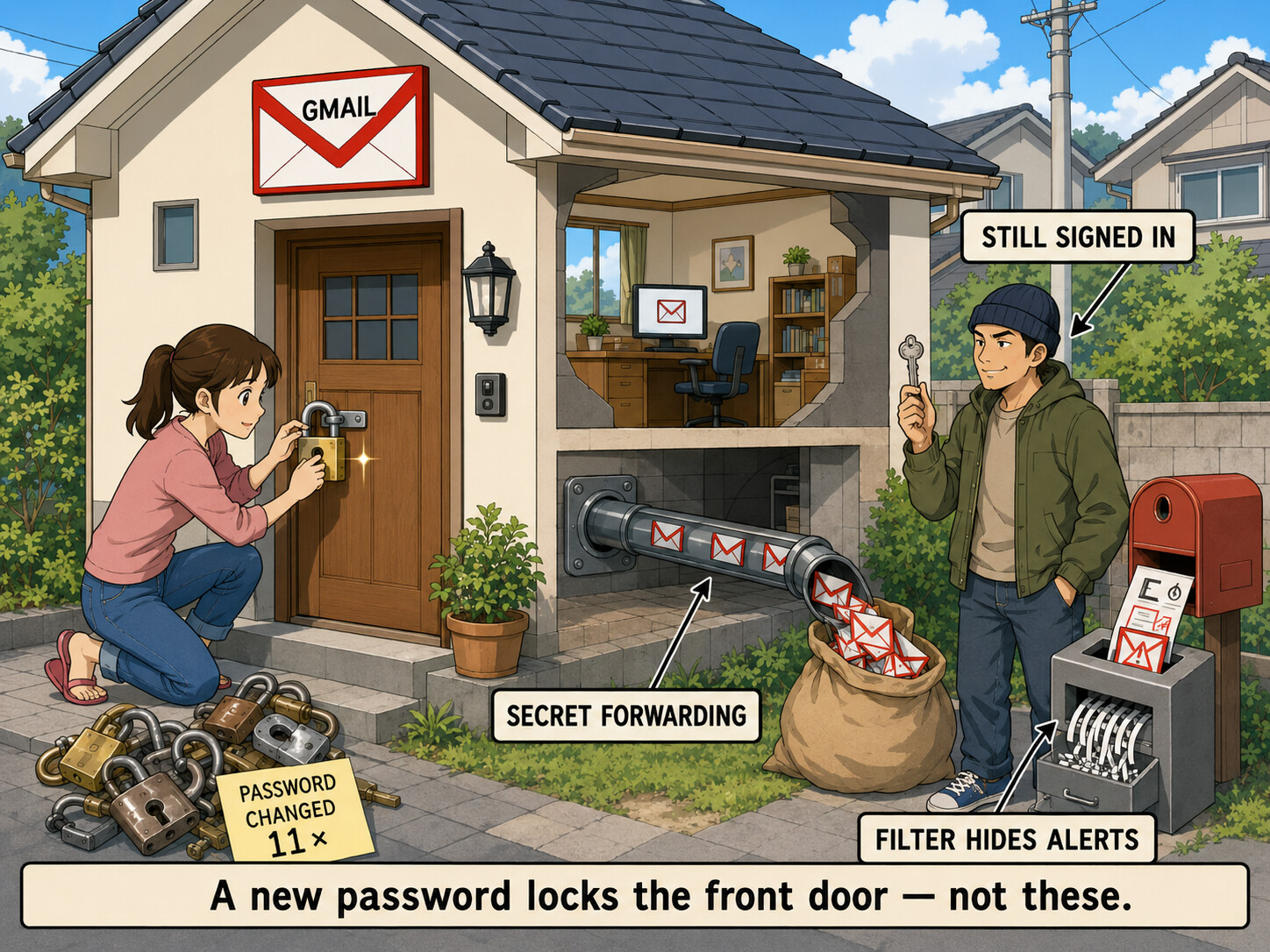
First, breathe — and do not pay those “reveal your password” sites. A real breach-checker only ever compares a scrambled copy of a password, never the plain text — so any site offering to “unmask” your full password for money is just selling you fear. And the old password is useless anyway: the attacker changed it 11 times, and Google recovery never asks for it.
Now the part that matters most — in order, because you’re fighting the wrong fire first.
The Gmail isn’t the emergency — the PayPal + bank it unlocks are. Whoever holds the inbox can reset those. Ring-fence the money before you spend another day on the email.

 RIGHT NOW — cut the money loose from the inbox
From a different device you trust — 15 minutes, do this first:
├─  Secure PayPal — new password, remove the Gmail as its login/recovery email, turn on 2FA
├─  Call your bank / card fraud line (why + how) — flag it, reissue the cards
├─  Freeze your credit (free, stops new loans in your name): Equifax · Experian · TransUnion
└─  File IdentityTheft.gov — generates an official report + a personalized recovery plan

 THEN — reclaim the Gmail the right way
The reason 11 resets failed: changing the password doesn’t remove the intruder’s hidden foothold. Do the real flow:
├─  Start at g.co/recover — from a device / browser / Wi-Fi / location you’ve used before (this is what makes Google believe it’s you)
└─  The moment you’re back in, run Google’s reclaim-and-lock checklist — the foothold steps are in the drawer
🔵 Kick the intruder OUT — the hidden-foothold checklist
Changing the password alone won’t do it. In your account, in order:
 Sign out every device except yours
 Delete secret forwarding + POP/IMAP — the #1 hidden persistence: it silently copies your mail out even after a reset
 Delete rogue filters that auto-delete or forward your security alerts
 Reset recovery email + phone to yours (remove theirs) · wipe app passwords · revoke third-party app access
 Turn on 2-Step Verification so they can’t walk back in

 The honest part
After months of failed recovery, sometimes Google just can’t verify you and the account is gone — that’s not your fault. Before you burn more months:
├─  Human routes: Google’s hijacked-account guide + post your case to the Account Help Community (Product Experts can escalate)
└─  If it won’t come back → migrate: point every account you still control to a fresh, secured inbox (Proton Mail) — don’t leave your life wired to a dead email.
🆓 Free breach-check (the legit version of those paid sites) + 🛡️ lock the next one down
See where you leaked — for free:
- Have I Been Pwned — type your email, see every breach it’s in (the real, free version of the pay sites)
- Google Password Checkup — flags your saved passwords that are breached/reused → change those first
 proof the paid sites are fake: a real checker uses k-anonymity — it never receives your full password
So it can’t happen again:
 Passkeys — face/fingerprint login that can’t be phished ·
  a password manager (one unique password per site)
 app-code 2FA (not SMS) · for maximum lockdown, Advanced Protection
Don’t pay to “see” an old password — spend that energy locking the money it used to guard.
 !
!