AltSendMe – One Click, One Link, Your File Teleports (Windows/macOS/Linux)
Tired of begging cloud sites to “please upload” your 8GB file while they judge your free plan?
This one skips the drama and just sends stuff straight from your device to theirs.
Meet AltSendMe – tiny app, stupidly simple:
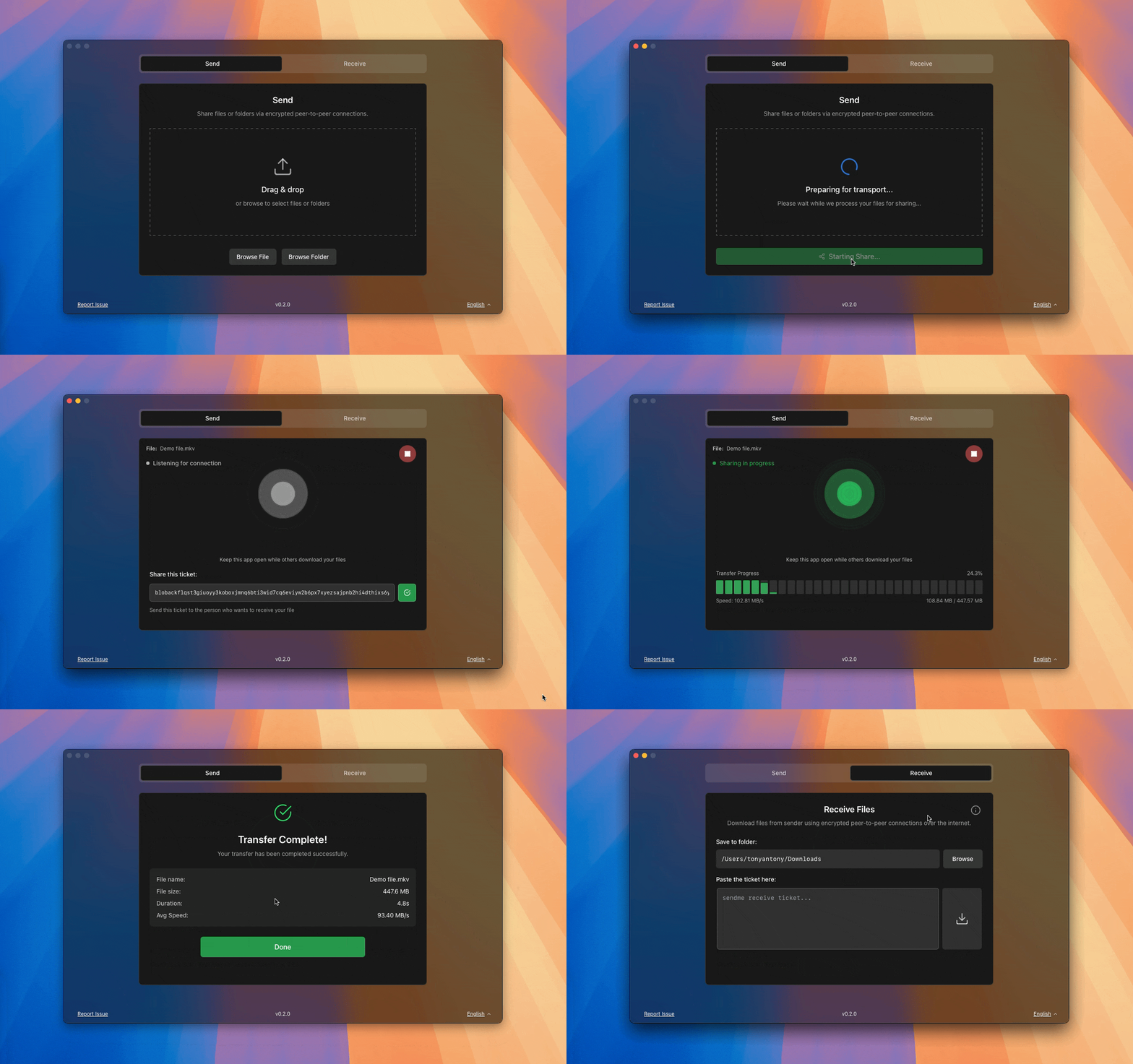
 What It Does
- You pick a file or folder
- You click Start Sharing
- It gives you a link
- You send that link to your friend
- They click → the file starts downloading directly from you
No account. No signup. No storage limits. No “your file is too big  ” pop-up.
 Why It Feels Illegal (But Isn’t)
- The file goes device → device, not via some random company’s server
- Everything is fully encrypted, so nobody in the middle can peek
- First time on Windows, it might ask in Firewall—just allow it and you’re done
You’re basically running your own tiny, private Dropbox… without actually using Dropbox.
 Real-Life Stuff It Handles
- Whole folders, not just single files
- Massive project zips, games, family videos
- Long-distance sends without “cloud lag”
- Resumes if connection drops (no starting from 0% again
 )
)
 Works On Almost Everything
- Windows 7–11
- macOS
- Linux
So yeah, you can send from your old potato laptop to your shiny new machine and back.
 Grab It Here
-
Dev’s GitHub (mad respect):
https://github.com/tonyantony300/alt-sendme -
Official site (downloads + info):
https://www.altsendme.com/en -
Direct releases page (latest builds):
https://github.com/tonyantony300/alt-sendme/releases
Install it, send one big file to someone, and watch how fast you stop opening Dropbox out of habit.
 !
!