Same Apple TV, same 4K, no VPN — billed in India at ₹99 a month 
| Apple TV | Per month |
|---|---|
 UK UK |
£9.99 a month |
 India India |
₹99 a month — about 78p |
That is the whole trick: same account, same shows, the bill simply lands in India.
Pay it with an Amazon India App Store code and you never touch a VPN — playback works like any normal account.
The four steps — with every screen
1 · Make the account — new Apple account, country set to United Kingdom, email and phone verified.
2 · Buy the credit — add an Indian address to your Amazon UK account, open
amazon.in/apay/detail/apple-store-codes
and buy a ₹100 code (add a ₹1000 one as well to cover the year). Any card works.

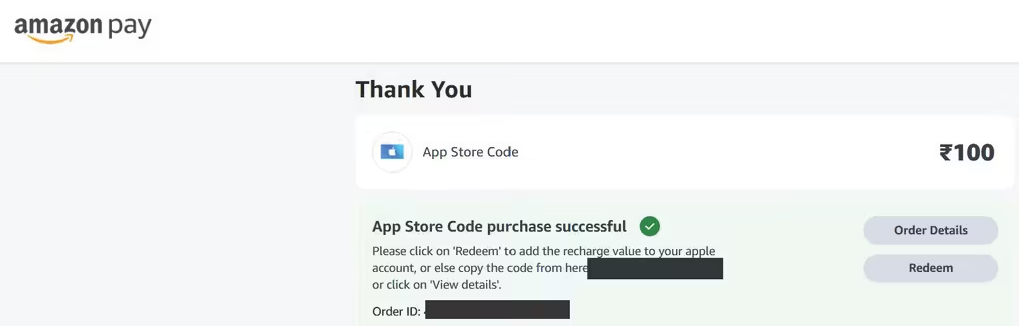
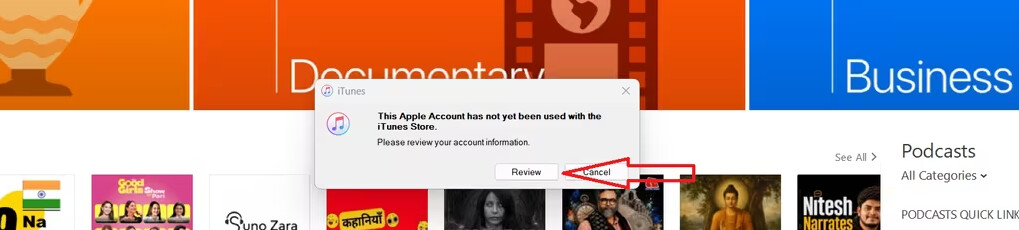
3 · Install iTunes — sign in, and when “Review your account information” appears click Review. Keep the
Indian address as the billing address.
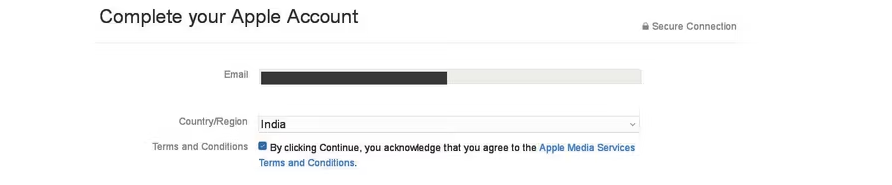
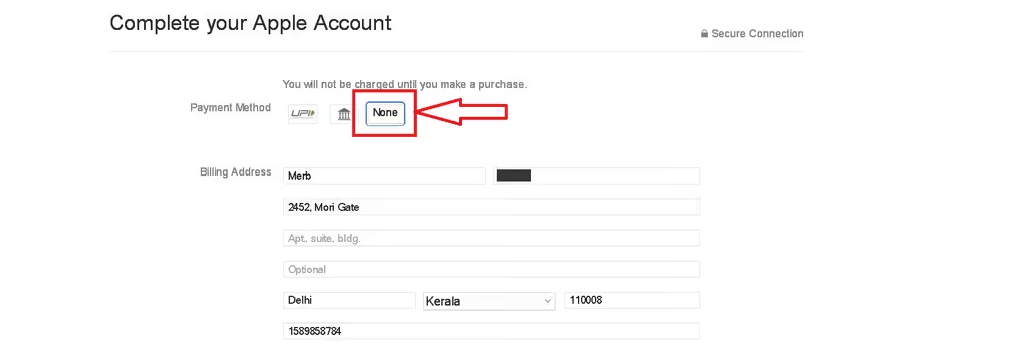

4 · Subscribe in Apple TV — install the Apple TV app, sign in, Redeem the code, then take the
₹99/month plan — or switch to the ₹999 year inside View My Account → Settings → Subscription → Manage.
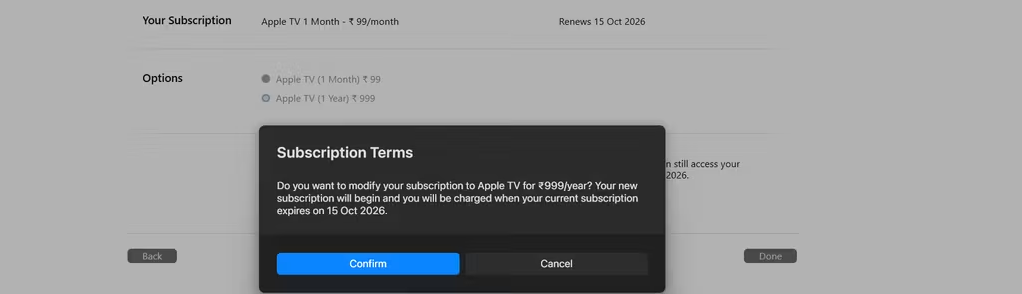
The same subscription the UK sells for £9.99 — at the Indian price. No VPN, ever.
 !
!