Any video tutorial? I’m just newbie at setting up python and its command.
bro please tell me vpn which u have used i m using seed4.me vpn then also i m not getting my confirmation
I used NordVPN with Seattle server.
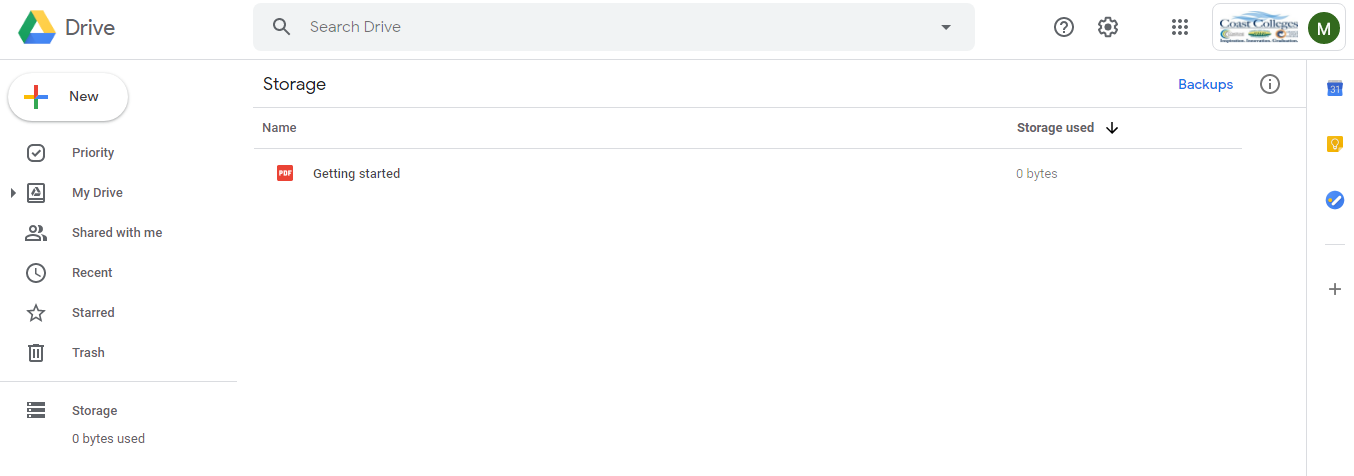
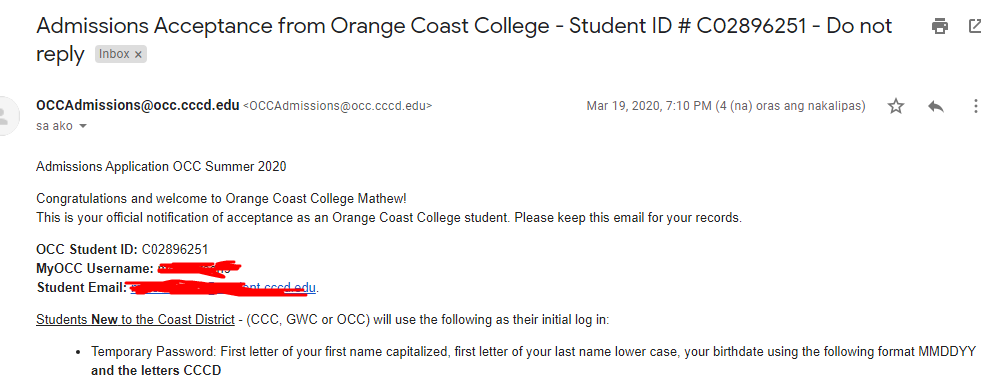
Thank you so much for this wonderful technique.
Mine working as we speak… I can’t change my password until 5hours from now… I got 4 Edu Emails. Hahahahahahahahahahahahahahahahahahaha. I just can’t believe my eyes. LoL… Thanks alot for this trick. Corona virus could not hold it. Hahahahahahaha
betternet VPN is easy to use and has 15+ US locations!
Nd u got .edu mail or not bro using this vpn
i have made a .edu mail using betternet and now i have to check everyday means everytime with connected vpn or i dont have to connect please tell me
While i used to check my mail then also i need to connect my vpn or not
Please reply bro
And dont tell me see above statement i have seen above statement then i m asking this connection
@Keke_Bija only Alan Turing can help you out …unfortunately he is no more 

bro, apart from gmail, what are the other benefits we can avail from this account?
bro i want to know that i have changed my vpn from seed4.me to betternet so now i m checking that i m getting this edu mail or not
I m asking u that i have to connect from that vpn while i open gmail to check my mail or what
Can u tell me I have seen above messages but i m confused so please tell me wht would i do
Please broo help me to get .edu mail
bro i do not understand you are asking about your regular gmail
or
OCC’s gmail
if you asking about your regular gmail then “it does not matter if you keep VPN connected or not”
if you are asking about OCC’s gmail then “Yes you will need VPN to keep it connected”
Forget everything all above msgg are telling you to do
START FRESH
Step 1> go Generate NordVpn username/password here
Step 2> Log into NordVPN with details and connect to LAS VEGAS state.
Step 3> Open Command prompt Navigate to Costa folder
Step 4> type Python run_me.py
Step 5> follow whatever script asked you to do
Step 6> if script ran successfully …close it
Step 7> you can disconnect your VPN
Step 8>wait for confirmation mail (4-days Maximum)
*goto Step 9 onwards only if you got confirmation mail*
Step 9> Connect to VPN Las Vegas state again.
Step 10> your comfirmation mail will look something like this
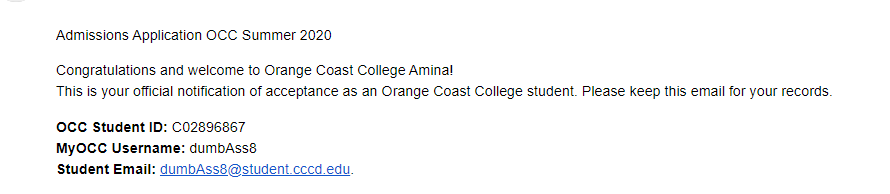
and your temporary password will look something like this

Step 11> copy that MyOCC Username
and passowrd: _ _ 032497CCCD
‘’ =>first capitalized letter of your firstname
'’ => first letter of your lastname
Step 12> go Login here enter those details (Make sure connected to VPN)
Step 13 > Still see invalid username or password …just wait few hours and try Step 12 again
only go to Step 14 if you Completed Step 13
Step 14> i hope in Step 14 you got your EDU mail
Step 15> Connect to VPN Las Vegas
Step 16> Goto Gmail
Step 17> Enter your EDU mail you got , it will redirect you to ORANGE COSTA COLLEGE LOGIN PAGE
Step 18> if you have not set new password then goto Step 11
else enter your MyOCC Username enter your new passowrd
now it will redirect to you Gmail…now go to gdrive gsuite gfuck gshit anywhere you want
IF YOU STILL DON’T GET IT…  GOTO CALIFORNIA AND GET ADMISSION IN COSTA COLLEGE PERSONALLY
BRO PLS MAKE VIDEO TUTORIAL FOR NON CODERS 
d u m b ass 
That was nice
There is no need to know anything about coding if you follow the steps given by @dydx above correctly. If there is an error you can post the screenshot of the error message here and you should get help.
Hi @dydx
Thanks again, the biggest hard work isn’t the Bot. I know that.
So thank you very much for your patience and for your kindness.
I still does not tryed this, I already have one Google account that I gott in last August and I really does not fell that I will need another.
TIA
Script works perfect. Thanks for sharing. I was interested in trying the unlimited gdrive benefit but seems for a period of time there will be no processing. I got the message below:

 !
!