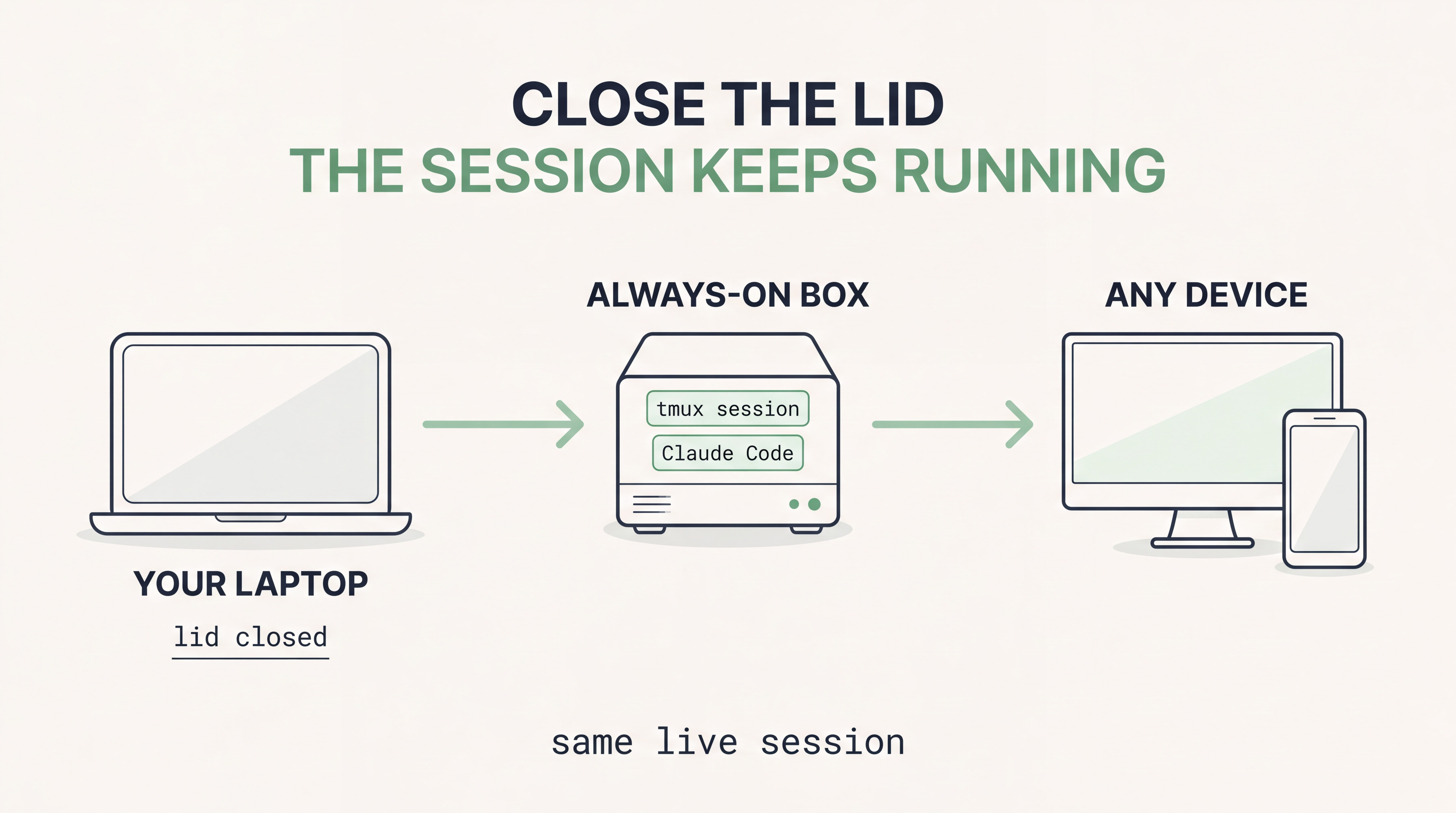
One box runs your AI coder. Your laptop is just a window into it.
 close the lid mid-thought →
  the session keeps running
 desktop, laptop, phone on ssh → one live session
 no Docker, no cloud account, no port-forwarding
 your move → Proxmox Console, one pasted line, two minutes
 8 checks passed ·
  2 honest gaps - both lists inside the drawer
the whole build - 6 stages, every command, the trap that ate my first launch, and what I have not verified
 ① prep the container (example id 260)
pct exec 260 -- apt-get update
pct exec 260 -- apt-get install -y tmux curl git ca-certificates
→ Node.js, Claude Code and the FCC wrapper need their own installers · the /opt/fcc-… path below is mine, not a default
 ② its own user, and proof Claude Code runs
pct exec 260 -- useradd -m -s /bin/bash claude        # skip if it exists
pct exec 260 -- /usr/local/bin/claude --version
→ this user owns the project, never root · a printed version = pass, a missing binary or permission error = fail · then log Claude Code in
③ the session that survives disconnects — tmux
pct exec 260 -- runuser -u claude -- tmux new-session -d -s forge -c /var/www/claude-site /bin/bash
pct exec 260 -- runuser -u claude -- tmux list-sessions     # → forge: 1 windows
ssh -tt root@YOUR-PROXMOX-HOST 'pct exec 260 -- runuser -u claude -- tmux attach-session -t forge'
printf 'TMUX=%s\n' "${TMUX:-NOT_ATTACHED}"                  # → a session id, or NOT_ATTACHED = you are outside tmux
→ leave it alive: Ctrl+B then D · never /exit inside Claude Code · re-check list-sessions after disconnecting · it beats a disconnect, not a reboot
 ④ the PATH trap, and the wrapper
export PATH="/usr/local/bin:/opt/fcc-6.16.2/bin:$PATH"
/opt/fcc-6.16.2/bin/fcc-claude
→ first try: Could not find Claude Code command: claude
printf 'PATH=%s\n' "$PATH"     →  PATH=/sbin:/bin:/usr/sbin:/usr/bin
ls -l /usr/local/bin/claude    →  /usr/local/bin/claude -> /usr/local/lib/node_modules/@anthropic-ai/claude-code/bin/claude.exe
→ nothing was missing · /usr/local/bin was not on PATH · add it, retry, it opens · real output: Claude Code v2.1.296 · Opus 5.5 · API Usage Billing · /var/www/claude-site · check PATH before reinstalling anything
⑤ no workstation needed
pct enter 260
su - claude
tmux attach-session -t forge
→ or a second Claude Code in another project directory · never edit one project from two sessions without a Git worktree or another isolation scheme
 how the pieces sit (his sketch, from the original)
Linux workstation
       |
       | SSH
       |
Proxmox VE host
       |
       +--- Debian 13 LXC
                 |
                 +--- Dedicated Linux user
                 |
                 +--- Project directory
                 |
                 +--- Claude Code
                 |
                 +--- FCC wrapper
                 |
                 +--- tmux
                        |
                        +--- Persistent session
→ his own one-line goal: disconnect the client without intentionally terminating the interactive AI coding session
verified · Proxmox→LXC exec · SSH from a Linux workstation · tmux installed · dedicated account · claude --version · FCC wrapper launch · interactive Claude Code in tmux · project dir reachable
not yet · reconnect after client shutdown · LXC reboot recovery · Proxmox reboot recovery · all MCP integrations and auth paths
 ⑥ what this taught me
→ a clean install is not proof of a working environment
→ a running background process is not proof the session is still reachable
→ a missing command is not missing software
→ tmux is not a backup - keep the project files backed up, credentials private
→ install once · connect from authorized clients · detach safely · verify the running session
 !
!