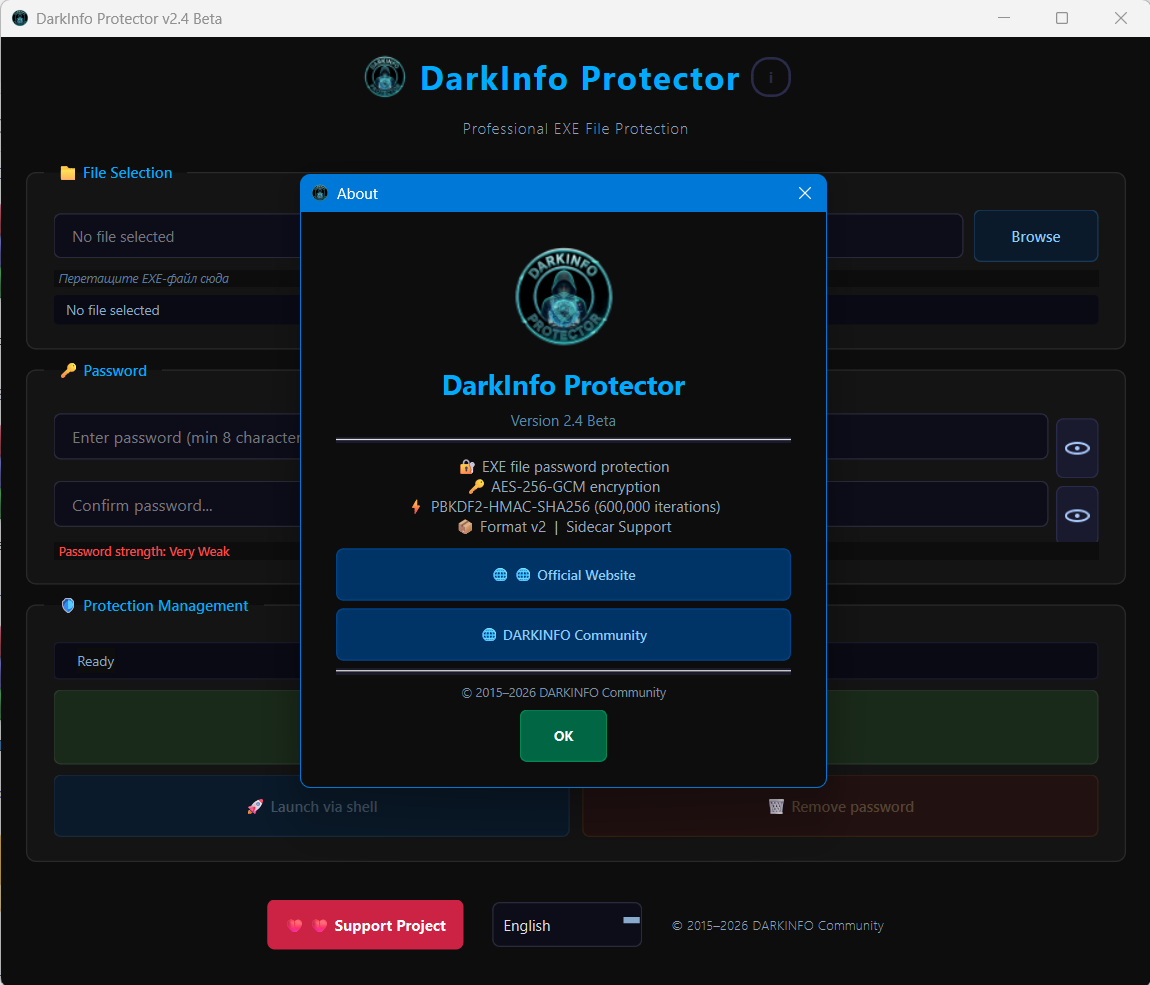
Turn any Windows application into a password-protected executable. No cloud, no activation servers, no subscriptions. Everything happens locally on your own PC.
🔐 What Is It?
DarkInfo Protector allows you to take an existing Windows executable and create a protected copy that cannot be launched without the correct password.
The application encrypts the original program using AES‑256‑GCM and stores the encrypted data separately using a Sidecar architecture. A lightweight runtime launcher (Stub) asks for the password before the protected application can start.
If somebody enters the wrong password:
- The application does not launch.
- The encrypted data remains inaccessible.
- No recovery key or hidden backdoor exists.
Everything works entirely offline.
🆕 What's New In v2.4 Beta?
Version 2.4 Beta is the biggest update the project has received so far.
Completely Refreshed Stub Interface
The runtime password window has been redesigned and now matches the main application.
New features include:
- Modern DarkInfo Protector design
- Built-in project branding
- Improved buttons and controls
- Better password input experience
- Password visibility eye button
- English and Russian localization
- Automatic language detection
Drag & Drop Support
One of the most requested features.
You can now simply drag an EXE file into the main window.
No need to browse manually.
Just:
- Drag the EXE.
- Set a password.
- Create the protected copy.
The program automatically validates the file and updates the interface.
Original Icon Preservation
Protected applications now keep the original icon.
That means your protected copy still looks like the original software instead of showing a generic Windows icon.
This works even after encryption and protection are applied.
Better Build System
The entire build process was redesigned.
Highlights:
- Automatic Stub compilation
- Automatic resource generation
- VersionInfo integration
- Cleaner repository structure
- Improved reliability
- Reproducible builds
Improved Localization
DarkInfo Protector now supports:
- English
- Russian
The application automatically detects the Windows language while still allowing manual language switching.
🔒 Security
DarkInfo Protector currently uses:
- AES‑256‑GCM encryption
- PBKDF2‑HMAC‑SHA256
- 600,000 password derivation iterations
- Sidecar container architecture
No passwords are sent anywhere.
No cloud services are required.
Everything happens locally on your machine.
🕵️ Privacy
DarkInfo Protector does not:
- Upload files
- Require registration
- Require activation
- Collect telemetry
- Require an Internet connection
The software works fully offline.
⚙️ How To Use
- Launch DarkInfo Protector.
- Drag an EXE into the window or select it manually.
- Enter a password.
- Confirm the password.
- Click Create Protected Copy.
- Run the protected executable.
A password dialog appears before the application launches.
🎯 Practical Uses
Shared Computers
Protect applications from being launched by other users.
USB Drives
Keep portable applications protected if the drive is lost or copied.
Personal Utilities
Prevent accidental access to sensitive software.
Workstations
Restrict access to selected tools without modifying Windows accounts.
Portable Software Collections
Protect individual applications while keeping them portable.
📊 Current Status
DarkInfo Protector v2.4 Beta introduces:
- Automatic Stub Build System
- Drag & Drop Support
- Improved Stub UI
- Password Visibility Button
- RU / EN Localization
- Automatic Language Detection
- Original Icon Preservation
- VersionInfo Integration
- Repository Cleanup
- False Positive Reduction
Latest signed build:
VirusTotal: 1 / 68 detections
Most major antivirus vendors including Kaspersky, ESET, Bitdefender, Sophos, Malwarebytes, Google, Fortinet and many others report the application as clean.
 Download
DarkInfo Protector remains completely free. No PRO versions. No license activation. No HWID locking. Community-built and continuously improved through testing and feedback.
Feedback, bug reports and testing results are welcome. 

 Project Update
 Drag & Drop support
 !
!