There is a video of me on youtube I really don’t like and I didn’t post it myself, so I am looking for any way except the usual claim that I have tried and it didn’t work.
haha zao mi je  mozda mozes da reportujes video s vise profila, mozda tako.
Yes there is way, you need complain that is copyright from another channel need a fill and form and after 2 to 4 hours video will be down and then owner need to proof back thats its not a copyright
Depends what you mean by remove? If it’s your content or they posted you without permission, you can report it to YouTube for copyright/privacy. But if it’s just a video you don’t like, you usually can’t get it taken down unless it breaks rules.
 YouTube Video of You Uploaded by Someone Else: How to Actually Get It Removed in 2026 (When Normal Claims Already Failed)
Hey there dear Onehack friend,
Man, I really feel this one in my gut. There’s a video out there with you in it, you didn’t upload it, you don’t want it there, and it’s just sitting on YouTube embarrassing you or stressing you out every time someone searches your name. You’ve already tried the usual copyright claim route and it bounced back — super frustrating, right? I’ve seen this exact situation pop up a lot lately, and you’re not alone. The good news is there are still real, legitimate ways forward that go beyond the basic report button.
I dug into the latest 2026 YouTube policies (fresh from their official help pages) so I can give you the honest, step-by-step game plan that actually works for people in your spot. No fake hacks, no shady stuff — just what YouTube themselves allow and what has helped others succeed.
 Why the Normal Claim Didn’t Work (And What YouTube Actually Looks At)
YouTube’s standard “report” or copyright claim only kicks in for specific violations like stolen content or clear community guideline breaks. If the uploader didn’t use your copyrighted material and the video doesn’t scream “harassment” on the surface, it often stays up.
But here’s the key: YouTube has a separate Privacy Complaint Process made exactly for situations like yours — when someone posts a video of you without your consent and you’re clearly identifiable (face, voice, name, etc.). They review these more carefully and can remove the whole video, blur your face, or mute your audio.
 Step-by-Step: File a Proper Privacy Complaint (The Method That Actually Works)
-
First, Try Contacting the Uploader Politely (YouTube Requires This Step) Go to the video → click the three dots → “Share” or go to the channel → “About” → look for an email or business inquiry link. Send a calm, short message: “Hi, I noticed the video [link] features me and I did not consent to it being posted. Could you please remove it? I’d really appreciate it.” Official advice from YouTube: Contact the uploader first
-
Submit the Official Privacy Complaint Go straight to this page: YouTube Privacy Complaint Process
-
You’ll need the exact video URL.
-
Timestamp where you appear in the video.
-
Explain clearly how you’re uniquely identifiable (your face, your voice, your full name shown, etc.).
-
Say you did not give consent and it’s causing you distress. YouTube will review it under their Privacy Guidelines. They sometimes remove the video entirely or blur you out.
-
-
If It Still Gets Rejected — Escalate
-
Reply to their rejection email with more details (photos of your ID if they ask — they do this privately and delete it after).
-
Report the video again under Harassment & Cyberbullying if the video is mocking you or causing harm: Report inappropriate content
-
In the EU or certain countries, mention GDPR / “right to be forgotten” — YouTube sometimes treats these faster.
-
 Extra Tips That Boost Your Chances
-
Be super specific in your complaint — vague ones get denied fast.
-
Take screenshots of the video with you in it (in case it gets edited or deleted later).
-
If the video shows you in a private or sensitive situation, mention that — YouTube takes those more seriously.
-
You can also ask them to blur just your face instead of removing the whole thing (easier for them to approve).
Quick answer to the big question: Yes, this privacy route is different from the normal claim you already tried. Many people report success with it even after the first report failed.
 What NOT to Do (Please Don’t Risk Your Account)
-
Don’t keep spamming reports or fake multiple accounts — YouTube detects that and can ignore you or even flag your own channel.
-
Never use third-party “video removal services” that promise miracles for money — most are scams or get you in trouble.
-
Don’t post about it publicly on other social media trying to shame the uploader — that can backfire and make things worse.
-
Avoid any “hacks” or bots you see on random forums — they usually don’t work and can get your Google account suspended.
 Quick Hits & Final Pep Talk
-
Most privacy complaints get reviewed within a few days to a couple of weeks.
-
If the video is old or not getting views, YouTube is sometimes more willing to remove it quietly.
-
Worst case, if it’s really damaging, consider talking to a lawyer about defamation or right of publicity (free initial consults are common).
We’ve got this — let’s get that video off YouTube.
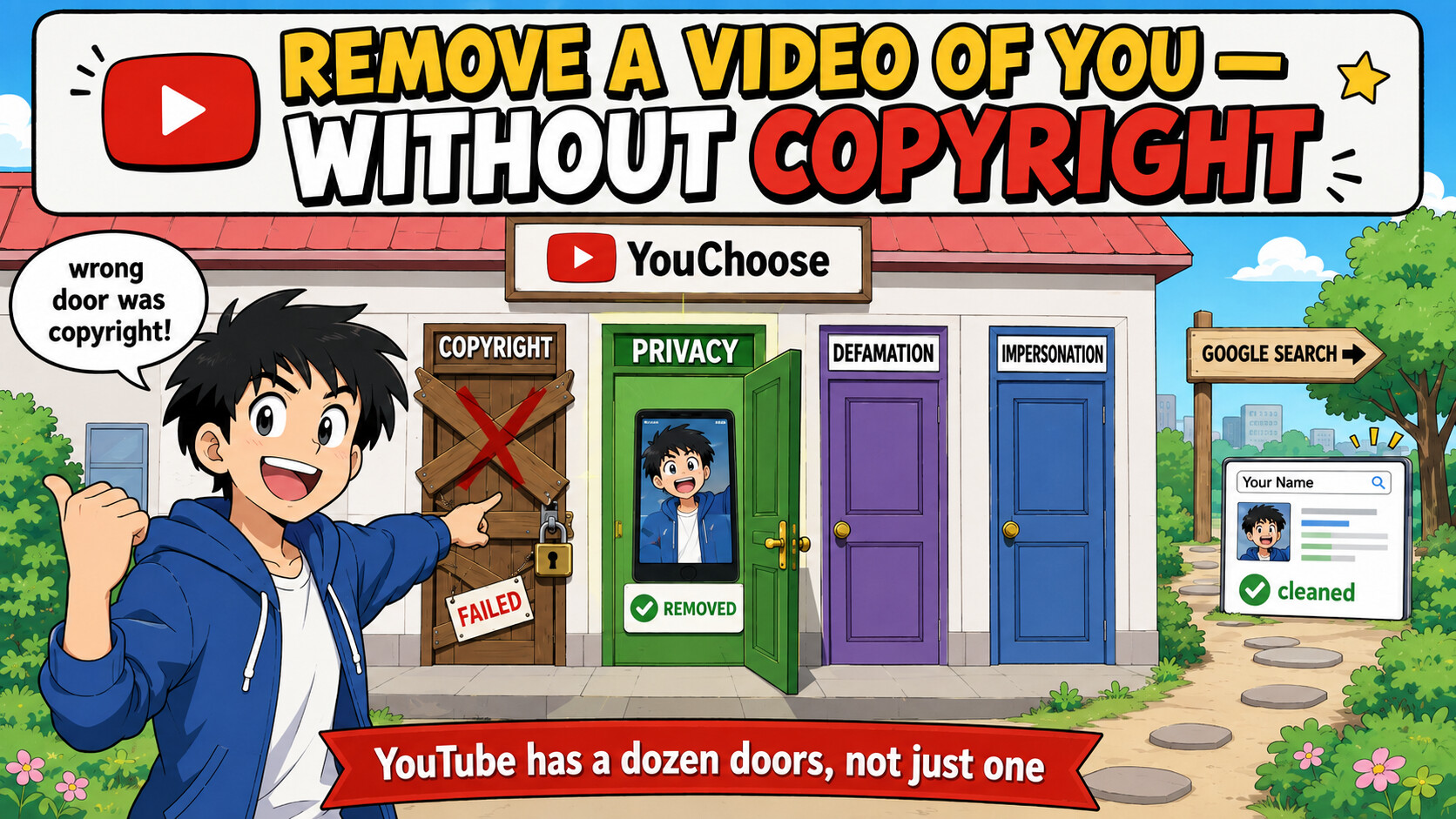
The copyright claim bounced for one reason: you don’t own that footage, so copyright was never your lever. A video of you runs on a completely different track — YouTube isn’t one “report” button, it’s about ten separate complaint pipelines, each with its own direct form and a real reviewer behind it. The flag button checks “does this break community rules” (a video of you existing doesn’t) — these don’t. 
━━━━━━━━━━━━━━━━━━━━━━━━━
 The one that actually removes a video of you — the Privacy Complaint (no copyright, no ownership needed):
→ https://support.google.com/youtube/contact/privacy_complaint
This jumps straight past the “are you sure?” maze to the real form. You give your name + the video URL + the timestamps you appear + a short “here’s how you can tell it’s me.” YouTube then gives the uploader ~48 hours to take it down or edit before a human reviews it. Same form also nukes AI deepfakes of you (pick “altered/synthetic”).
File it as yourself — it’s judged on whether you’re identifiable, not on who owns the video. That’s the whole reason it works where the copyright claim died.
🎯 Pick the form that matches what's actually in the video (each goes to a trained reviewer, not the flag queue)
| What the video does | The lever |
|---|---|
| Shows your face / voice / name | Privacy (above) |
| Shows your address, phone, ID | Privacy form + the Google de-index form below |
| Says false things, wrecks your rep | Defamation → https://support.google.com/youtube/contact/defamation_complaint |
| You’ve got a court order (any) | Other Legal → https://support.google.com/youtube/contact/other_legal |
| A channel pretending to be you | Impersonation → https://support.google.com/youtube/contact/impersonation |
| Misuses your name/brand | Trademark → https://support.google.com/youtube/contact/trademark_complaint |
| Bullying / a group piling on | “Report user” (→ Trust & Safety) → https://support.google.com/youtube/answer/2802027 |
| Intimate / sexual | Hash-block it everywhere → https://stopncii.org |
All legal forms in one hub → https://support.google.com/youtube/answer/140536
🔎 Run this in PARALLEL — clean your name-search even if the video survives
Half the pain is that it pops up when someone Googles you. That’s a separate removal you can win independently:
├─  Results about you — scans your name, one-click removal requests → https://myactivity.google.com/results-about-you
├─  PII/doxxing de-index form → https://support.google.com/websearch/contact/content_removal_form
├─  EU/UK “right to be forgotten” — delists it from name queries → https://reportcontent.google.com/forms/rtbf?product=websearch
└─  after it’s down, purge the cached thumbnail/snippet → https://search.google.com/search-console/remove-outdated-content
⚖️ The heavy lever almost nobody knows — your face is legally 'biometric data'
In Illinois (BIPA) your face counts as biometric data and you get a direct right to act — no lawyer needed. Google has already paid a $6M settlement (Colombo v. YouTube) over exactly this, so they don’t like the fight:
├─ file a biometric complaint with the Illinois Attorney General → https://illinoisattorneygeneral.gov/file-a-complaint/consumer/
└─ delete the face-model Google stores of you → https://support.google.com/photos/answer/6128838
🔇 If removal drags — make the video worthless instead of gone
Report it under the advertiser-unfriendly category (not “harassment”) → it gets age-restricted, which auto-demonetizes it and kills its reach in search + suggestions. It’s still there, but nobody’s fed it:
→ https://support.google.com/youtube/answer/2802027
Play it right: fire the privacy form + the Google de-index at the same time (two independent wins), pick the extra form that matches the content, and if a person’s onscreen, the biometric angle is your quiet nuke.
Copyright asks “who owns it.” Privacy asks “is that you.” You already know the answer to the second one — so stop knocking on the wrong door.
 !
!