What Is This Tool?
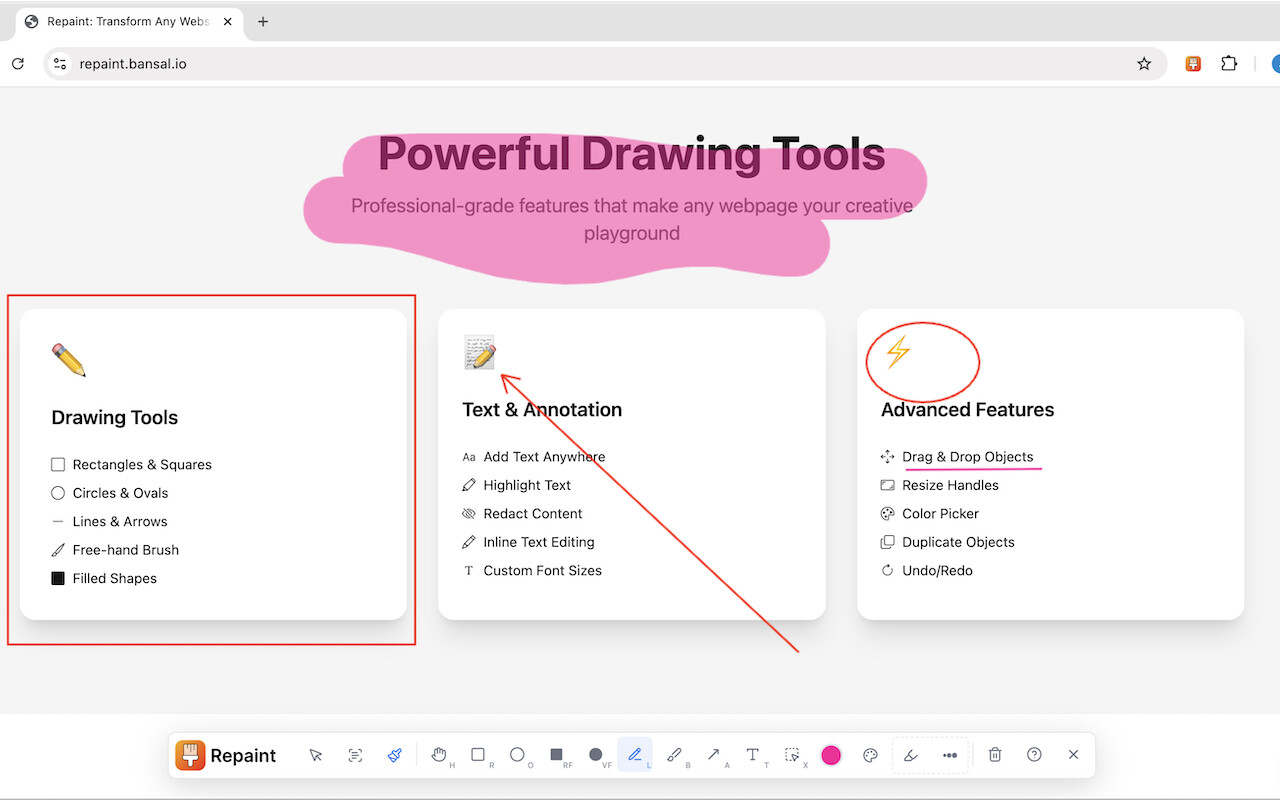
Repaint is a free Chrome extension that lets you draw on any website. Just click the icon in your browser and start drawing with your mouse. It’s good for quick notes, explanations, or fun doodles on live webpages.
 Download here:
 Website:
How to Use It
- Install it from the Chrome Web Store
- Click the Repaint icon in your browser
- Draw on any open webpage
- Reload the page to clear your drawings
What You Can Do
 Write or draw on any website
 Use it while recording tutorials or demos
 Give quick feedback on websites or projects
 Share ideas while screen sharing
 Just have fun drawing over pages
What It Can’t Do
 It doesn’t save your drawings
- You can’t download your work
- Drawings disappear when you reload the page
- It’s for one person — no team drawing
Extra Tools Mentioned
 Mac Users: Try
 To record your screen:
Use ScreenStudio
What People Said
| What They Said | What It Means |
|---|---|
| “Looks great” | People liked how it works |
| “Nice for making videos” | Good for explainer content |
| “Helps with feedback on websites” | Useful for team reviews |
| “Do drawings stay?” | No, they’re cleared on refresh |
| “Can we save it?” | No save option — it’s just temporary |
| “Can I share it on another site?” | Yes, creator allowed that |
Quick Summary
Repaint is a simple Chrome tool to draw on websites. It’s great for showing ideas or marking stuff live, but it doesn’t save or export your work. Use it for quick, temporary sketches—not long-term projects.
 !
!