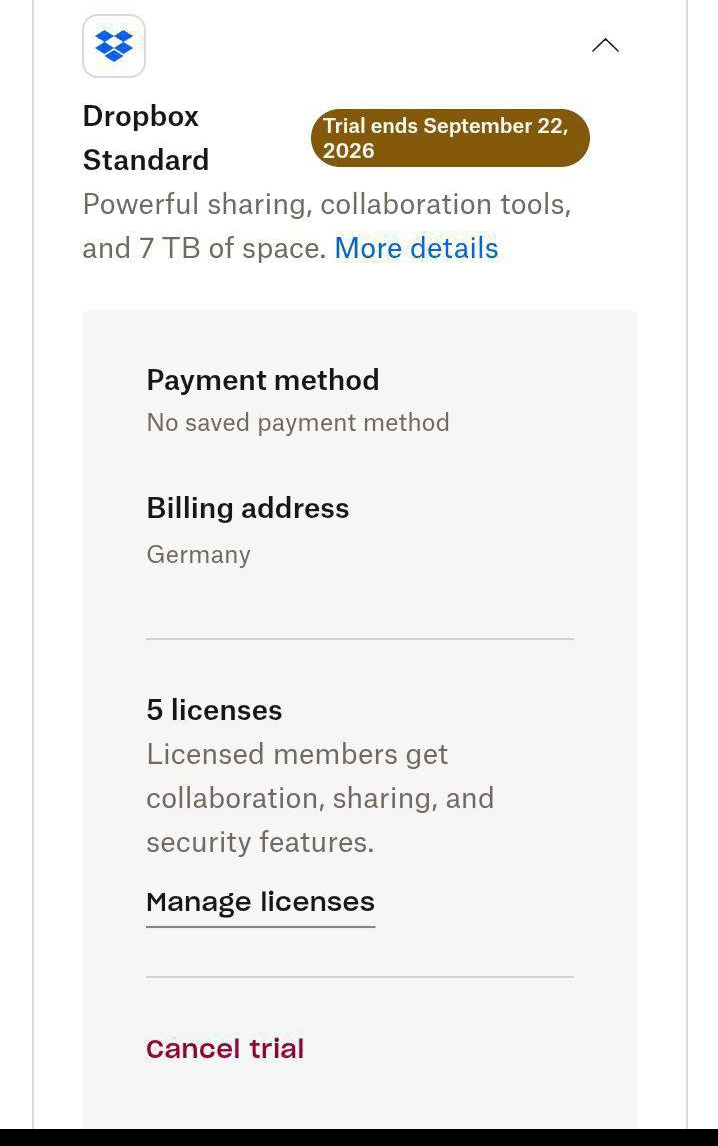
Multiple terabytes of Dropbox. 30 days. €0.
Signing up normally doesn’t offer this. Signing up from Germany does. 
Takes about 4 minutes.
 The method
1.  Connect a VPN to Germany (France or Netherlands also work — Germany is the reliable one)
2.  Open this exact link — not the normal signup page:
3.  Click Try for free / Kostenlos testen on the plan card
4.  Create the new account
5.  Done — trial is live
 Why the weird link?
Dropbox’s main plans page currently shows the team plans as “Coming soon” — no trial button at all.
The feature pages like this one still serve the old plan cards with a working trial button. 
And the storage number on that card is served per country. Same URL, different amounts — I checked it live: the US page offers Standard at 3 TB, the Canadian page offers 5 TB, and the German page is what OP hit for his number.
So the VPN isn’t unlocking a secret plan. It’s changing which price card the page hands you.
Check the TB figure on your own card before you count on it — it moves by region and by month.
 Read this before you click
 A payment method is required. Dropbox’s own signup steps end with “complete the sign up and billing information.” Anyone telling you it’s cardless hasn’t done it.
 You get ONE shot. From Dropbox’s cancellation terms:
“You won’t be able to restart the same trial for one year after cancelling it.”
So don’t burn it today to look at it. Burn it when you actually have files to move.
 Your files are not safe there afterwards. When the trial ends you drop to Basic = 2 GB. Over that limit you can’t sync, upload, share, move or preview — and Dropbox says it “may delete files you own” to force you back under. Treat it as transfer space, never your only copy.
🧠 The bit that separates you from everyone else reading this
Cancel on day one. Keep all 30 days. 
Straight from Dropbox’s terms — how you paid changes when you lose access:
| Signed up with | When you cancel |
|---|---|
| Card |
Account changes at the end of the trial period — you keep the full 30 days |
 PayPal PayPal |
Trial ends immediately — access gone that second |
So: pay with a card, cancel the same day you sign up, and you still hold the storage for the whole month with zero chance of forgetting and getting billed.
Do it with PayPal and you cancel yourself out of your own trial. 
The cancel path (4 clicks, do it now not later):
avatar → Manage account → Cancel trial → confirm
 You’ll get a confirmation email from
 [email protected]. If it doesn’t arrive, it didn’t cancel — check spam, then check the billing page in account settings.
 Signed up on your phone? You must cancel in the App Store / Play Store, not on the website.
TL;DR German IP + that link = 30 days of multi-TB storage. Card required. Cancel day one, keep the month. Move your files out before day 30. 
 !
!