Miscell
มิถุนายน 16, 2021, 6:51pm
1
Hello 1Hackers,
I always comeback here to look for solutions whenever I’m stuck online & this community never disappoints.
Please help me solve this. I want search results of (say) only Zomato keyword in the link shared below & at the same time I want to exclude any entries that has swiggy in search result. How can we make it Possible?
https://www.olx.in/items/q-Zomato?isSearchCall=true
What exactly do you want the search result to show?
Miscell
มิถุนายน 17, 2021, 2:10am
4
All search results of Zomato but without the keyword swiggy in it & also what if I want to exclude one more keyword along with swiggy?
Put it in search engine:
Olx’s search engine doesn’t have any options or shortcuts to do that.
Miscell
มิถุนายน 17, 2021, 5:38am
6
Exactly. So how can we achieve it? Is it possible to add something In URL which leads us to our desired results?
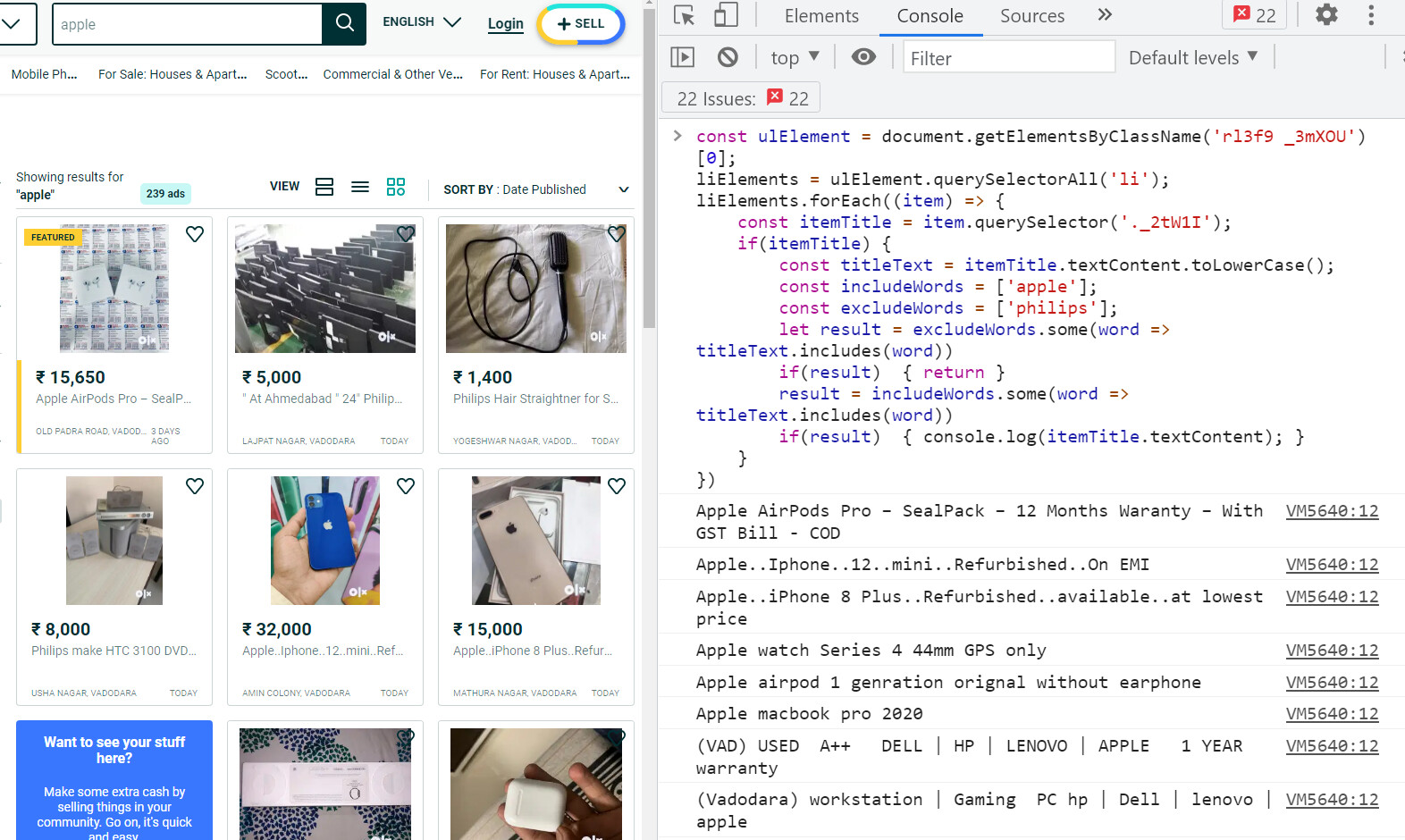
I quickly wrote a script which might fulfill your need somewhat
const ulElement = document.getElementsByClassName('rl3f9 _3mXOU')[0];
liElements = ulElement.querySelectorAll('li');
liElements.forEach((item) => {
    const itemTitle = item.querySelector('._2tW1I');
    if(itemTitle) {
        const titleText = itemTitle.textContent.toLowerCase();
        const includeWords = ['apple'];
        const excludeWords = ['philips'];
        let result = excludeWords.some(word => titleText.includes(word))
        if(result)  { return }
        result = includeWords.some(word => titleText.includes(word))
        if(result)  { console.log(itemTitle.textContent); }
    }
})
Update adding this will also remove the node you don’t want
let result = excludeWords.some(word => titleText.includes(word))
if(result)  {
    item.remove()
    return
}
I have not test if the script works properly so if some error come pm me.
Miscell
มิถุนายน 17, 2021, 8:10am
8
Appreciate your hard work. I haven’t tested either. Actually I missed to mention that I want this filteration to happen on my mobile. Can you help?
If you are using chrome, execute that script and save that page as a link in a txt file or just close it and then reopen that page from chrome on your mobile. Or better yet send that page to your mobile by clicking →
and then scan it on your phone.

 !
!