 Mozilla Put a VPN in Your Toolbar — Here’s What It Does
Mozilla Put a VPN in Your Toolbar — Here’s What It DoesBuilt into the browser. No app. No signup fee. No data harvesting. Just click it on.
Firefox 149 ships with a free built-in VPN — 50 GB of proxy-routed browsing per month.
No extension to install. No separate app. No “free VPN” that sells your data to advertisers. Mozilla built this into the browser itself, backed by the same privacy principles that gave you Total Cookie Protection and anti-fingerprinting. One toggle in the toolbar, and your IP disappears from every site you visit.

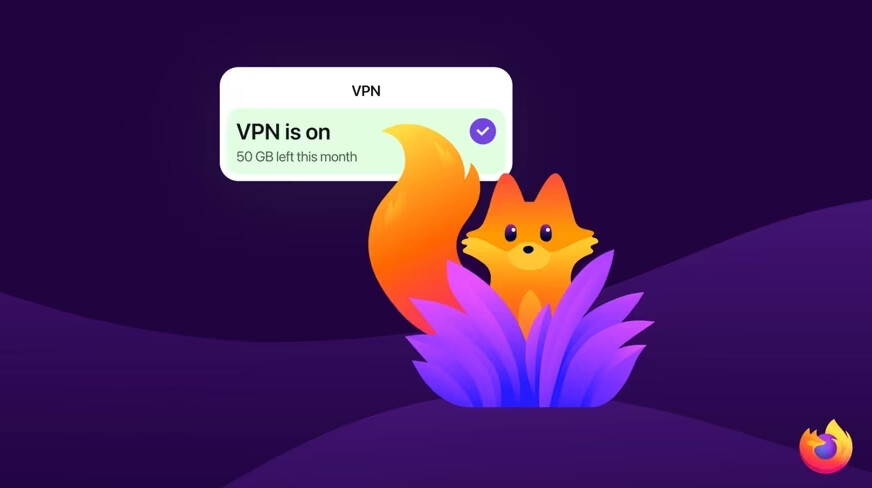
🔓 What You Actually Get
| Feature | Details |
|---|---|
| Price | Free — no credit card, no trial |
| Data cap | 50 GB/month (resets monthly) |
| Coverage | Browser traffic only (not system-wide) |
| How it works | Routes traffic through a secure proxy — sites see the proxy’s IP, not yours |
| Encryption | HTTPS + IP masking layered together |
| Toggle | One-click on/off from the toolbar |
| Account needed | Free Mozilla account (takes 30 seconds) |
| Platform | Windows, Mac, Linux — desktop only for now |
| Countries | US, UK, Germany, France (more coming) |
Firefox warns you before you hit the 50 GB limit. If you go over, the VPN pauses until next month — your browsing continues unprotected, but Firefox asks you to confirm first so nothing leaks accidentally.
⚙️ How to Turn It On
Step 1 — Update Firefox to version 149 or later.
Step 2 — Sign into your free Mozilla account (create one at accounts.firefox.com if you don’t have one).
Step 3 — Look for the VPN toggle in the top-right toolbar area.
Step 4 — Click it on. That’s it — your IP is now hidden from every website you visit in Firefox.
Exclude specific sites: Go to Settings → Privacy & Security → VPN section → Manage website settings. You can whitelist up to 5 sites that bypass the VPN (useful for banking or region-locked services that block proxies).
🆚 Built-in VPN vs Mozilla VPN (Paid) vs Sketchy Free VPNs
| Firefox Built-in (Free) | Mozilla VPN ($4.99/mo) | Random Free VPN | |
|---|---|---|---|
| Data | 50 GB/month | Unlimited | Varies (often 500 MB - 10 GB) |
| Coverage | Browser only | Full device + all apps | Usually full device |
| Privacy | Mozilla’s no-log policy | Mozilla’s no-log policy | Often sells your data |
| Speed | Proxy-level (fast for browsing) | WireGuard (fast) | Usually throttled |
| Cost | $0 | $4.99/mo | $0 (you pay with your data) |
| Install | Nothing — built in | Separate app | Extension or app |
🚫 What This Doesn't Do
This is a browser-level proxy, not a full VPN tunnel. Keep this straight:
 Protected Protected |
 Not Protected Not Protected |
|---|---|
| All browsing in Firefox | Other browsers (Chrome, Edge) |
| Shopping, banking, reading | Apps outside Firefox (Spotify, games) |
| Public Wi-Fi browsing | Torrenting / P2P traffic |
| Hiding IP from websites | System-wide DNS leaks |
If you need everything covered — every app, every connection — that’s what the paid Mozilla VPN subscription is for.
Quick Hits
| Want | Do |
|---|---|
 Hide IP while browsing Hide IP while browsing |
→ Toggle on the built-in VPN in Firefox 149 toolbar |
 Not in US/UK/DE/FR Not in US/UK/DE/FR |
→ Wait — more countries coming in future releases |
 Track your data usage Track your data usage |
→ Firefox notifies you as you approach 50 GB |
 Official blog post Official blog post |
→ blog.mozilla.org |
 Setup guide Setup guide |
→ support.mozilla.org |
50 GB of invisible browsing. Zero cost. The browser finally does what extensions had to.
 !
!