https://global.oup.com/education/support-learning-anywhere/key-resources-online/?region=international
Free access to digital textbooks (until 30th September) for UK students.
Maybe useful for someone to data hoard and share before the free access ends if you can find a way to rip.
You can download book by book with this website … Need to paste the link of the book there and download all pages to pdf.
https://calameodownload.com/
Thank You very much sir for letting us know and sharing this 
how does pasting the url work i have tried a couple to no avail
did you check the site it has instruction photos.
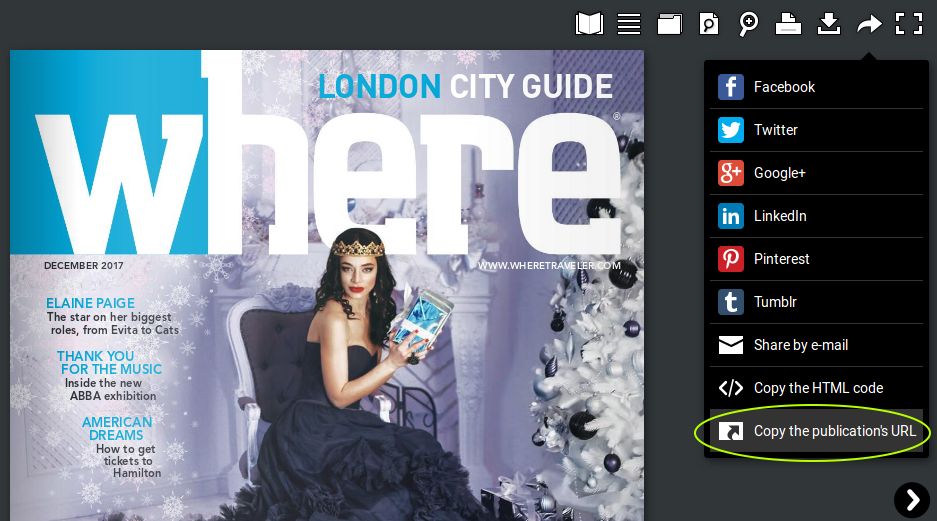
or
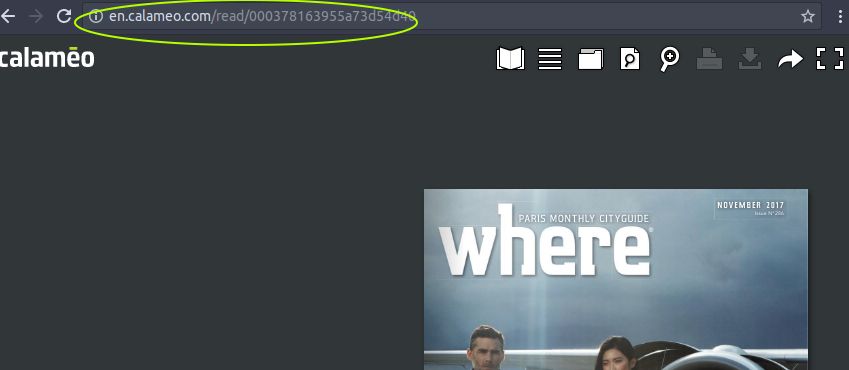
hello,
i was looking for “matrix computing for 11-14 student book 3”, but with no luck 
Unable to download from CalameoDownload.com.I think they banned. 
With simple reverse engineering, here is pseudocode
-
Use selenium or any framework you liked
-
Go to the book url
-
Detect how many pages for the book
-
Here is a structured URL for each page
https://p.calameoassets.com/200406174654-2bfa9441783e162c8da42a712feda3e2/p1.svgz
https://p.calameoassets.com/{book_id}/p{page}.svgz
-
Use For Loop from 1 to the last page detected in Step 3
-
Create PDF from svgz files collected from Step 5.
# ------------------------------------------------
#  Calameo Downloader                            -
#  Copyright (c) 2020. atlonxp                   -
#  https://github.com/atlonxp.                   -
# ------------------------------------------------

import time
from pathlib import Path

import requests
from selenium import webdriver
from selenium.webdriver.common.by import By
from selenium.webdriver.support.wait import WebDriverWait

# Base directory is where you put this source code in
BASE_DIR = Path(__file__).parent.absolute()

# Put "chromedriver" into sub-folder "drivers"
driver = webdriver.Chrome(f"{BASE_DIR}/drivers/chromedriver")
driver.implicitly_wait(5)

# This url might be changed in the future if it cannot download any SVG files
calameoassets_url = 'https://p.calameoassets.com/'
header_curl = {
    'user-agent': driver.execute_script("return navigator.userAgent;")
}

# You can change this URL to other Calameo URL.
driver.get('https://global.oup.com/education/support-learning-anywhere/key-resources-online/?region=uk')
book_tables = driver.find_elements(By.XPATH, '//div[@class="content_block full_width"]/div/table/tbody')

print('''
********************************
Collect list of books
********************************
''')
books_list = []
for table in book_tables:
    tr = table.find_elements(By.TAG_NAME, 'tr')
    books = tr[-1].find_elements(By.TAG_NAME, 'a')
    for book in books:
        url = book.get_attribute('href')
        name = book.text
        books_list.append({'name': name, 'url': url})
        print(f'> {name} - {url}')

print('''
********************************
Download all books
********************************
''')
for book in books_list:
    print(f'> Go to {book["url"]}')
    driver.get(book['url'])
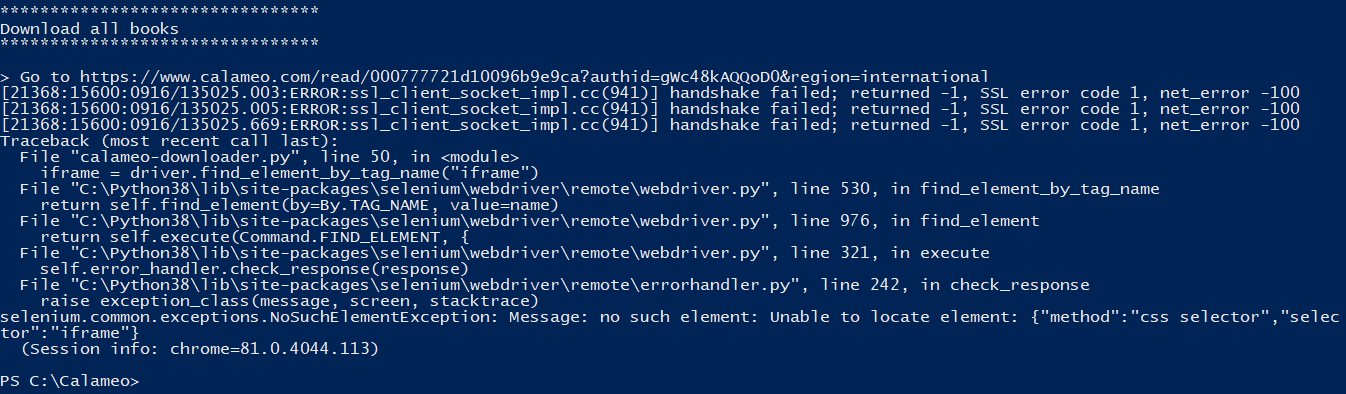
    iframe = driver.find_element_by_tag_name("iframe")
    driver.switch_to.frame(iframe)

    imgs = []
    counter = 0
    while len(imgs) == 0:
        imgs = driver.find_elements(By.XPATH, '//img[@class="page"]')
        time.sleep(1)
        counter += 1
        if counter > 20:
            raise Exception("Book ID is unreachable")

    imgs = driver.find_elements(By.XPATH, '//img[@class="page"]')
    book_id = imgs[0].get_attribute('src').replace(calameoassets_url, '').split('/')[0]
    print(f'\t* Book ID: {book_id}')

    Path(f'{BASE_DIR}/books/{book["name"]}').mkdir(parents=True, exist_ok=True)
    for page in range(1, 9999):
        filename = f'p{page}.svgz'
        url = f'{calameoassets_url}{book_id}/{filename}'
        response = requests.get(url, allow_redirects=True, headers=header_curl)
        if response.status_code != 200:
            break
        print(f'\t* {url}', end='\t...\t')
        open(f'{BASE_DIR}/books/{book["name"]}/{filename}', 'wb').write(response.content)
        print('saved')
driver.close()
driver.quit()
Calameoassets Downloader
This source code is a SVG downloader for all books on https://global.oup.com/education/support-learning-anywhere/key-resources-online/?region=uk
Required Dependencies
- Python
- Selenium
pip install selenium
- Selenium Chrome WebDriver
- Requests
pip install requests
Feel free to you.
Enjoy!
atlonxp
All future updates will be available at my repository:
https://github.com/atlonxp/Calameo-SVG-Downloader
change time.sleep(5) to time.sleep(10)
You may change to 15
im running this on colab, its giving me error when executing !python calameo-downloader.py.
btw someone download all books and share gdrive link here
You can’t run this onto Colab. This script uses Selenium.
The reason is that I grab a book_id from the URL generated by javascript.
i see..
btw it would be nice if you or someone download all the books and share gdrive link here
It’s working perfectly  . Thank you
import requests
i = 0
first_part = "https://p.calameoassets.com/200330160133-befc931cf81b8df61613115b0a327a50/p"
for j in range(1,500):
  i = i + 1
  url = (first_part + str(i) + ".svgz")
  response = requests.get(url, allow_redirects=True)
  page = (str('{0:03}'.format(i))+".svg")
  print(page)
  file = open(page, "wb")
  file.write(response.content)
  file.close()
this is a dumb code i write for downloading a particular book.
put this into a file and name it something.py save it .
you just need to go to the book you want to download and F12 on it then click the select element button on the console than click any page of the book . copy the url then put the first part which is “https://p.calameoassets.com/200330160133-befc931cf81b8df61613115b0a327a50/p” this much in the first_part variable than change the range of the for loop according to the pages. this will download the book you wanted in .svg format which you can open on the chrome by dragging any svg file to see.
the main issue here is converting these svg files to pdf. i tried everything inkscape , codes but the problem is with fonts. so i want to know if any one have the solution for converting these svgs to pdf properly. thank you very much everyone for sharing your knowledge.
Just print(ctrl + p) in chrome.then save as PDF.
can you do that to every svg files using selenium or other automation tools.
Here is a way to convert to PDF using Python.
 !
!