Tired of file-sharing services that throttle your speeds, bombard you with pop-up ads, or force you to pay premium subscriptions just to share a large file?
Meet Aether — a blazing-fast, privacy-focused file transfer platform built for power users. We believe that sharing data should be frictionless, secure, and completely free.
As a special shoutout to the OneHack community, we are opening our doors with absolutely NO limits.
Why use Aether?
Unlimited File Storage: Upload as much as you want. We don’t cap your total storage. But we limit file upload to 50mbs per file.
Unlimited Transfer & Bandwidth: No artificial speed throttling. Max out your gigabit connection.
ZERO Advertisements: No pop-ups, no hidden redirects, no tracking scripts. Just a clean, beautiful interface.
100% Anonymous: No account required. No registration. Just drag, drop, and share.
We built this tool because we were sick of the corporate limits on standard cloud storage. Enjoy the unlimited freedom, and let us know what features you’d like to see next in the replies below!
By “unlimited storage,” I mean you can upload files as many times as you want without a cap on total uploads. The 50 MB limit is just a temporary per-file size restriction for now.
I am actively working on improving this in the near future, along with keeping the service free - no ads, no charges.
If you come across any bugs or issues, please do share them with us so I can fix and improve the app
Thanks for the feedback! If you’ve noticed any issues with media - like files not uploading, not playing, or anything else - please do share the details.
The app is still in the production phase, so your input really helps me identify and fix bugs quickly. Appreciate you pointing it out
It’s been an incredible journey since I first opened Aether to the community. I’ve been listening closely to your feedback, and I’ve been busy building some powerful new features to make your sharing experience even more frictionless.
Here’s what’s new in Aether v2:
1. Aether Paste (Text Snippets)
You no longer need to create a .txt file just to share a quick code snippet or a set of notes.
Instant Sharing: Just paste your text, give it a name, and get a link.
Code-Friendly: Perfect for sharing logs, scripts, or quick documentation.
Secure: Just like our file uploads, pastes can be password-protected.
2. Command Palette (Ctrl + K)
We’ve added a keyboard-driven interface for the power users among you.
Quick Search: Hit Ctrl + K (or Cmd + K) to instantly search through your recently uploaded or accessed files.
Fast Navigation: Jump between Upload, Paste, and Analytics sections without touching your mouse.
3. Real-Time Analytics Dashboard
Curious about how your transfers are performing? Our new Analytics tab gives you a live look at:
Transfer Speeds: Monitor your upload and download rates in real-time.
Global Activity: See total bandwidth usage and active transfers across the platform.
Usage Stats: Track how many times your specific files have been shared and downloaded.
4. Immersive Global Drag & Drop
You don’t have to find the “upload box” anymore.
Drop Anywhere: Drag a file anywhere onto the Aether interface, and a beautiful, full-screen blur overlay will appear, letting you drop the file to start an instant upload.
3D Model Viewer: You can now view .obj, .stl, and other 3D files directly in the browser with full rotation and zoom controls.
Custom Video Player: A sleek, high-performance video player for seamless streaming of your shared media.
QR Code Integration: Every shared file now generates a unique QR code, making it effortless to transfer files from your desktop to your mobile device.
6. Sensory UI Enhancements
We’ve polished the “feel” of the app to match its performance:
Magnetic Interactions: Buttons now have a subtle “magnetic” pull towards your cursor, making the UI feel alive and responsive.
Auditory Feedback: We’ve added high-quality, non-intrusive sound effects for clicks, hovers, and successful uploads to provide instant confirmation of your actions.
7. Smart Direct Routing
Sharing is now even faster with our new routing system. Links like projectaether.pages.dev/d/{file_id} will now automatically route users directly to the download section for that specific file, bypassing the landing page entirely.
We’re still committed to the OneHack promise: No ads, no accounts, and no speed limits.
Go ahead and try the new features at projectaether.pages.dev. We can’t wait to hear what you think!
How is someone supposed to delete files when they’re all being made public there? I understand the password can be used, but they’re still getting stored as history.
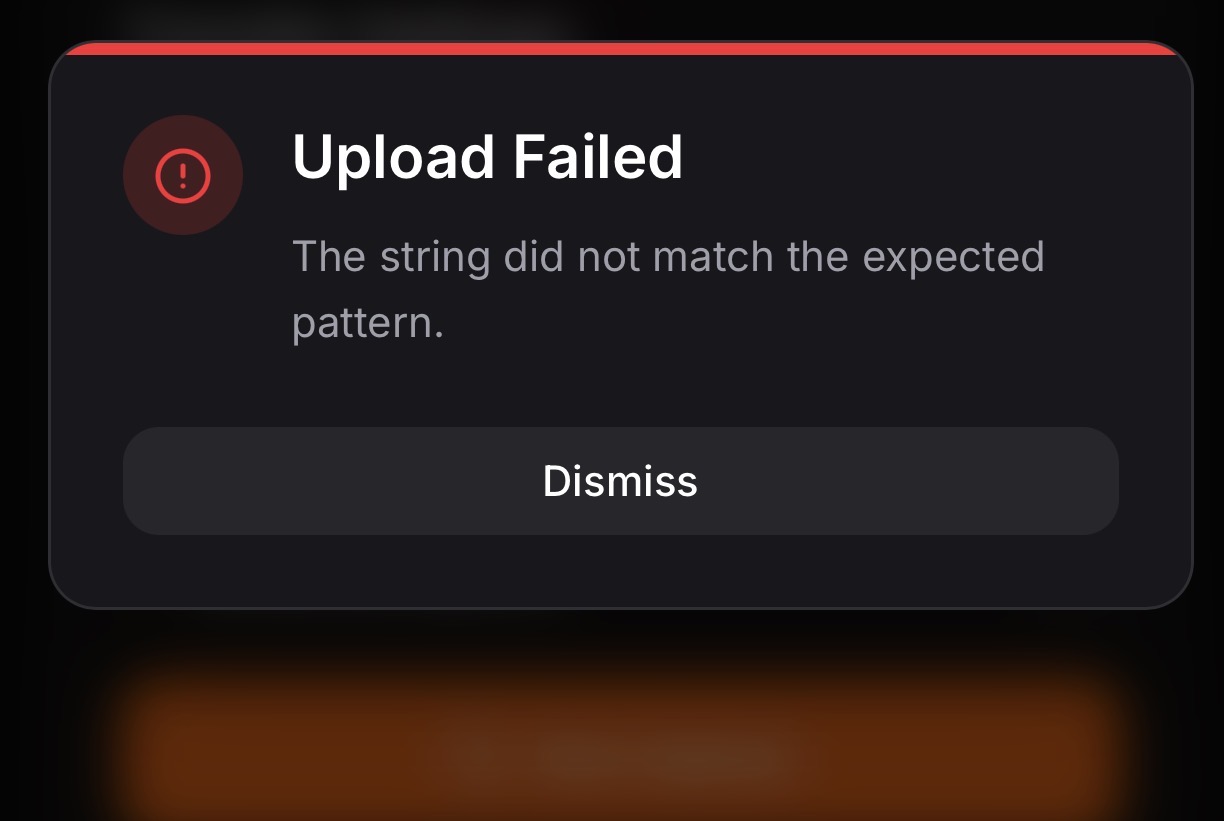
Hey, hi – I tried uploading both a PDF and a ZIP file (one at a time). When I drag and drop a file, it appears twice in the upload area. I’m also encountering the attached error. This happens on both Edge and Firefox. Haven’t tried this on other browsers yet.
Hello,
Thank you for flagging this - and for doing the extra legwork to test it across both Edge and Firefox! Those details are incredibly helpful.
Our digital workshop is currently under active maintenance. While I am under the hood making improvements, it looks like our drag-and-drop feature is getting a bit overenthusiastic and seeing double.
I am working quickly to smooth out these wrinkles. Please hold off on your uploads for now and check back in a while. I have noted your issue, and I will personally update this thread the moment the fix is live and the coast is clear.
Thank you for your patience while I polish things up!
This website is currently undergoing maintenance, which is likely causing the duplicate file glitch and the error message you’re seeing. I am actively working on it.
I’ll keep a close eye on the situation and will post an update here as soon as this system is fully restored and the upload feature is working smoothly again.
Thanks so much for suggesting the unlimited file upload feature
I actually have this on my radar, but to be completely transparent, removing file size limits creates some major stability risks and can actually cause uploads to fail altogether. Because I want to keep things running smoothly for you, i am holding off on the ‘unlimited’ option for now. In the meantime, you can upload files up to 50MB at a time, and I have also added a handy text-paste feature. I am always looking for ways to improve, so I’ll keep exploring safer ways to expand file limits down the road

 Why use Aether?
 Unlimited File Storage: Upload as much as you want. We don’t cap your total storage. But we limit file upload to 50mbs per file.
 Unlimited Transfer & Bandwidth: No artificial speed throttling. Max out your gigabit connection.
 ZERO Advertisements: No pop-ups, no hidden redirects, no tracking scripts. Just a clean, beautiful interface.
 100% Anonymous: No account required. No registration. Just drag, drop, and share.
 Military-Grade Security: Optional password protection ensures your sensitive files stay locked down.
 Built-in Code & Media Previews: View code snippets, images, and media directly in the browser before downloading.


 1. Aether Paste (Text Snippets)
 2. Command Palette (Ctrl + K)
 3. Real-Time Analytics Dashboard
 4. Immersive Global Drag & Drop
 5. Pro-Grade Media Previews
 7. Smart Direct Routing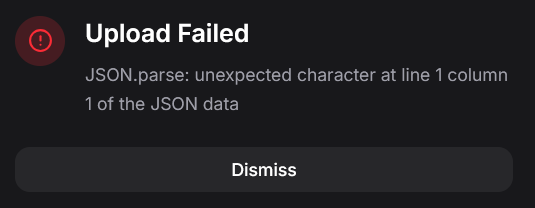
 !
!