 SongGeneration Studio — Make Bangers With Your PC, No Subscription Needed
SongGeneration Studio — Make Bangers With Your PC, No Subscription Needed
The Deal: Free AI that makes full songs (vocals + music) on your computer. No monthly fees. No cloud bullshit. Just you and your GPU making music like a damn wizard.
 Why Should You Care?
You know Suno? That AI music thing everyone’s hyped about?
Yeah, it costs money. Monthly. Forever.
This does the same thing. For free. On your computer.
We’re talking:
- Full songs with actual singing
- Any style you want — pop, rock, sad boy hours, whatever
- Up to 4.5 minutes long
- You control everything
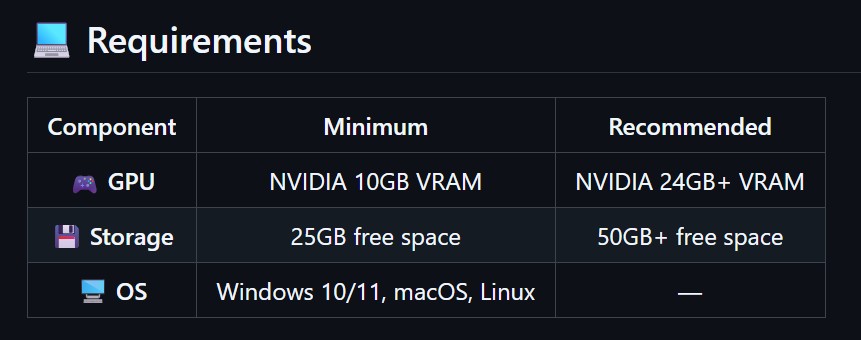
The only catch? Your graphics card needs 10GB of memory. If you bought a decent gaming GPU in the last few years, you’re probably good.
 What Can It Actually Do?
Imagine typing some lyrics, picking a vibe like “female voice, sad, piano, 90 bpm” and getting back a complete song. Vocals and all. In like 3 minutes.
That’s it. That’s the whole thing.
Real example from Twitter: Someone fed it lyrics from an Oasis song AND a Beatles song at the same time. It mashed them together into one track. First try.
 How To Get It (Stupidly Easy)
- Download this thing called Pinokio — it’s like an app store for AI stuff
- Search “SongGeneration Studio”
- Click Install
- Wait for it to download (~15GB, go make coffee)
- Done. You’re a music producer now.
No coding. No terminal commands. No “install Python 3.8.12 with CUDA 11.8” nonsense. Just click and vibe.
 How To Write Lyrics It Actually Understands
The AI needs you to tell it the song structure. It’s not complicated:
[intro-short]
[verse]
Walking through the city lights tonight.
Every shadow tells a story I can't hide.
[chorus]
But I keep running from the memories.
Chasing dreams that fade like autumn leaves.
[outro-short]
The rules are simple:
[verse][chorus][bridge]= parts with singing[intro-short][outro-short]= instrumental parts- Write each line as a full sentence with a period
- Write enough lyrics for at least a minute (short lyrics = weird AI improvisation)
 Controlling The Vibe
Tell it what you want in plain English:
female, dark, pop, sad, piano and drums, the bpm is 125
Or upload a 10-second clip of a song you like and it copies the style. Pro tip: Use the catchiest part of the reference song (the chorus), not some random intro.
 This vs Suno vs Udio (The Honest Version)
| SongGeneration | Suno | Udio | |
|---|---|---|---|
| Price | Free forever | $10-30/month | $10-30/month |
| Runs on | Your PC | Their servers | Their servers |
| Legal drama | None | Getting sued | Already settled, features removed |
| English vocals | Good | Better | Best |
| Instrumentals | Excellent | Good | Excellent |
| Control level | God mode | Basic | Medium |
Real talk: Suno’s vocals sound slightly more human. But SongGeneration gives you complete control, costs nothing, and won’t disappear when some record label throws lawyers at it.
🔧 Shit Not Working? Click Here
Running out of memory?
- Close Chrome (it eats your GPU memory like candy)
- Use the
base-newmodel instead oflarge - There’s a low-memory mode script called
generate_lowmem.sh
Vocals sound robotic?
- Switch to the English-enhanced model (
base-new) - Add a reference audio clip from a song with vocals you like
- Don’t write lyrics like Shakespeare — write like people actually talk
Song cuts off weird or adds random stuff?
- Your lyrics are too short. Write more. Aim for 1+ minute of content.
- Add structure tags to pad it:
[intro-medium]…[outro-medium]
Got an AMD graphics card?
- Officially not supported, but there’s a workaround using something called ROCm
- Some madlad made AMD-GPU-BOOST that apparently gives 4x better performance
- People got it working on RX 6800 XT and RX 7900 XTX
🤓 Nerd Corner (4 Different Models Exist)
Most people don’t know this — there are actually 4 versions:
| Model | Use This For |
|---|---|
base |
Chinese songs (original, meh for English) |
base-new |
English songs (this is probably what you want) |
base-full |
Maximum song length (4m30s) |
large |
Best quality (needs beefy GPU, 12GB+) |
If you’re making English music and picking base, you’re doing it wrong.
🔗 All The Links
- SongGeneration Studio — the pretty one-click version
- Official Tencent GitHub — source code, all models
- HuggingFace Demo — try it online first
- ComfyUI Node — for workflow nerds
- WaveSpeed API — cloud version if your GPU sucks
 Quick Tips That Actually Help
- Reference audio beats text descriptions every time
- Use the chorus of your reference song, not the intro
- Write full sentences — fragments confuse it
- Check
sample/test_en_input.jsonlin the repo for perfect examples - There’s a hidden auto-prompt feature: set
auto_prompt_audio_type=Autoand it picks vibes for you
Suno’s lawyers are working overtime. Your electricity bill is the only subscription here.
Go make something.

 I will wait till i have my laptop/PC.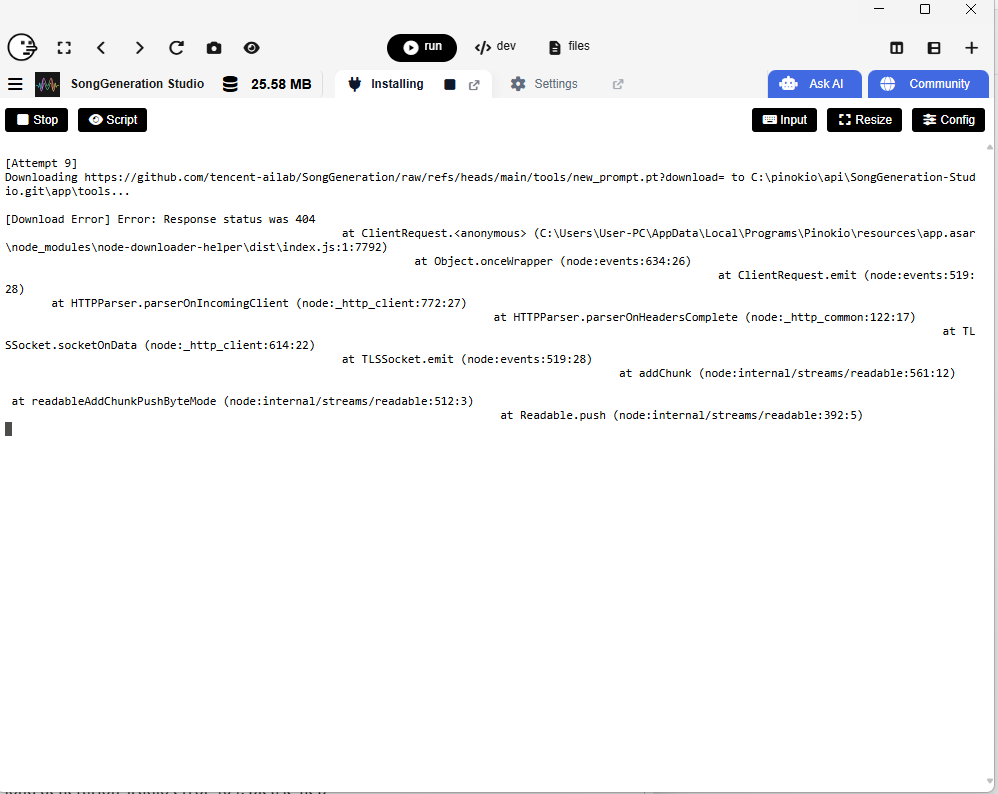
 !
!