 Quick Intro: What the heck is this?
- New free tool called Graphite blew up on GitHub today
- It’s like Illustrator, but with no fees and way less yelling
- Runs right in your browser — no install, no nonsense
- Instead of layers and menus, you build designs using blocks (a.k.a. “nodes”)
- Sounds complex? It’s not. It’s drag, drop, export. Done.
 How It Works (for your brain on low battery)
Think LEGO, not Photoshop.
- Each node does something simple — make a shape, change a color, copy stuff
- You connect them like a flowchart
- The result? A design that updates live every time you tweak a block
- Bonus: you can clone the design 100+ times with random colors in one click
 Zero Effort Mode: How to Use It Right Now
No download. No install. Just follow this.
-
Go here:
→ https://editor.graphite.rs -
Click “Launch”
→ It’s the giant button. Don’t overthink it. -
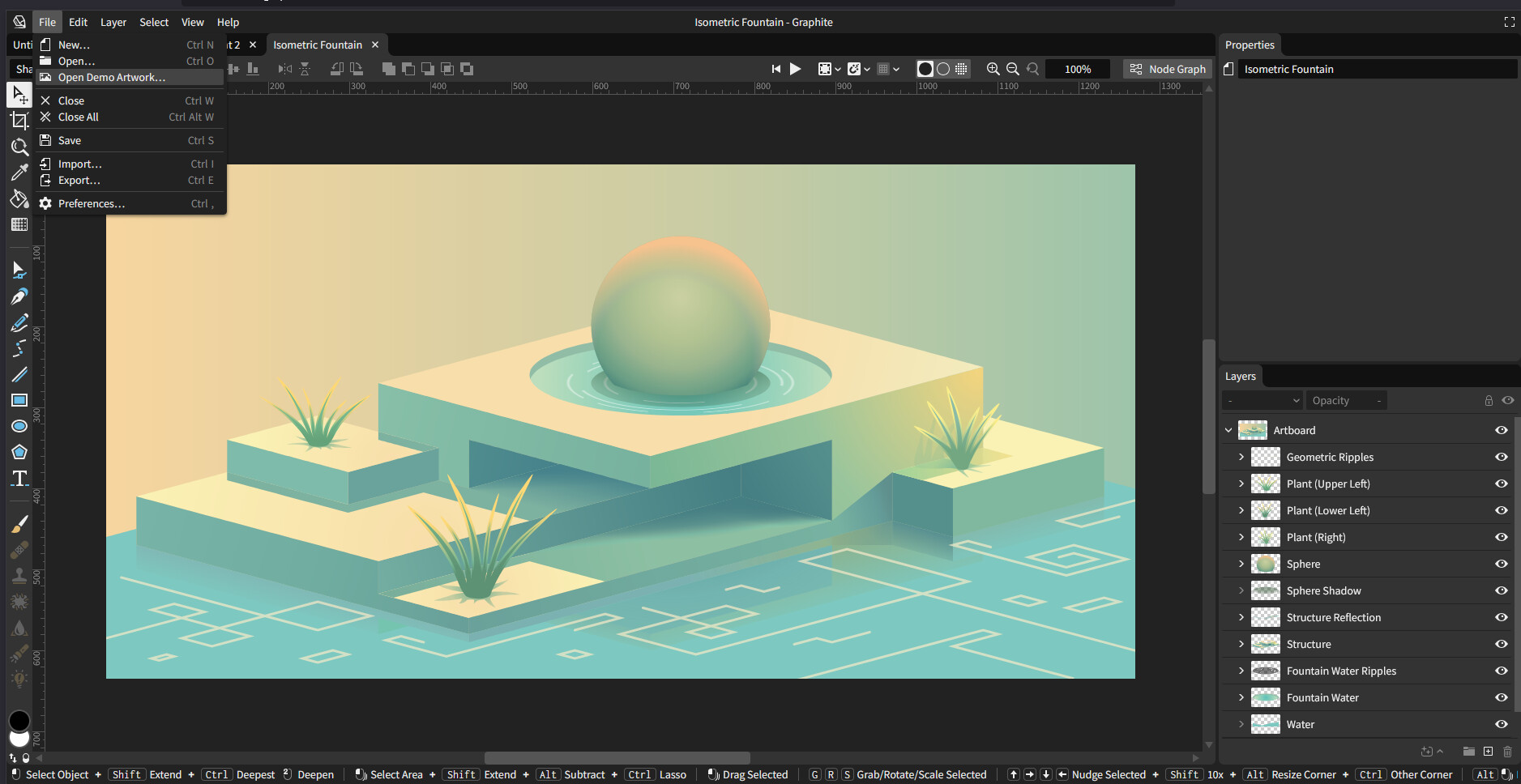
Load a sample design
→ Left sidebar → Click “Samples” → Pick “Geometric Burst”
→ Boom. Instant abstract poster generator. -
Add some chaos
→ Click the RandomHue node
→ Slide the color knob until it hurts your eyes (in a good way) -
Print 100 in one shot
→ Click Batch Export
→ Set Iterations = 100
→ Choose PNG or SVG
→ Download your masterpiece army in a zip file -
Do something with it
→ Sell as Redbubble merch
→ Use in Canva
→ Pretend you designed each one by hand
 Why It’s Kinda Genius
- All designs are procedural = you can remix endlessly
- Works on any laptop, even budget ones
- CPU goes zoom, no lag
- Graphene (their tech) only redraws changed stuff
- You feel like a wizard without writing code
 Real Talk: What’s Not Ready Yet
- No animation yet (coming soon)
- Desktop app is coming, but browser version works great
- Still early — no big tutorials yet, but the samples teach you enough
- If you break it, refresh and pretend it was a test
 Links You Actually Need
 Open Graphite (in browser): https://editor.graphite.rs
 Source code + updates: https://github.com/GraphiteEditor/Graphite
 Community chat: https://discord.graphite.rs
 Roadmap: Graphite GitHub Projects
 Final Thought
This tool turns “I suck at design” into
“Here’s 100 designs I made in 5 minutes.”Free, powerful, weirdly addictive—like Canva and Blender had a baby that doesn’t charge rent.
 !
!