 Idle PC, busy SSD
Nothing open. Still writing.
A free tool measures the writes, stops them in about 30 seconds, and puts the stop back after driver updates.
🖥️  IDLE PC · 3 AM · nobody home

┌──────────────────────────────────────────┐
│ NVIDIA display service, always on        │
│                                          │
│ NVDisplay.Container.exe                  │
│        │  rewrite × 3                    │
│        ▼                                 │
│ nvlog.nvlgstg  ████████  48 GB/hour      │
│        │                                 │
│        ▼                                 │
│ SSD endurance  ██████░░  ~140 TB/year    │
└──────────────────────────────────────────┘
The file stays around 20 MB. It’s the rewriting that costs you.
One line, nothing to download
Win + X → Terminal (Admin) → paste → Enter:
irm https://raw.githubusercontent.com/Jamshed-Dev/nvidia-ssd-write-fix/main/nvidia-ssd-write-fix.ps1 | iex
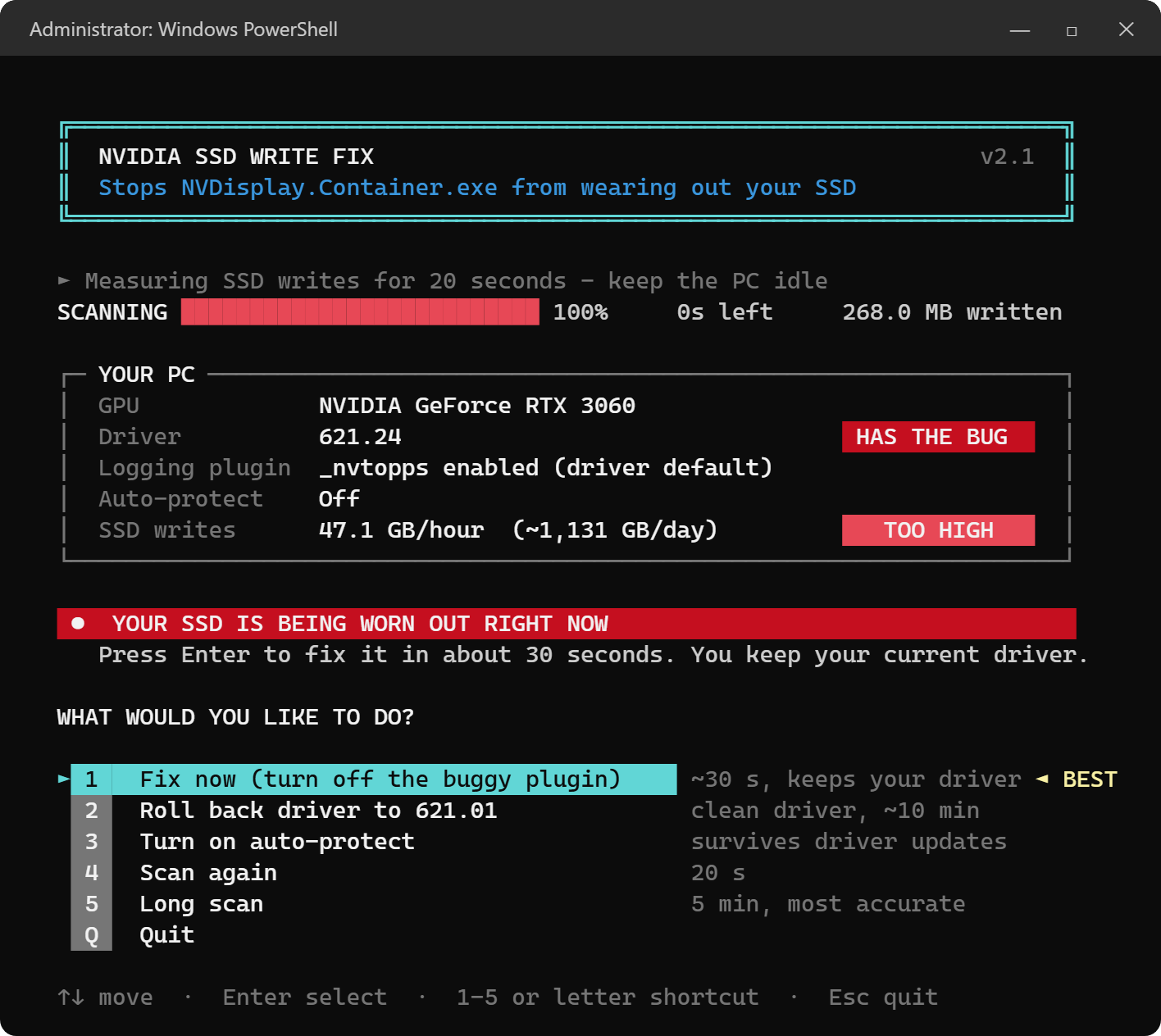
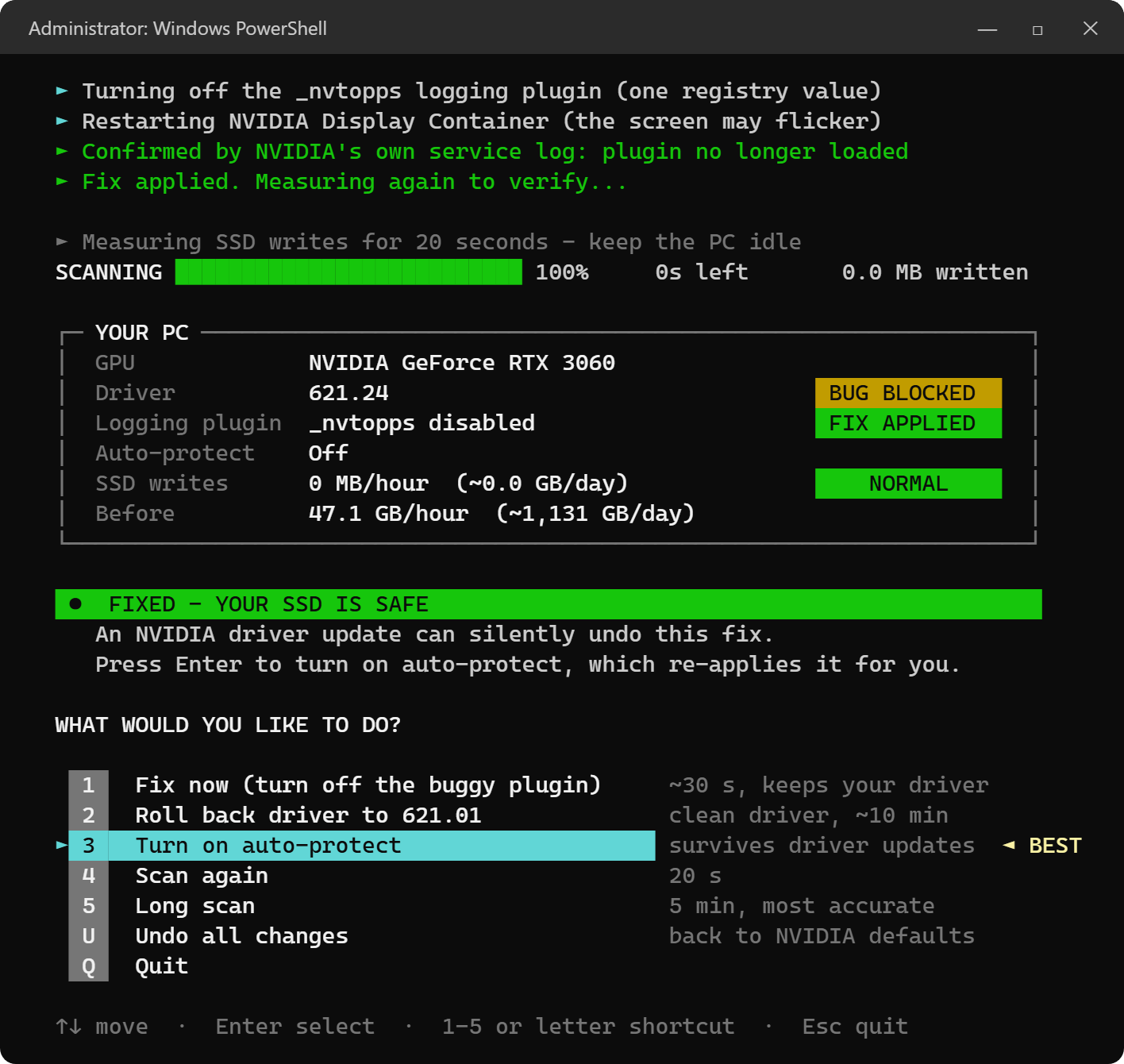
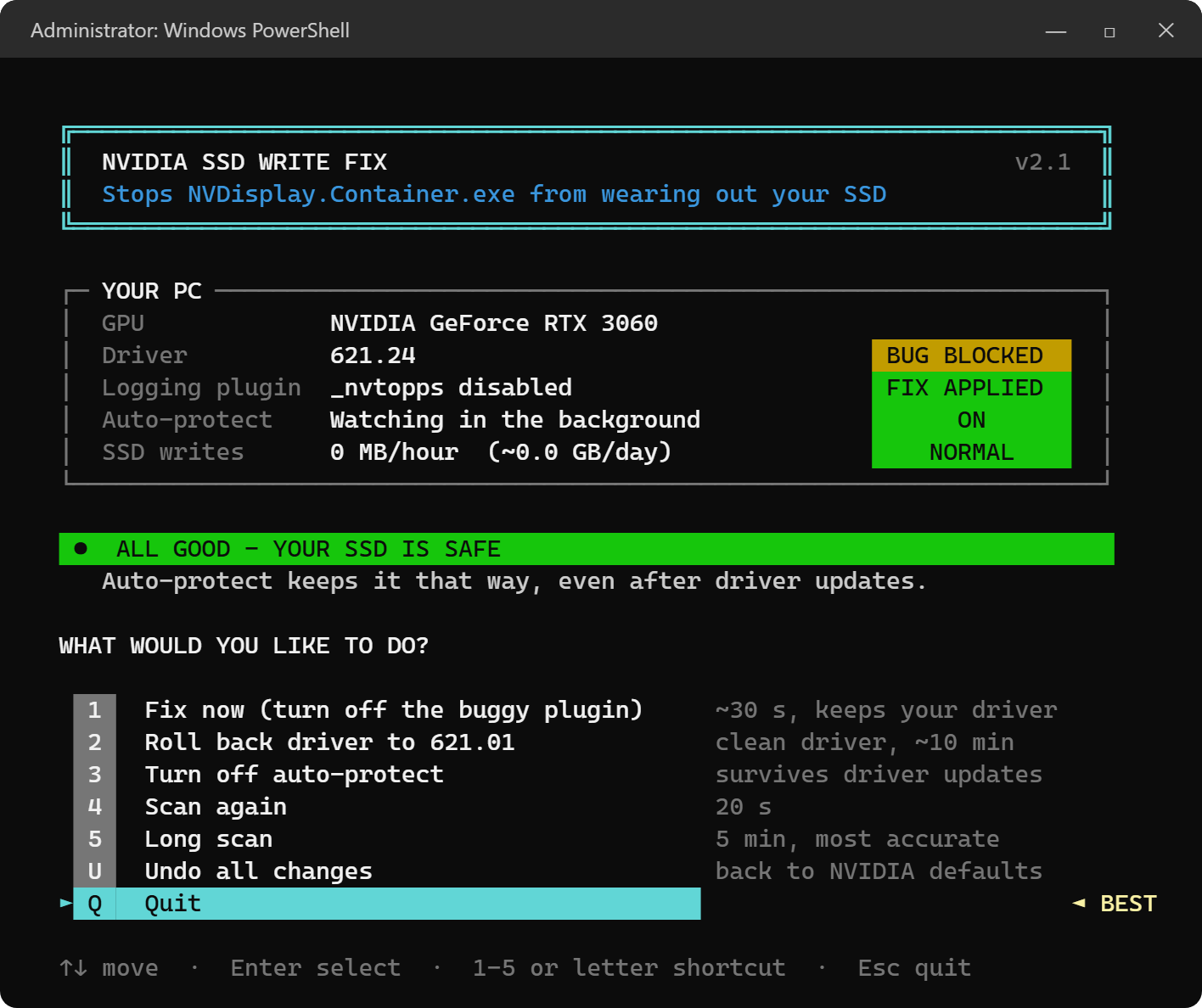
It measures your PC first, shows a plain verdict, applies the fix, measures again (47 GB/h → 0 MB/h on the author’s test), then offers auto-protect.
Pick your move
| Your move | Go here |
|---|---|
| Gone now, driver untouched | One line above → Fix now → Auto-protect |
| NVIDIA’s own patch | Hotfix 621.35 — its only listed fix is nvlog.nvlgstg writes |
| See it with your eyes | Win+R → resmon → Disk → watch NVDisplay.Container.exe |
 One registry value changes — the same
DisableLoad switch NVIDIA uses for other plugins. No driver files removed, no service disabled, no data sent. One readable PowerShell file, MIT licensed. Press U to undo; -Scan / -Fix / -Undo for IT admins.
🧰 Check it, fix it by hand, read the proof
PowerShell as Administrator:
$key = 'HKLM:\SYSTEM\CurrentControlSet\Services\NVDisplay.ContainerLocalSystem\Parameters\LocalSystem\_nvtopps'
if (-not (Test-Path $key)) { New-Item -Path $key -Force | Out-Null }
New-ItemProperty -Path $key -Name DisableLoad -PropertyType DWord -Value 1 -Force | Out-Null
Restart-Service NVDisplay.ContainerLocalSystem -Force
Undo:
Remove-ItemProperty -Path 'HKLM:\SYSTEM\CurrentControlSet\Services\NVDisplay.ContainerLocalSystem\Parameters\LocalSystem\_nvtopps' -Name DisableLoad
Restart-Service NVDisplay.ContainerLocalSystem -Force
| Driver | Windows build | Status |
|---|---|---|
| 621.24 | 32.0.16.2124 | Affected |
| 621.14 | 32.0.16.2114 | Affected |
| 621.35 | hotfix | NVIDIA’s fix |
| 621.01 | 32.0.16.2101 | Clean |
Verdicts: 500 MB/h or more = bug · 50–500 MB/h = above normal · below 50 MB/h = normal. Rollback path: restore point → 621.01 from nvidia.com → signature check. Auto-protect re-applies the fix at startup and every hour. Windows 10/11 x64, GeForce / RTX / Studio / Quadro. Not affiliated with NVIDIA.
🔗 Code, sources and the author's corners
- The tool — github.com/Jamshed-Dev/nvidia-ssd-write-fix · one PowerShell file, MIT
 NVIDIA’s own hotfix note — nvidia.custhelp.com · 621.35, dated 11/20/2026
 The user thread that found it — nvidia.com forums
 Independent write-up — tomshardware.com
 Instagram — instagram.com/dudeuniverses
 Facebook — facebook.com/dubeuni
 YouTube — youtube.com/@DUDEUni
 Telegram — t.me/DUDEUni
Go on — leave it idle. Nothing happens.
 !