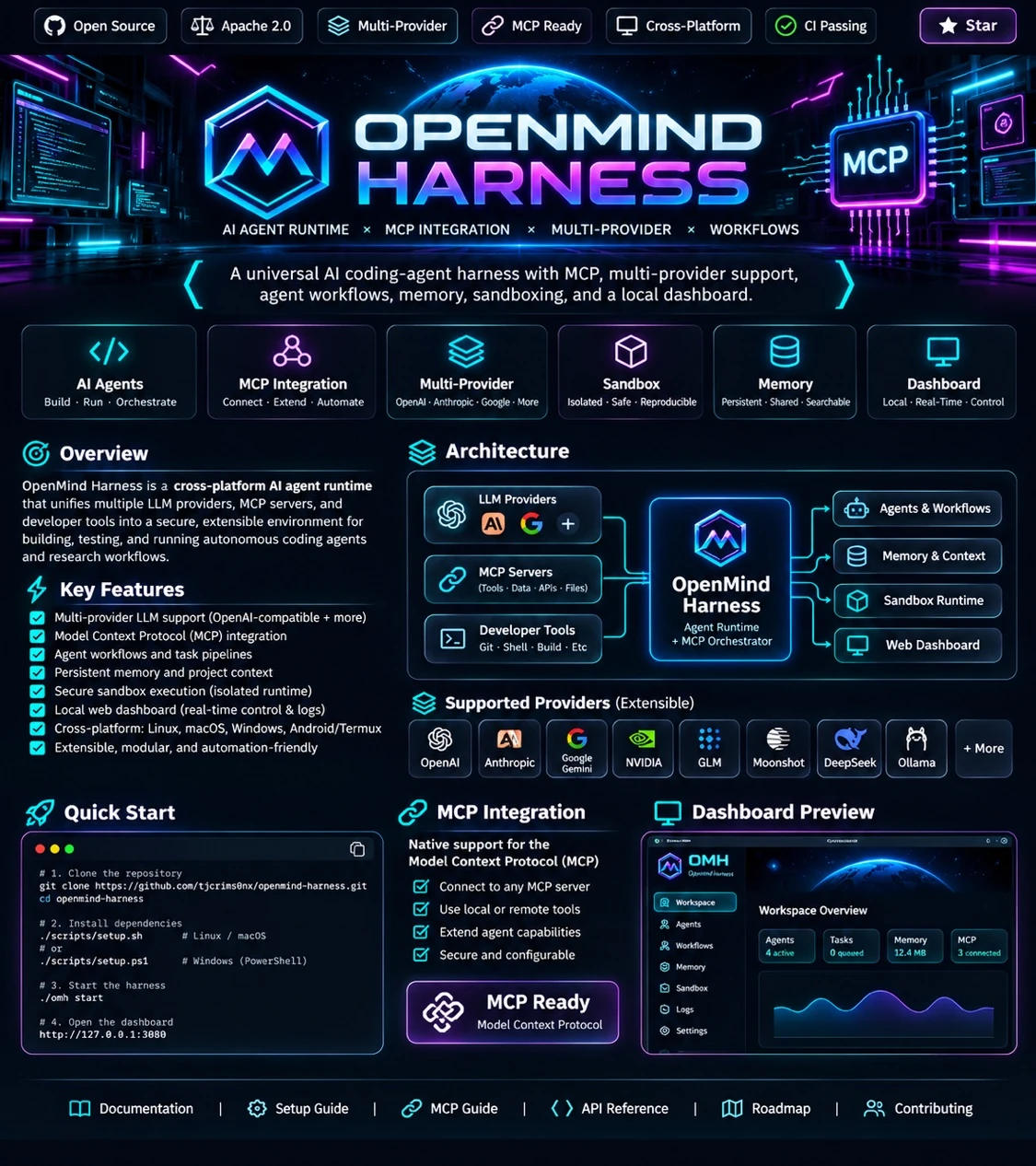

Many AIs, one desk. Your keys stay on your machine.
Free, open-source, installed on your own device — start with a free model or connect an AI you already use.
THE MENU ON THE LEFT, IN PLAIN WORDS
| On screen | What it does for you |
|---|---|
 Chat |
Type a question, get an answer |
 Workspace |
The folder it reads and edits |
 Agents |
Helpers with different jobs |
 Tasks |
A to-do list it can work through |
 Memory |
Notes it keeps between chats |
 Workflows |
A job you can run again and again |
 Plugins |
Extra tools you can switch on |
 Logs |
What it did, step by step |
YOUR FIRST THREE MOVES
- Copy one line for your device from One-line installs below, paste it in a terminal, hit Enter.
- Open 127.0.0.1:4097 in your browser — that’s the chat page, running on your own device.
- Pick
opencode/deepseek-v4.1-flash-freeand type Say only ok. — the free model, tested without a key.
 github.com/tjcrims0nx/openmind-harness — code, setup scripts, every guide
One-line installs — pick your device
https://github.com/tjcrims0nx/openmind-harness/releases
Linux
curl -fsSL https://raw.githubusercontent.com/tjcrims0nx/openmind-harness/main/linux-setup.sh -o linux-setup.sh && bash linux-setup.sh
macOS
curl -fsSL https://raw.githubusercontent.com/tjcrims0nx/openmind-harness/main/macos-setup.sh -o macos-setup.sh && bash macos-setup.sh
Windows — PowerShell
Invoke-WebRequest https://raw.githubusercontent.com/tjcrims0nx/openmind-harness/main/windows-setup.ps1 -OutFile windows-setup.ps1; .\windows-setup.ps1
Phone — Termux
pkg update && pkg install -y git curl
git clone https://github.com/tjcrims0nx/openmind-harness.git
bash openmind-harness/termux-setup.sh
Installer asks for no account and stores no keys: INSTALL.md. Connect an AI later with opencode auth login, or stay local with Ollama.
The full picture + links
- Runtime docs — tasks, memory, and a second page at 127.0.0.1:4177
 opencode.ai — the chat engine underneath
 Free model tested in OpenCode — no key, no card, no sign-in
 License: GPL-3.0, as listed in the repo
OpenMind Harness (OMH) — A universal, multi-provider AI agent harness featuring a unified chat interface, intelligent provider routing, MCP integration, extensible plugins, and streamlined runtime management. Built for flexibility, interoperability, and user control without locking you into a single AI ecosystem.
A little hexagon doing the juggling — you just type.
 !