
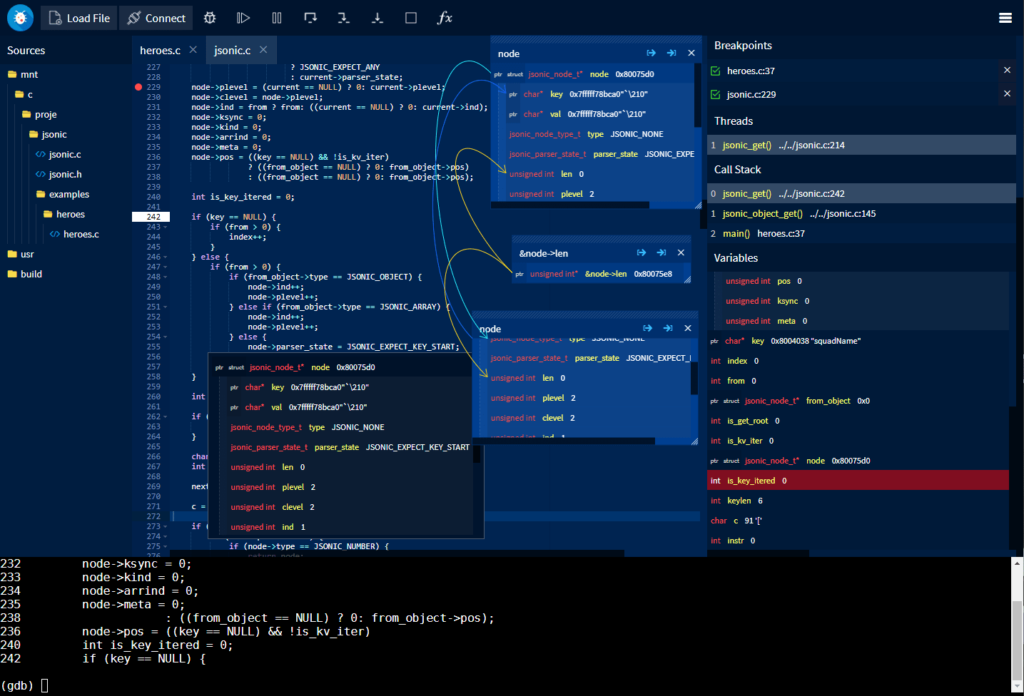
GDBFrontend is an easy, flexible and extensionable gui debugger.
Installing
Deb Package (Debian / Ubuntu / KDE Neon)
You can install GDBFrontend via deb package for Debian-based distributions.
You can install it from following commands:
echo “deb [trusted=yes] https://oguzhaneroglu.com/deb/ ./” | sudo tee -a /etc/apt/sources.list > /dev/null sudo apt update sudo apt install gdbfrontend
After installing with APT, you will get updates for new releases on APT upgrade.
You can get upgrades with following commands:
sudo apt update sudo apt upgrade gdbfrontend
and you can run it:
gdbfrontend
Running From GIT
You can download latest source and run it.
Requirements
- GDB => 8.2 (with python3)
- python3
- tmux
You can run gdb-frontend with following commands:
git clone https://github.com/rohanrhu/gdb-frontend.git gdb-frontend cd gdb-frontend ./gdbfrontend
and you can open it with:
http://127.0.0.1:5551/terminal/
or without terminal:
http://127.0.0.1:5551/
You can open GDB shell with the command:
tmux a -t gdb-frontend
Flatpak
Flatpak package is a TODO.
./gdbfrontend
$ gdbfrontend --help
GDBFrontend is a easy, flexible and extensionable gui debugger.

Options:
  --help, -h:                           Shows this help message.
  --version, -v:                        Shows version.
  --gdb-executable=PATH, -g PATH:       Specifies GDB executable path (Default is "gdb" command on PATH environment variable.)
  --tmux-executable=PATH, -tmux PATH:   Specifies Tmux executable path (Default is "tmux" command on PATH environment variable.)
  --terminal-id=NAME, -t NAME:          Specifies tmux terminal identifier name (Default is "gdb-frontend".)
  --host=IP, -H IP:                     Specifies current host address that you can access via for HTTP and WS servers.
  --listen=IP, -l IP:                   Specifies listen address for HTTP and WS servers.
  --port=PORT, -p PORT:                 Specifies port range for three ports to (Gotty: PORT, HTTP: PORT+1, WS: PORT+2 or 0 for random ports).
  --http-port=PORT:                     Specifies HTTP server port.
  --server-port=PORT:                   Specifies WS server port.
  --gotty-port=PORT:                    Specifies Gotty server port.
  --readonly, -r:                       Makes code editor readonly. (Notice: This option is not related to security.)
  --workdir, -w:                        Specifies working directory.
  --plugin-dir, -P:                     Specifies plugins directory.
  --verbose, -V:                        Enables verbose output.
Options
--help , -h
Shows help text.
--version , -v
Shows version.
--gdb-executable=PATH , -g PATH
You can specify GDB executable path like gdbfrontend --gdb-executable=/path/to/gdb . (Optional)
--tmux-executable=PATH , -tmux PATH
You can specify Tmux executable path like gdbfrontend --tmux-executable=/path/to/tmux . (Optional)
--terminal-id=PATH , -t PATH
You can specify Tmux terminal id like gdbfrontend --terminal-id=terminal-name . (Default: gdb-frontend )
--host=IP , -H IP
Specifies current host address that you can access via for HTTP and WS servers.
--listen=IP , -l IP
Specifies listen address for HTTP and WS servers.
--port=PORT , -p PORT
Specifies port range for three ports to (Gotty: PORT, HTTP: PORT+1, WS: PORT+2 or 0 for random ports).
--http-port=PORT
Specifies HTTP server port.
--server-port=PORT
Specifies WS server port.
--gotty-port=PORT
Specifies Gotty server port.
--readonly, -r
Makes code editor readonly. (Notice: This option is not related to security.)
--workdir, -w
Specifies working directory.
--plugin-dir, -P
Specifies plugins directory.
--verbose , -V
Enables verbose output.
Troubleshooting
Zombie Processes
Sometimes GDB and gdb-frontend may not be closed correctly. In this case, you can terminate gdb-frontend shell.
tmux kill-session -t gdb-frontend
GDB-Related Issues and Tips
- GDB does not give sources of linked object until stepping a line that calls a function from the linked object once . You can add break point a line and step it once, then you will see sources from linked object hereafter during the session.
Windows
In fact, gdb-frontend is able to run on Windows but there are some serious issues in the GDB’s Windows version those avoid using gdb-frontend on Windows. Of course you can use gdb-frontend on WSL if you are using Windows 10.
Issues about Windows-GDB
- GDB’s main-thread is being blocked during running process. (gdb-frontend has an interrupting mechanism to fixing this but it is not enough yet.)
- Windows-GDB’s prompt is being blocked during running process and there are some issues about interrupting the application.
- Current release of Windows-GDB contains Python2. New GDB 9 have Python3 but it is not released yet.
WSL
You can use gdb-frontend on WSL (Windows Subsystem for Linux).
Issues about WSL
- Random port option is not usable on WSL becasue
/proc/net/tcpinterface is not working on WSL.
Documentation
Documentation is TODO yet.
API Documentation
API Documentation is TODO yet.
Plugin Development
You can read the Plugin Development Tutorial.
 !
!