Google AI Ultra 45000 Credits — $6 Indian VPN Method
One-Line Flow: Indian VPN → fake Indian address → Netbanking trick → pay 500 INR (~$6) → add 20k bonus credits → 45k total credits
Why this matters: Google AI Ultra normally costs $30/month for 10,000 credits. This exploit uses Indian regional pricing (500 INR = ~$6) to get 25,000 credits, then adds 20,000 bonus credits for a total of 45,000. You’re paying 1/5th the normal price and getting 4.5x the credits. Works because Google’s payment system lets you switch from “Netbanking” (Indian-only option) to card payment after registration, locking in India pricing permanently.
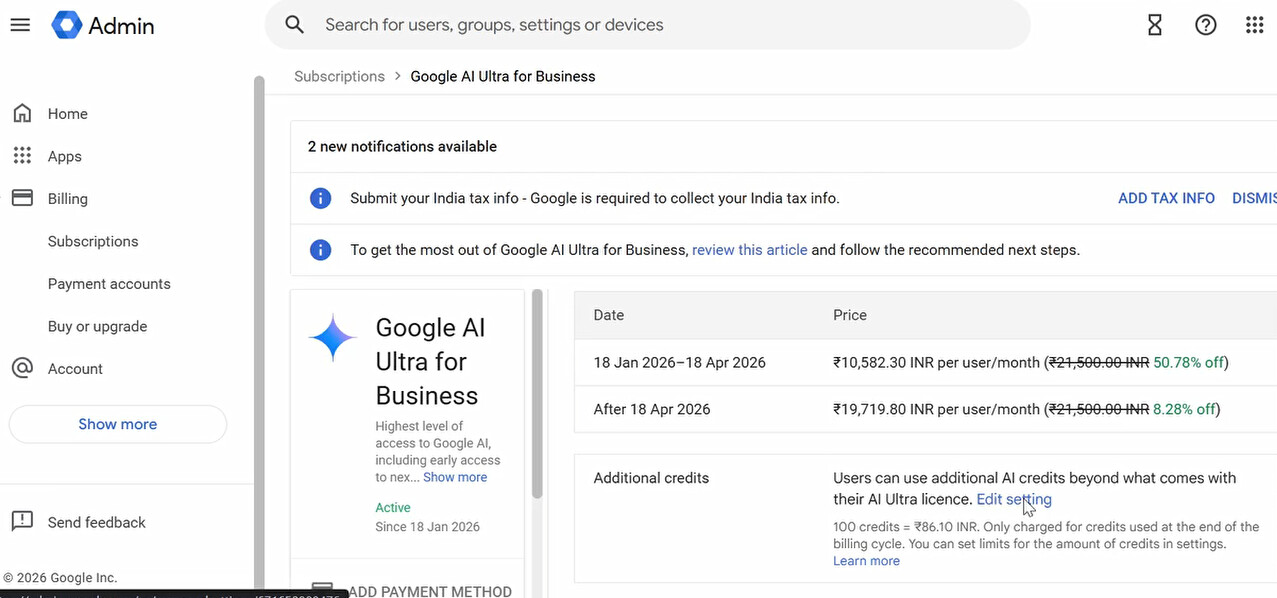
What You're Actually Getting
Google AI Ultra includes:
- Gemini Advanced (best AI model)
- 2TB Google Drive storage
- Access across Gmail, Docs, Sheets, Meet
- Priority support
Normal pricing:
- US: $30/month for 10,000 credits
- You: $6 one-time for 45,000 credits
Credit usage:
- Each prompt = credits consumed
- 45k credits = hundreds of conversations
- Way more than the standard 10k/month plan
The catch: This is a subscription. Card gets charged 500 INR (~$6) initially, might auto-renew later. Use a disposable/virtual card.
What You Need Before Starting
Prerequisites:
 Indian VPN — Free options: ProtonVPN, Windscribe, TunnelBear
Working bank card — Costs ~500 INR (~$6 USD)
Google account — Preferably new/unused
Disposable card recommended — Bybit VCC or virtual card (avoid main savings account)
Why disposable card matters: This is a subscription. Google might try to auto-renew. Use a card you can freeze/cancel easily, or load exactly $6-7 and nothing more.
Step-by-Step Instructions (Follow Exactly)
Step 1: VPN Setup
Connect to an Indian VPN server. Verify your IP shows India (check whatismyip.com).
Step 2: Browser Setup
Open new Chrome profile (fresh session, no saved payment methods). Sign into Google (new account preferred).
Step 3: Initial Signup
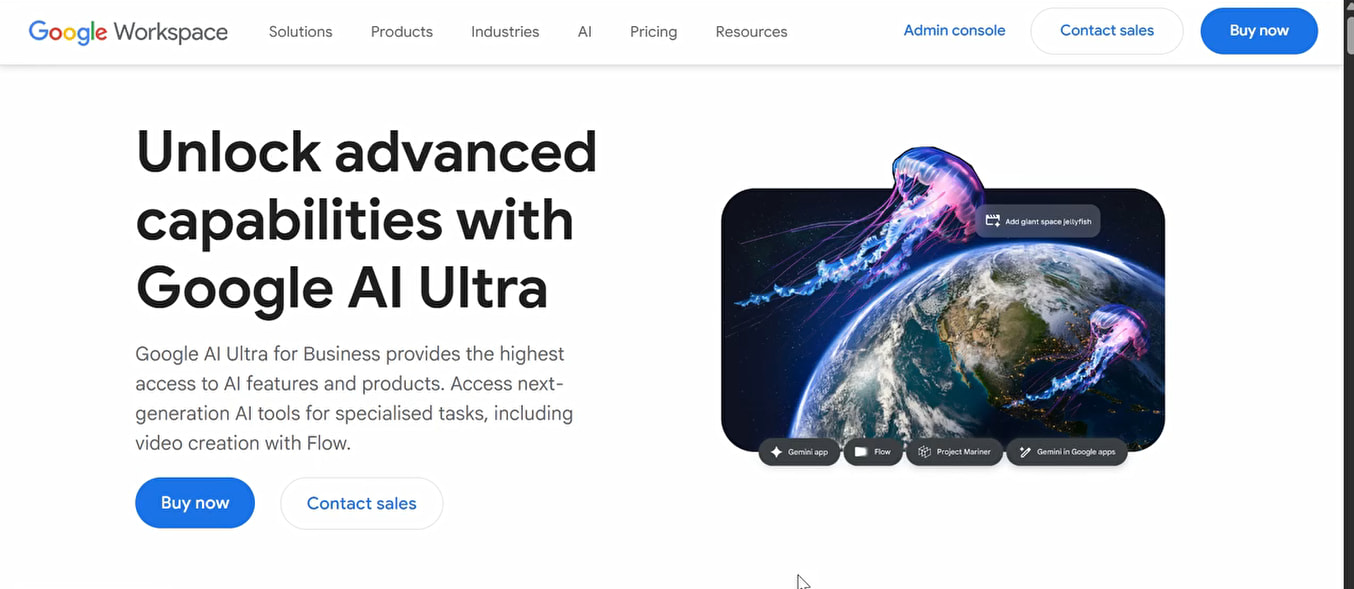
Go to: https://workspace.google.com/intl/en_in/products/ai-ultra/
Click Buy Now → Continue
Step 4: Fake Indian Address
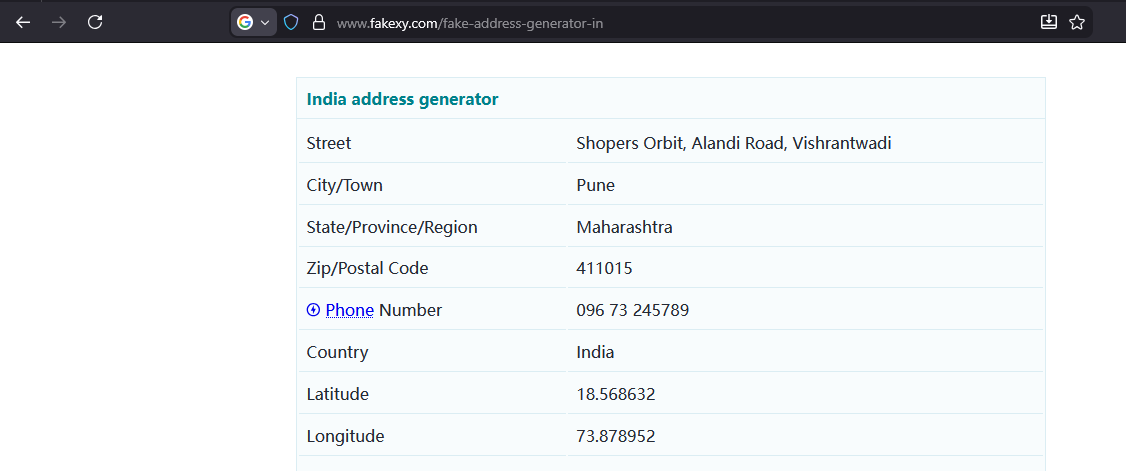
Google needs an Indian billing address. Use a generator:
https://www.fakexy.com/fake-address-generator-in
Fill in random Indian address details (name, street, city, postal code).
Step 5: The Netbanking Trick (Critical Step)
If VPN worked correctly, you’ll see “Pay with Netbanking” option.

DO NOT add payment method yet. Just click Agree & Continue.
Why this matters: Netbanking is India-only. Selecting it locks you into Indian pricing. You’ll switch to card payment later, but pricing stays Indian.
Step 6: Access Admin Console
After clicking continue, you’ll see “Setting Up Google AI Ultra” → redirects to Gemini.
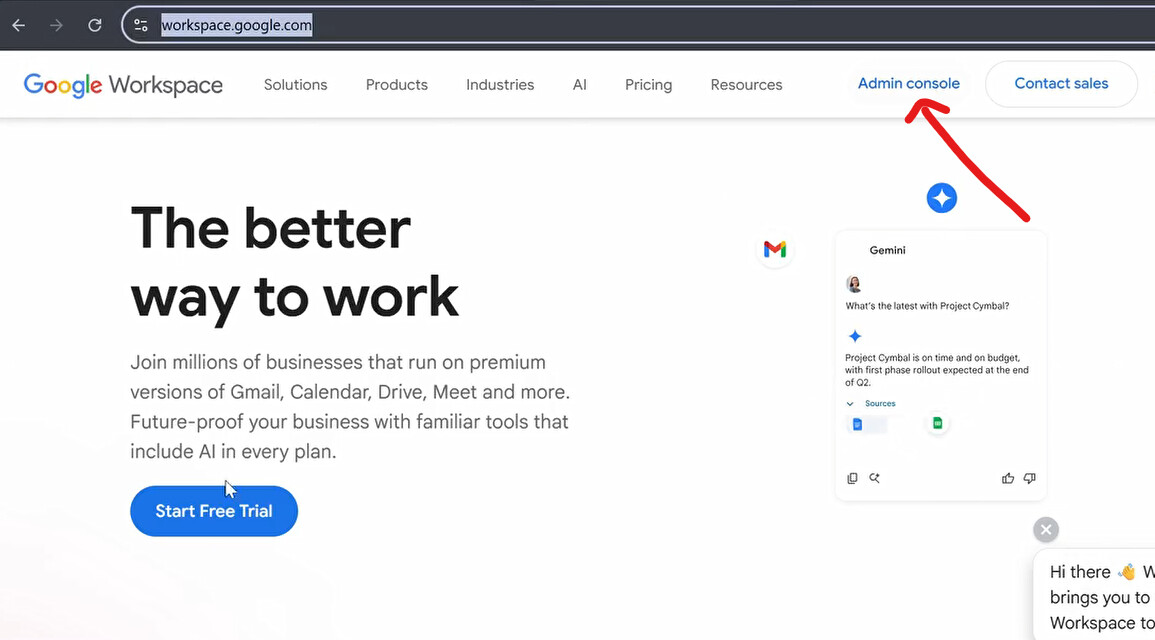
Go to: https://workspace.google.com/
Top right corner → click “Admin Console” (opens admin.google.com)
Step 7: Billing Setup
In Admin Console:
Billing → Subscription
You’ll see Google AI Ultra for Business. Click it.
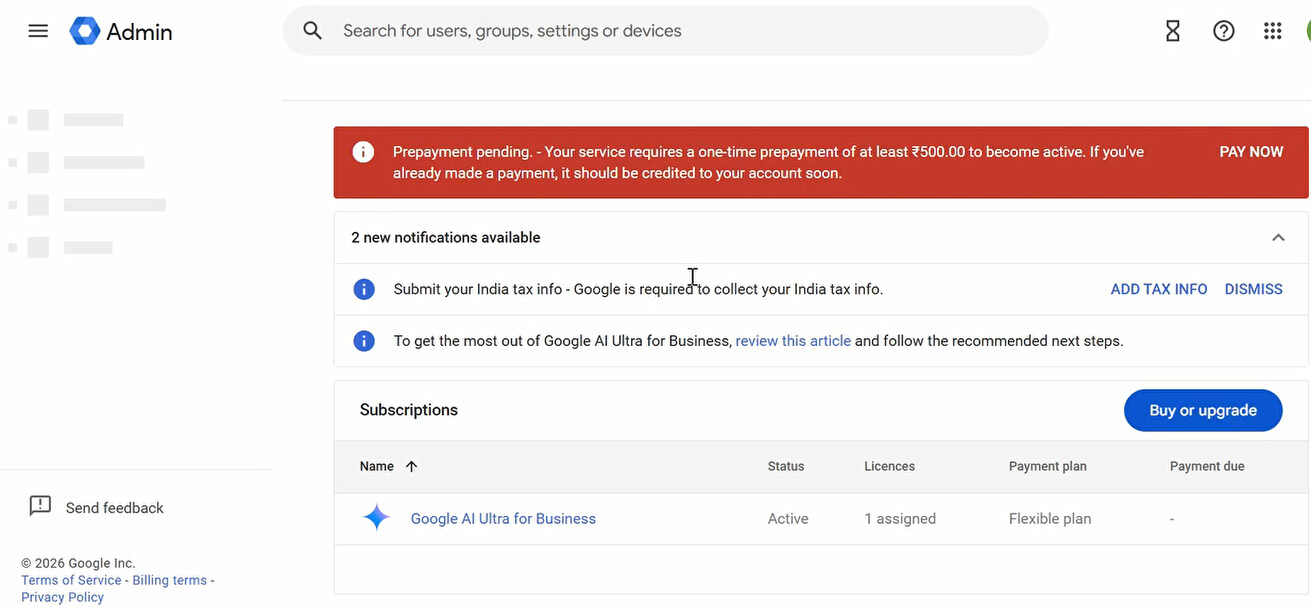
Red banner appears at top: “Make a Prepayment”
Step 8: Payment (Switch to Card)
Click Pay Now.
Change payment method from Netbanking to Card Payment.
Enter your card info. Pay 500 INR (~$6 USD).
 WARNING: This is a subscription. Use disposable/virtual card or be ready to cancel after trial.
Step 9: Add Bonus 20,000 Credits
Go back to Billing → Subscription
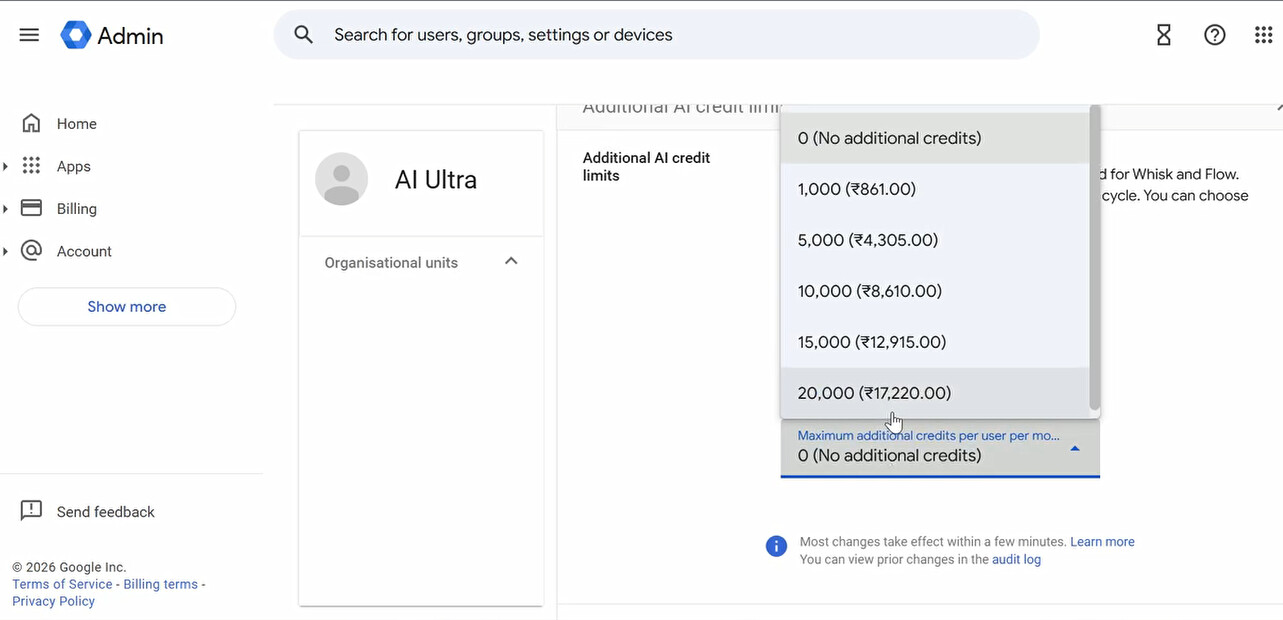
Click Google AI Ultra For Business → scroll down
Find Edit Setting → click it
Add 20,000 Additional AI Credits

Step 10: Verify Total Credits
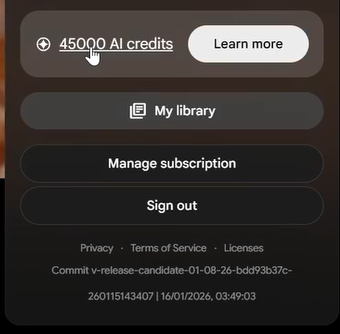
Go to Gemini and check credit balance.
Should show around 45,000 credits total.
You’re done. You just got $150+ worth of AI credits for $6.
Critical Warnings & Reality Check
This is regional pricing exploitation. You’re pretending to be in India to access cheaper rates. Google could:
- Detect VPN and block purchase
- Cancel subscription if they catch fraud
- Charge your card at full US rates later
Subscription risk: This auto-renews. Options:
- Use virtual card with exactly $6-7 loaded (so renewal fails)
- Cancel subscription immediately after getting credits
- Set calendar reminder to cancel before next billing
How to cancel:
Admin Console → Billing → Subscription → Cancel
Legal gray area: Not illegal, but violates Google’s TOS (regional pricing is meant for actual residents). Use at your own risk.
When to use this method:
- You need lots of AI credits cheap
- You’re okay with potential account suspension
- You have a disposable card or can monitor charges
When NOT to use this:
- Your Google account has important data
- You can’t afford to lose access
- You don’t want to deal with cancellation hassles
Bottom line: India pricing gets you 45k Google AI Ultra credits for $6 instead of $30/month for 10k. The “Netbanking” option locks in Indian rates, then you switch to card payment. Use disposable card, cancel subscription after getting credits, or monitor for auto-renewal. It’s an exploit—works now, might get patched or banned later.
 !
!