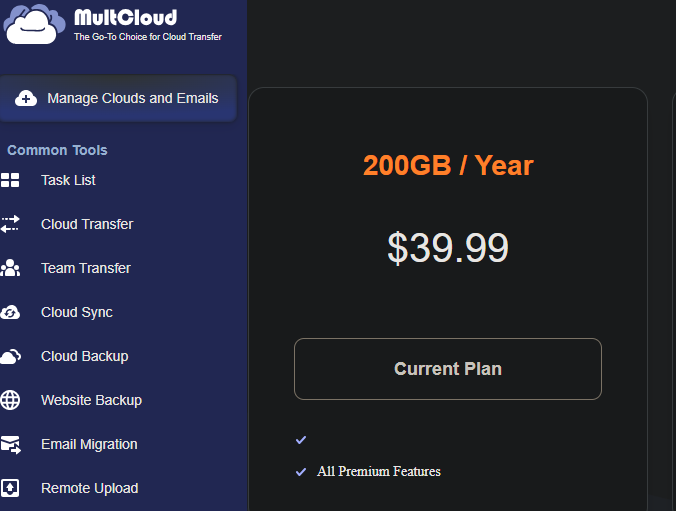
πŸ”₯ Get MultCloud Premium FREE for 3 Months + 200GB Cloud Transfer β€” No Credit Card Required!

Want to move files from Google Drive β†’ OneDrive, Dropbox β†’ MEGA, Google Photos β†’ another cloud, or migrate a large amount of data without downloading everything to your PC first?

Here’s a pretty useful giveaway. :fire:

MultCloud is currently offering:

:wrapped_gift: 3 Months of MultCloud Premium β€” FREE
:cloud: 200GB Cloud-to-Cloud Data Traffic
:money_bag: $39.90 Total Value
:credit_card: No Credit Card Required
:desktop_computer: No Software Installation Required

Your cloud transfers are handled online, so you don’t need to download everything to your computer and then upload it again.


:wrapped_gift: What Do You Get?

:white_check_mark: 3 Months MultCloud Premium

:white_check_mark: 200GB cloud data traffic

:white_check_mark: Access to Premium features

:white_check_mark: Cloud-to-cloud file transfers

:white_check_mark: Cloud Sync

:white_check_mark: Cloud Backup

:white_check_mark: Support for 30+ cloud services


:rocket: How to Claim It

:one: Create or Log In to Your MultCloud Account

:backhand_index_pointing_right: https://www.multcloud.com/sign.html

You can register using email or sign in with:

Google β€’ Apple β€’ Facebook


:two: Open the Official MultCloud Giveaway Page

:backhand_index_pointing_right: https://www.multcloud.com/partners/share-giveaway.html?license=L8T3W6Y2H9K4F7ZN

The giveaway page will show you the license/giveaway code.

Copy it.


:three: Activate Your Free Premium

After logging into MultCloud:

MultCloud Dashboard β†’ Top-Right Corner β†’ Enter License Code

Paste the giveaway code and activate it.

:tada: That’s it!

Your account should receive:

:star: 3 Months Premium
:cloud: 200GB Cloud Data Traffic


:counterclockwise_arrows_button: How Can You Use the 200GB?

For example, suppose you have 50GB of files on Google Drive and want to move them to OneDrive.

Normally:

Google Drive β†’ Download to PC β†’ Upload to OneDrive

With MultCloud:

Google Drive β†’ MultCloud β†’ OneDrive

No need to download those files to your PC first.

You can use the traffic for things such as:

:cloud: Cloud-to-cloud transfers
:counterclockwise_arrows_button: Syncing cloud drives
:floppy_disk: Cloud backups
:open_file_folder: Moving large folders between services


:warning: IMPORTANT β€” 200GB Is NOT Cloud Storage

This is probably the most important thing to understand.

:cross_mark: You are NOT receiving 200GB of permanent cloud storage.

:white_check_mark: You are receiving 200GB of cloud data traffic for transferring, syncing, or backing up data through MultCloud.

For example:

If you transfer 50GB from Google Drive β†’ OneDrive, approximately 50GB of your transfer quota is used.

So think of it as:

200GB of cloud-moving capacity β€” not a 200GB storage drive.


:locked_with_key: What About Security?

MultCloud says cloud accounts are connected through OAuth authorization, meaning you authorize supported cloud services through their login systems rather than giving MultCloud your cloud password directly.

They also state that transfers use encrypted connections.

Still, as with any third-party cloud-management service, only connect accounts you’re comfortable authorizing.

Once you’re finished with a one-time migration, you can also remove MultCloud from your cloud account’s connected apps / authorized apps section.


:hourglass_not_done: What Happens After 3 Months?

The free Premium period expires after the giveaway period.

You are not required to enter a credit card to create the account or claim this offer, so you’re not signing up for an automatic paid subscription just to redeem it.

If you want Premium after the free period, you can choose to upgrade yourself.


:fire: Quick Summary

:gem_stone: Offer: MultCloud Premium
:hourglass_not_done: Duration: 3 Months
:cloud: Traffic: 200GB
:money_bag: Value: $39.90
:credit_card: Credit Card: Not Required
:desktop_computer: Installation: Not Required
:globe_with_meridians: Supported Clouds: 30+
:link: Giveaway: https://www.multcloud.com/partners/share-giveaway.html?license=L8T3W6Y2H9K4F7ZN

–

:warning: Note: Giveaway availability and terms can change at any time, so claim it while the official promotion is still active.

Enjoy! :cloud:

6 Likes

Thank you! I redeemed it.

1 Like