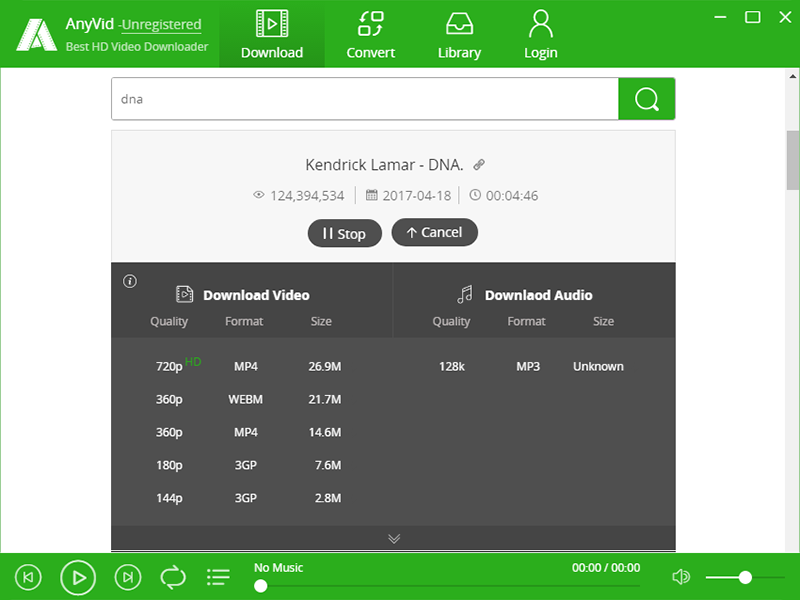
AnyVid from AmoyShare is a video downloader software on Windows that helps you download over 600 videos in batch with a click, in MP3 or MP4 on 1,000+ sites like YouTube, Facebook, Instagram, Twitter, and more popular websites. This saves you time downloading videos one by one and download HD videos in the highest available quality (720p, 1080p, or higher).
Main Features
Video download from over 1000 sites
Batch download YouTube video playlist
HD video download in MP4, 3GP, FLV
Convert your local file to any format
Supported OS: Windows 10/ 8.1/ 8/ 7/ XP
Step 1. Go to the GIVEAWAY PAGE
Enter your email and password (register an AnyVid account)
Step 2. Download the setup file here: anyvid-win.exe
Enjoy!
Aina
26.Февраль.2022 14:05:52
2
Step 1. Go to the GIVEAWAY PAGE
Enter your email and password (register an AnyVid account)
Step 2. Download the setup file here: anyvid-win.exe
Login to your account (you have created it above)
This is a 1-year license code for AnyVid for Windows v10.0.6
Non-commercial use
Free updates for 1-year
Free tech support
Register before this offer has ended
Aina
20.Сентябрь.2022 20:08:26
3
Step 1. Go to the GIVEAWAY PAGE
Enter your email and password (register an AnyVid account)
Step 2. Download the setup file here: anyvid-win.exe
Login to your account (you have created it above)
This is a 1-year license code for AnyVid for Windows v10.1.0
Non-commercial use
Free updates for 1-year
Free tech support
Register before this offer has ended
Aina
10.Апрель.2023 01:15:15
4
Step 1. Go to the GIVEAWAY PAGE
Enter your email and password (register an AnyVid account)
Step 2. Download the setup file here: anyvid-win.exe
Login to your account (you have created it above)
This is a 1-year license code for AnyVid for Windows v10.1.0
Non-commercial use
Free updates for 1-year
Free tech support
Register before this offer has ended
Aina
13.Февраль.2024 23:34:05
7
Step 1. Go to the GIVEAWAY PAGE
Enter your email and password (register an AnyVid account)
Step 2. Download the setup file here: anyvid-win.exe
Login to your account (you have created it above)
This is a 1-year license code for AnyVid for Win
Non-commercial use
Free updates for 1-year
Free tech support
Register before this offer has ended

 !
!