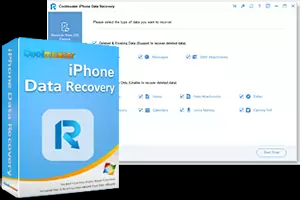
Accidentally deleted data on your iOS device? Are all files gone after factory reset your iPhone? Coolmuster iPhone Data Recovery is here to help.
Features:-
Recover from iOS Device. Directly recover lost or deleted contacts and messages from the iOS device without backup. (More data types will be supported soon)
Easy iOS Data Recovery Process. Only three steps are required: Connect your iOS device to PC > Preview and select files > Recover.
Scan iTunes Backup Quickly. Scan the iTunes backups and list them with detailed info like name, time, size, version, etc.
Choose the Desired Files to Restore. You can preview before restoring and extract the wanted files from iTunes backup to a customized PC location. No data will be erased on your iPhone.
Download iCloud backup. Log in with your Apple account, and then you can download the required iCloud backup.
Extract Data from iCloud Backup. Select the required data to restore iPhone/iPad/iPod from iCloud backup.
Supported Deleted Files: Contacts, Messages, Message Attachments. (More file types will be added soon)
Supported Existing Files: Call Logs, Contacts, Messages, Message Attachments, Notes, Note Attachments, Safari, Safari History, Calendars, Voice Memos, Camera Roll, Photos.
Export Files to PC in Readable Formats. You can recover and export contacts to PC in CSV, HTML, VCF formats. Text messages can be saved to PC in CSV or HTML formats. And other file types can be transferred to computers with original quality.
Recover Files within Simple Clicks. It takes minimal effort to recover your iOS data. No technical skills are required. Everyone can handle the recovery process without hassle.
Support Latest iOS 14/13/12 and Below. It supports iPhone 12/12 mini/12 Pro/12 Pro Max/11/11 Pro/11 Pro Max/iPhone Xs/XR/X/8/8 Plus/7/7 Plus/6/6 Plus/5/5s/5c/4, iPad Pro, iPad Air, iPad mini, iPod touch/Shuffle/Nano/Classic, etc.
The process to get it-
Click on the Link
Enter your Name, Email id, & Captcha and click on submit. A license will be shown to you don’t use it.
You will receive an email from “[email protected]”. This email offers a license code and a download link to the software.
Software:-
Download - Link
Run the installer to install the software.
To register the full version of Coolmuster Android Assistant (Windows version), run the software, click the “key” icon on the right top menu, and click the “Register” button. Copy and paste the above-licensed email address and the license code to register the program.
Enjoy

 !
!