Google Gemini Student Free — Extended to April 30 + How to Not Fail Auth
Students get free Gemini Pro until April, but network issues kill certifications. Static IP fixes it.
The Extension + The Problem
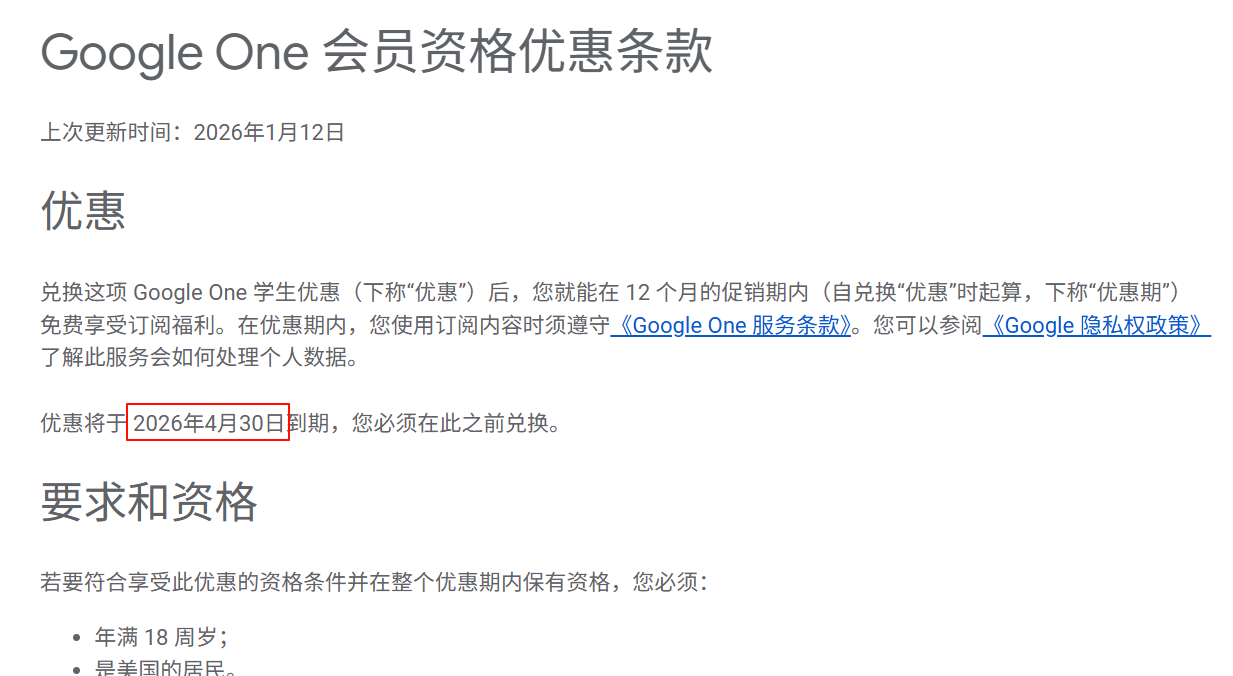
Google extended student certification deadline to April 30, 2026. More time to grab free Gemini Pro. But: certifications fail constantly due to IP changes, geo-mismatches, network instability. Static IP = solution.
Why this matters:
Free powerful AI for students → auth process breaks from network issues → account gets restricted or rejected → static IP keeps everything stable
What you’re getting:
✓ Free Gemini Pro access (extended to April 30, 2026)
✓ Three ways to verify/extend certification
✓ Solution for failed authentications (static residential IP)
✓ Long-term stable access without restrictions
✓ Works across multiple devices consistently
How to Get/Extend Student Certification
Qualification Check First:
→ Official school email registration
→ Upload student ID or documents
→ Third-party auth via SheerID platform
Extension Methods:
Method 1 — Auto Renewal:
Login to Google account → visit Gemini student verification page → system checks status → click renewal button if eligible → done
Method 2 — Re-certification:
Certification expired? → resubmit latest student ID documents → ensure info is authentic/complete
Method 3 — Secondary Verification:
Special verification link (higher success rate) → requires stable network environment → use static IP for best results
Why Certifications Fail (The Real Problem)
Common killers:
→ IP address changes frequently (triggers security flags)
→ Geo-location mismatch (IP from different country than school)
→ Network instability during verification
→ Using different IPs across devices (looks suspicious)
What happens:
Auth fails → account restricted → can’t use Gemini → have to retry with unstable connection → cycle repeats
Solution:
Static residential IP keeps everything consistent = higher auth success = no account restrictions
Static IP Solution: Novproxy
Why Static IP Matters
Geographic consistency: IP stays in same region as your school = auth passes
Network stability: No IP changes = no security triggers
Multi-device sync: Same IP across phone/laptop/tablet = looks legit
Long-term maintenance: Keeps student status active without constant re-auth issues
Novproxy Features
Real residential IPs: Genuine residential network addresses (not datacenter proxies) = hard to detect/block
Global coverage: Pick IP from any country/region matching your school location
Actually stable: Static IP doesn’t change during lease period = consistent environment
Easy setup: Supports HTTP + SOCKS5 protocols, works with any browser
Pricing:
Port mode static IP = $1/day per port (flexible billing)
Good for students = choose small port count first, scale later
Link: Novproxy
Setup Steps
1. Register Novproxy
Visit Novproxy.com → create account → choose static IP package (start small)
2. Generate IP config
Control panel → select target country/region → system provides: IP address, port, username, password
3. Configure browser
Use fingerprint browser for best isolation → proxy settings → select HTTP protocol → enter Novproxy info → test connection
4. Run certification
With static IP active → go through Gemini student verification → success rate significantly higher
Pro Tips for Success
Timing: Late night authentication = higher success (lower network load, stable system)
Consistency: Same IP from first auth through daily use = no red flags
Payment ready: Have international or virtual credit card ready (some auth steps need it)
Multi-account: Managing multiple Gemini accounts? Give each one separate static IP to avoid linking
Common Issues Fixed
Auth keeps failing?
→ Check IP matches school location
→ Ensure documents are clear/complete
→ Try different static IP from same region
Account restricted during use?
→ Usually from IP changes or security triggers
→ Static IP prevents this entirely
Certificate expiring soon?
→ Start renewal 1 month early
→ Gives time to fix any issues
Free Gemini Pro until April 30. Static IP = no auth failures. Problem solved. 
 !
!