Almost everyday I see someone here or random places online that people have created a website with pirated movies and tv shows. How do they make it? How can I create a setup like that myself?
What I’m looking is a good UI interface, with a collection of movies and shows that I run on that.
Something free will be appreciated.
I ran a pirate movie/TV site a few years back. Back then I used WordPress + a pirate API that auto-pulled content. You’d drop an IMDb ID (like tt1234567) into a shortcode or custom field, and it would generate the whole movie page automatically — synopsis, cast, trailer, poster, everything. Then you’d just attach some external embed streams and boom — site up in 2 hours.
But that was years ago. Things have changed.
Here’s how most people build pirate streaming sites nowadays:
 MODERN APPROACH (ELITE LEVEL)
1. Specialized CMS (most common)
There are platforms built specifically for this:
These CMSs come with:
-
Auto movie/TV show management via APIs (TMDB, IMDb)
-
Built-in video player (multi-server support)
-
User system, favorites, watch history
-
Modern responsive design (React/Vue on frontend)
2. Content API + Scrapers
Today, people use scraping APIs like:
-
TheMovieDB (TMDB) → for metadata (synopsis, posters, cast)
-
IMDb ID → universal identifier
-
Custom scrapers that pull streaming links from hosting sites like:
-
Gdrive links (via API)
-
Streamtape
-
DoodStream
-
Voe.sx
-
Uqload
The flow is:
text
User clicks a movie → system scrapes multiple hosts → returns the best available link → plays in the player.
3. Real Architecture (what the big players use)
-
Backend: Node.js + Express or Python (Django/Flask)
-
Frontend: React.js / Next.js or Vue.js
-
Database: MongoDB or MySQL
-
Cache: Redis (to avoid hitting APIs on every request)
-
Cron jobs: Auto-update streams every X hours
-
CDN: Cloudflare to hide real IP and cache static content
4. Easy Alternative (Zero Code)
If you don’t want to code, use WordPress + a movie plugin (e.g., Dooplay, Movie, WP Movie Library) + a scraping API (like the one I used back then, TMDb). Or use turnkey platforms like “QuickFlix” that come ready out of the box.
 WHAT YOU NEED TO START (FREE OPTIONS)
-
Hosting: Hostinger/Namecheap or a cheap VPS (€5/mo) → if you want free, try Heroku or Vercel (but they have limitations)
-
Domain: Freenom (for .tk, .ml) or buy a cheap one for €1-2
-
API: TheMovieDB (free, just get an API key)
-
CMS: XenVn (free version) or WordPress + Dooplay (nulled)
-
Embed/Streams: Use free hosts like Streamtape or Uqload — they give unlimited traffic (but with ads)
 IMPORTANT WARNING
If you want to do this “for real” with significant traffic, you’ll need:
-
Seedbox to serve the files
-
Multiple domains (because they eventually get blocked)
-
Cloudflare for DDoS protection
-
VPN/proxy to hide your identity
And don’t forget: this is illegal in most countries. I’ve had my site, I’ve been contacted, I’ve taken everything down. Do it at your own risk.
 IF YOU WANT A PROJECT TO START TODAY
-
Grab a free React + TMDB API template (there are dozens on GitHub)
-
Deploy it on Vercel (free)
-
Add a player that accepts video URLs (e.g., video.js or plyr.io)
-
Integrate with an embed scraping service (or just use direct Gdrive links)
You can have something working in 3 days. Good luck.
Thank you for the detailed tutorial. This is exactly the kind of thing I was looking for.
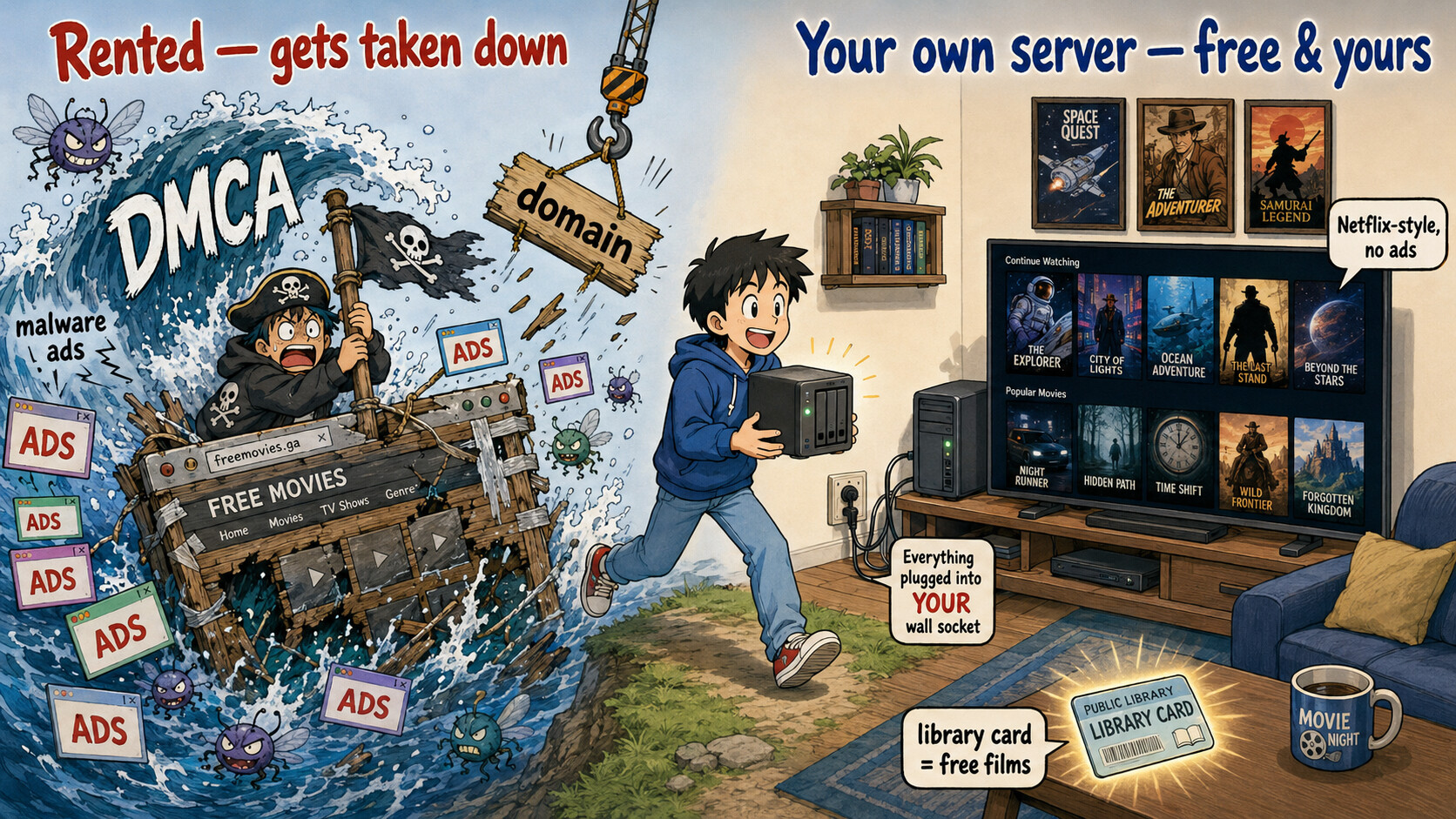
Here’s the part nobody in the thread said out loud: a pirate rehost is the weak build. It rents everything — the host, the domain, the ad network — and all three get yanked, which is why those sites die every few weeks. What you actually described — “a good UI, a collection I run, free” — is a server you own. Same outcome, permanent, nothing to take down. Build it in four tiers 
 Tier 0 — a huge library, tonight, zero setup
Open one and watch — licensed, no account, no card, no malware pop-ups:
 Tubi — 280,000+ movies/TV (the big one) ·
  Pluto TV — 400 live channels ·
  The Roku Channel (no Roku needed, plays in-browser) · Plex free
 JustWatch → search any title, hit the Free filter — most things are already legally free somewhere, so you rarely need more.
 Tier 1 — the quality shock: Criterion/A24 free with a library card
- Kanopy (Criterion, A24, foreign, docs — ad-free) + Hoopla (mainstream movies/TV/comics/music, instant, no waitlist). Both free with a public-library card.
- No card? Get one online in minutes: Houston MYLink (free for TX, ~$40/yr anyone), or Free Library of Philadelphia (free, PA). One card quietly replaces several paid subs — and beats a pirate site on curation, not just legality.
 Tier 2 — own your Netflix (the “I run it” part he actually wanted)
 Jellyfin — free, open-source, no paywall ever. Point it at a folder of files → it builds a Netflix-style grid (posters, cast, trailers) and streams to phone/TV/browser. This is literally “a website with a collection I run.”
 CasaOS — no terminal: install this on an old PC, click Jellyfin in its app store → live in ~90 seconds.
 Make it look expensive (all free): Skin Manager (one-click Netflix theme) · Intro Skipper (the “Skip Intro” button) · Kometa (auto “Oscar Winners / 90s Action” collections + poster badges).
 Apps on every screen: official clients (Android TV/Fire TV/iOS/web) or the slicker Streamyfin/Findroid/Swiftfin. Watch away from home with zero exposed ports via Tailscale.
 Tier 3 — fill it huge, legally + free
 Internet Archive — public-domain features — thousands of full films, direct MP4 download (one sub-collection is a ~970 GB dump). Drop into Jellyfin’s Movies folder → auto-posters. Also Library of Congress + Prelinger.
 Public Domain Torrents — the one fully-legal use of BitTorrent (out-of-copyright classics; no DMCA, no fake-release malware).
 Cultpix — legit, restored cult/exploitation/rare cinema (the obscure stuff people chase on shady sites — here licensed) with a free section.
 Your own discs → MakeMKV (rip DVD/Blu-ray) + HandBrake (shrink to a streamable file). Max quality, no buffering.
🧰 Deeper kit — more free catalogs, the whole Jellyfin polish list, one-UI + your-own-live-TV
More free legal catalogs: Xumo · Cineverse (anime/horror/cult) · PBS (docs/prestige) · Reelgood free filter.
Full Jellyfin map: awesome-jellyfin (every client/theme/plugin) · Jellyfin Media Player (4K/HDR direct-play HTPC) · Finamp (your own ad-free Spotify off the same server) · remote at your own domain via Nginx Proxy Manager.
Alternatives to Jellyfin: Plex (slickest apps, a couple features behind Plex Pass) · Emby (middle ground).
One UI + your own channels: Stremio with legal add-ons only — the Archive.org add-on streams public-domain films inside its polished catalog · ErsatzTV turns your own library into 24/7 channels (“Pluto TV, but mine”) that plug into Jellyfin’s Live-TV tab.
Bulk import (CC/public-domain only): yt-dlp pulls clean MP4s from Archive/Blender/Creative-Commons channels into your folder.
🧨 Why the rehost is the weak seed — the numbers
 ~80% of pirate sites serve malware-laden ads — the Unholy Triangle investigation counted ~321M malicious ads earning operators ~$121M. The ad network funding a rehost is the same one shipping ransomware; you’d be running a malware-delivery business that poisons your own users. → report
 Scale is the target, not the shield. Sept 2025: ACE + Egyptian police killed Streameast — the world’s biggest, 80 domains, 1.6 billion visits/yr — arrested the operators, seized phones + crypto. 80 domains didn’t save it. → case
A pirate site is something you rent until it’s taken. A server is something you own until you turn it off. Build the one nobody can unplug but you.
Thanks for the detailed tutorial.
 !
!