Have you ever wondered if you could use a new font on your Instagram Profile, Captions, or even the comments. While Instagram stories can be posted with several different fonts, you only get the sans serif when it comes to a normal post or the profile bio.
Adding a new and custom font can make your profile look different from normal ones and stand out among other profiles. Especially if you have a business on Instagram, using a different font that resembles your brand can make your page look unique.
If you’re wondering how to change Instagram Fonts for your profile. This article will tell you the complete steps to change fonts on Instagram. (Source: techrrival)
How do Custom Fonts work on Instagram?
Instagram uses the sans serif font style, but we see people using several other custom fonts. However, if you have noticed around the platform, there aren’t many custom fonts that you can use.
Most of the profiles use the stylish Handwritten Cursive font or the Bubble letter font style. Because the fonts you can use are limited.
The unique and stylish letters, symbols, or scripts you see around Instagram are mostly Unicode characters.
The special characters that we use very frequently are Unicode characters. In reality, there are thousands of them, though we won’t be discussing them here.
These types of symbols can be used on Instagram to make the font look different. There are some supported Unicode symbols that you can use as a font on Instagram. 𝒽𝒶𝓃𝒹𝓌𝓇𝒾𝓉𝓉𝑒𝓃 𝒻𝑜𝓃𝓉, 𝔻𝕠𝕦𝕓𝕝𝕖 𝕤𝕥𝕣𝕦𝕔𝕜 𝕗𝕠𝕟𝕥, Ⓑⓤⓑⓑⓛⓔ ⓛⓔⓣⓣⓔⓡⓢ, 𝔊𝔬𝔱𝔥𝔦𝔠 𝔣𝔬𝔫𝔱 are some of them.
Now, you know what we’re talking about. It’s time we see how we can change the fonts on Instagram for our profile and captions.
How to Change Instagram Fonts on Your Bio and Captions?
- You can use any Instagram Font generator tool. IGFonts.io and Coolfont.org are some of the very popular ones. We prefer to use the latter one you can use any one of your choices.
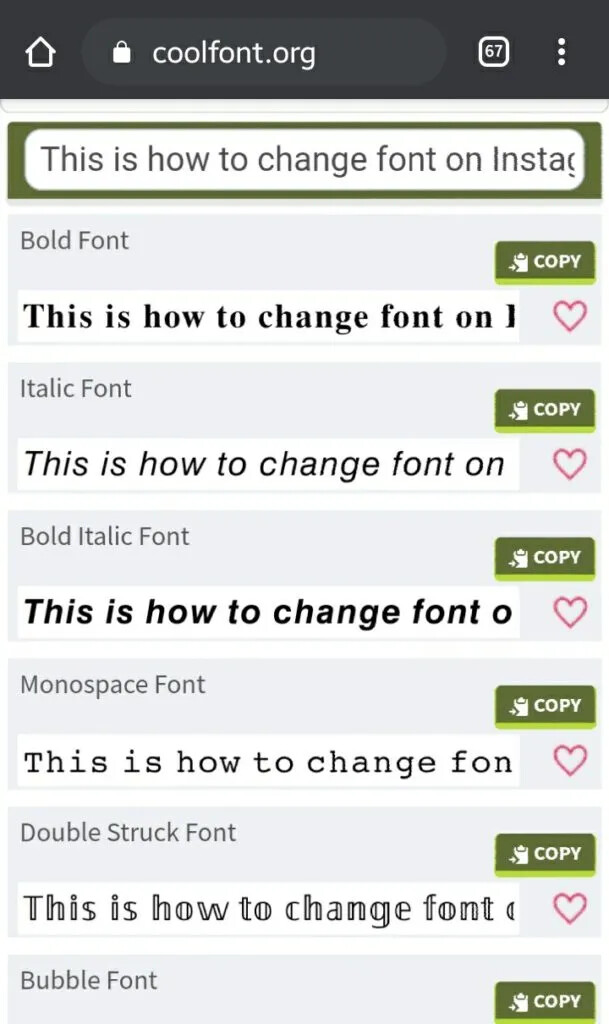
- Once on the website, enter the text on the Input text box you want to use. It will show you several different text options.
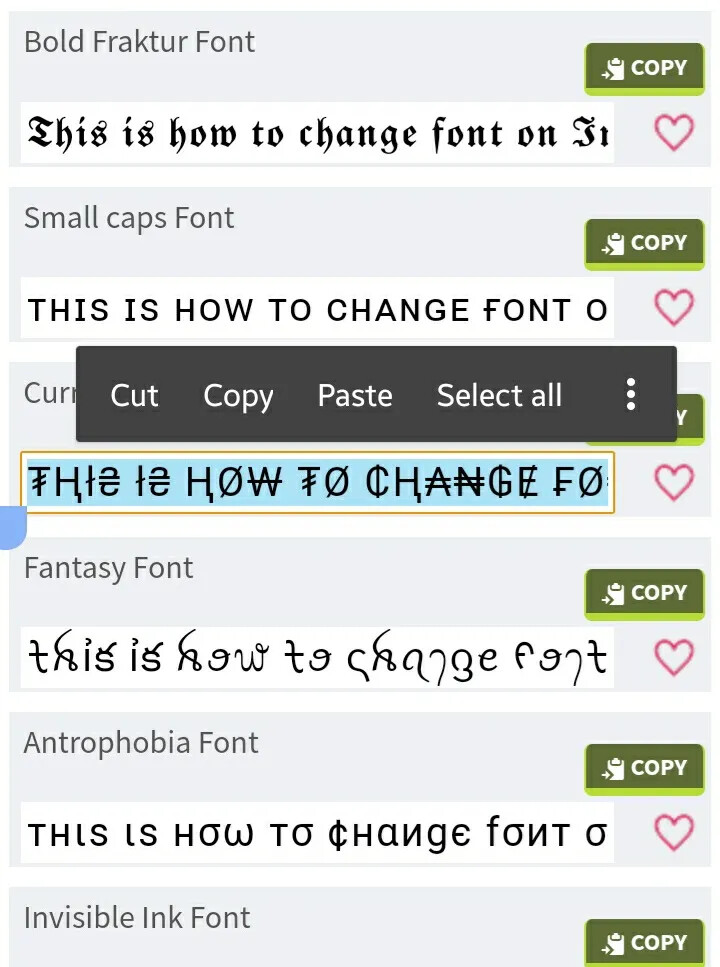
- If you’re satisfied with the text, you can either select the enter text and tap on copy or directly tap on the inbuilt copy button**.**
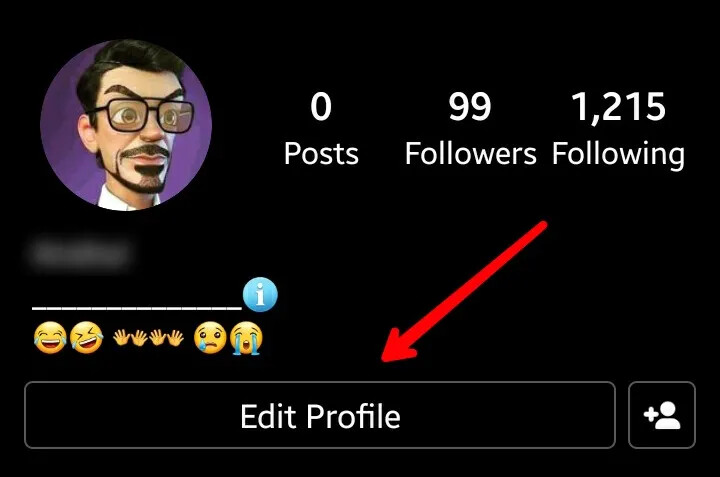
- You can now use this text wherever you want on Instagram. If you want to change the bio of your profile. Simply open the Instagram app, and navigate to the profile page.

- From there, tap on Edit Profile. Now paste the copied text on the Bio section and tap on Done. Once you save it, you will see the result.
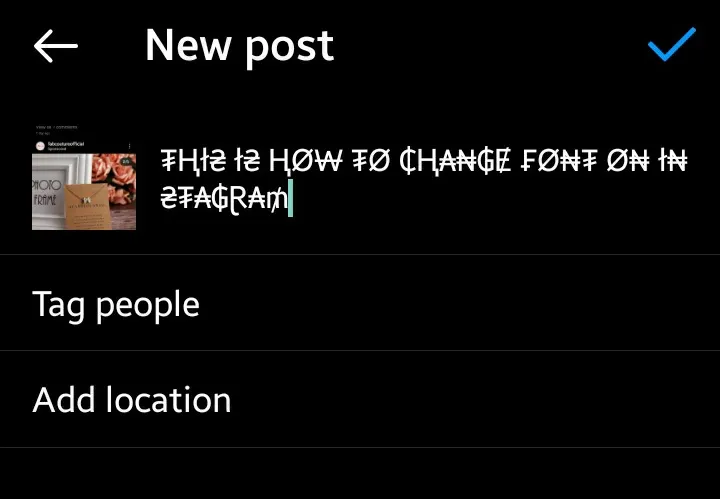
- For adding the custom font on your post caption. Just paste the text in your post editor before publishing it.
- You can even you these new custom fonts on your Instagram stories. But we won’t recommend using it as it doesn’t get along quite well with stories.
So, this was how simple it is to change Instagram Fonts on your profile and captions. Now use these cool fonts on your profile and show your creativity to your followers.
Happy learning!
 !
!