@TheVip i am getting following error

I am enrolled in the course and i have visited it twice but still getting the same error
@TheVip i am getting following error
I am enrolled in the course and i have visited it twice but still getting the same error
try go to course and then paste the link (let it load completely)
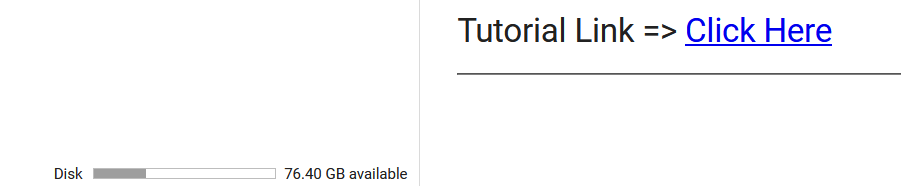
@TheVip It is working, but why it is only showing 76.40 GB available only? My google drive is unlimited. Please tell…
leave the 3rd cell as it is.
in down dir-
on the left goto folder
go where u want to download the folder copy path and paste it in here
Are you logged in using a edu mail?
Course downloaded itseems. But, It is not there in my team drive.
I was given path as
/content/drive/Shared drives/TeamDrivename/Foldername
why is my disk in colab show 36gb availablle??? anyone
If the size is big, it will take some time to appear in drive.
yes but the problem has been solved, i am able to download now
Its not your gdrive space. Its just the space colab allocated to your runtime.
still not working for me https://prnt.sc/se51wd
Thats the space provided to you by Google colab servers. It doesn’t represnt your drive storage capacity.
It just means that you can work with this much amount of data in one session.
this give me that error…when i am using colab at second step…plz help
TIMEOUT Traceback (most recent call last)
in ()
1 from google.colab import drive
----> 2 drive.mount(‘/content/drive’, force_remount=True)
4 frames
/usr/local/lib/python3.6/dist-packages/pexpect/expect.py in timeout(self, err)
142 exc = TIMEOUT(msg)
143 exc.cause = None # in Python 3.x we can use “raise exc from None”
→ 144 raise exc
145
146 def errored(self):
TIMEOUT: <pexpect.popen_spawn.PopenSpawn object at 0x7f1db7389240>
searcher: searcher_re:
0: re.compile(‘google.colab.drive MOUNTED’)
1: re.compile(‘root@c9a6faa5d8ba-cfff6f31b1ec47e5821d5382319cf645: ‘)
2: re.compile(’(Go to this URL in a browser: https://.)$')
3: re.compile(‘Drive File Stream encountered a problem and has stopped’)
4: re.compile(‘drive EXITED’)
<pexpect.popen_spawn.PopenSpawn object at 0x7f1db7389240>
searcher: searcher_re:
0: re.compile(‘google.colab.drive MOUNTED’)
1: re.compile('root@c9a6faa5d8ba-cfff6f31b1ec47e5821d5382319cf645: ‘)
2: re.compile(’(Go to this URL in a browser: https://.)$’)
3: re.compile(‘Drive File Stream encountered a problem and has stopped’)
4: re.compile(‘drive EXITED’)
Run the cell again. This time don’t take too much time to paste the auth code.
@TheVip any update?
My first download files are not yet copied/visible in Team drive. I started another download and it is showing that the disk space of runtime is almost full 
click on Folder icon on the left .. you will find it there

 !
!