How to clone telegram channel texts no media needed
إعجاب واحد (1)
Telegram Desktop has this built in, no extra tools needed. Open the channel (or chat) → click the three dots at the top → “Export chat history”. You can uncheck photos/videos so it’s text only, and it’ll save everything as HTML or JSON.
One thing to know: if you’re not an admin of the channel, the full export option can be limited, but anything you can see in the chat you can still export. I did this for a big announcements channel last year and the JSON export was the cleanest to search through later.
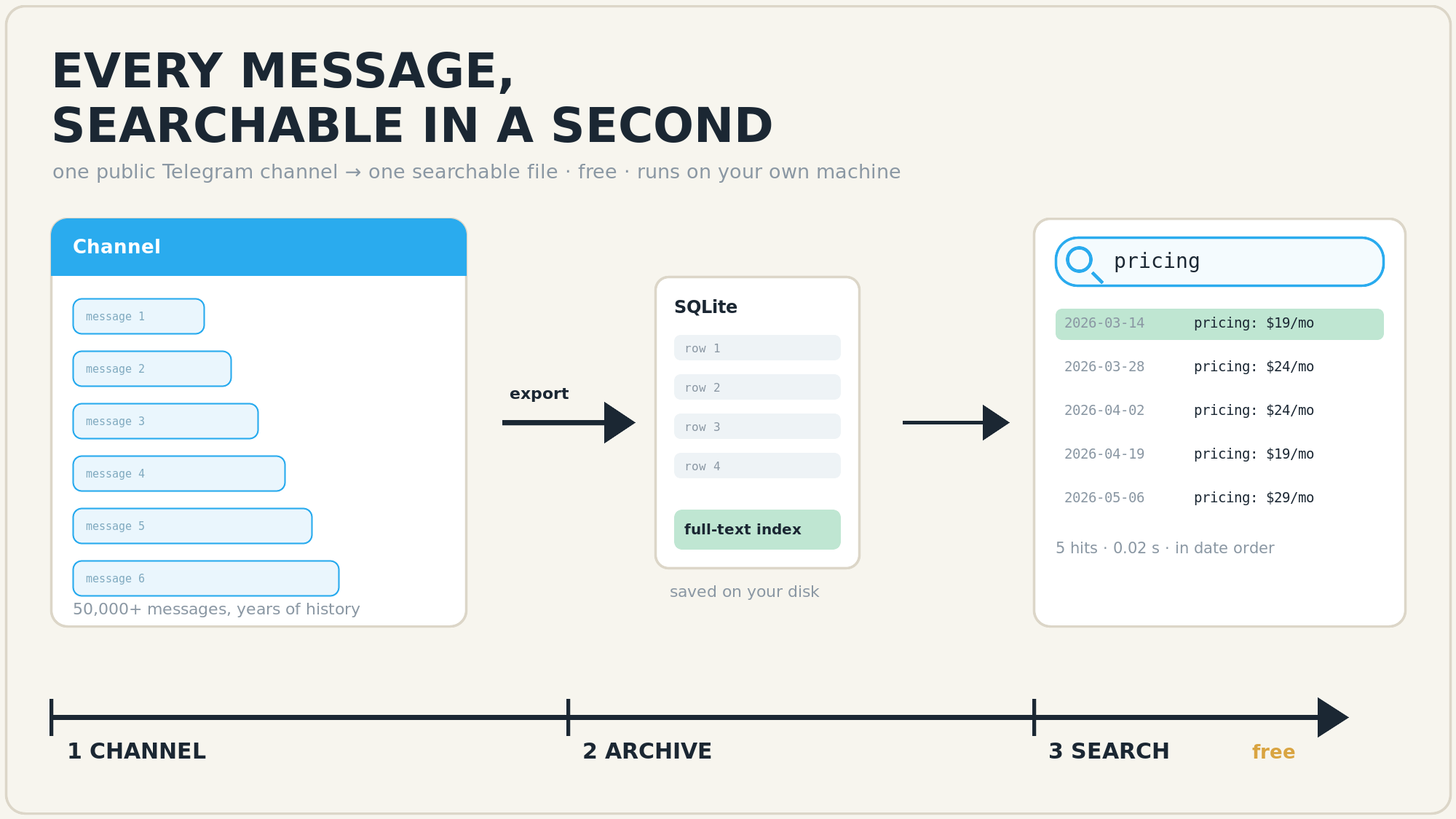
A Telegram channel is a chat: you can scroll it, but you cannot search it like a website. Export it once and it becomes a file you can search in a second — here are five tools that still work today. 
① one click, no code — telegram-download-chat ★225 · MIT ships a CLI, a desktop window, a web UI and an MCP server; pick the chat, get JSON. The easiest first stop.
② the one built for AI — tg-recall keeps a local SQLite full-text index with tg:// links back to the original message, and exposes it to agents over MCP — ask your AI “what did that channel say about pricing in March” and it answers with citations.
③ set it and forget it — Telegram-Archive ★230 · GPL runs in Docker and takes scheduled incremental backups, so the archive grows on its own.
④ for developers — MadelineProto ★3.5k · AGPL pulls full history over MTProto in PHP, with multi-account support (commit yesterday).
⑤ when you already exported — tg-parser turns Desktop’s JSON into clean text that an LLM can chew through.
What it gives you —  find one message inside 200,000 ·
  export the channel as a clean file ·
  keep a whole channel in one file you can read offline ·
  let an assistant search it for you.
No install at all? Desktop Telegram → the three dots → Export chat history → untick photos and videos. That covers everything loaded so far; the tools above reach back years. 
إعجاب واحد (1)
Good list. One thing worth adding from my own experience: Telegram Desktop’s export only covers messages that have actually loaded on your client, so for a channel with years of history it’s worth opening the channel and scrolling up (or just leaving it open for a while) before you export — otherwise you can end up with a cut-off archive without noticing.
Also, the export dialog lets you choose the format — HTML is easier to read, JSON is better if you plan to process the texts later — and there’s a size/date range option people often miss.
Are you doing this as a one-off archive of a single channel, or do you need it to keep updating over time? That changes which approach makes the most sense.
 !
!