I ALWAYS TRY THIS OUT WITH GIFTCARD STORE AND G2A
STEPS
-
Go to the store you want to buy from make sure they accept paypal and create an account on the website
-
Change your IP address using any VPN app. Go to Paypal and change the email and password make sure you remove the old email and phone number.
-
Have the amount of money you want to spend. Go to the website and purchase what you want I bought $300 worth of Gamdom giftcards. After you get your keys claim them.
-
Make a new paypal account and go to inbox and message customer support saying “I logged into my paypal account in a public network while trying to buy something and few hours later I got an email saying my password and email was changed” make sure you try to add as much details as possible he will ask you to verify something they always ask me the last 4 digits of my debit credit.
-
He will help you recover your account and blah blah blah you login and since its a big amount hes gonna say its gonna take 10 days for the review. Mine got completed in less then 14 hours.
-
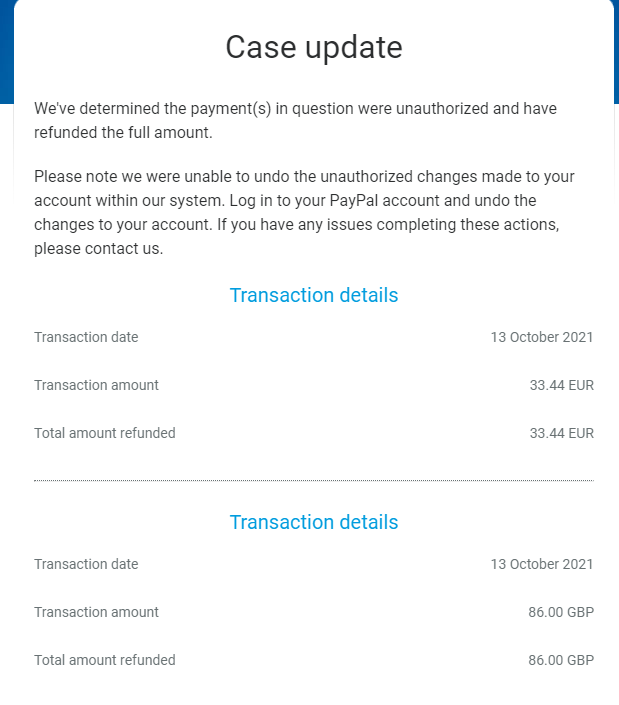
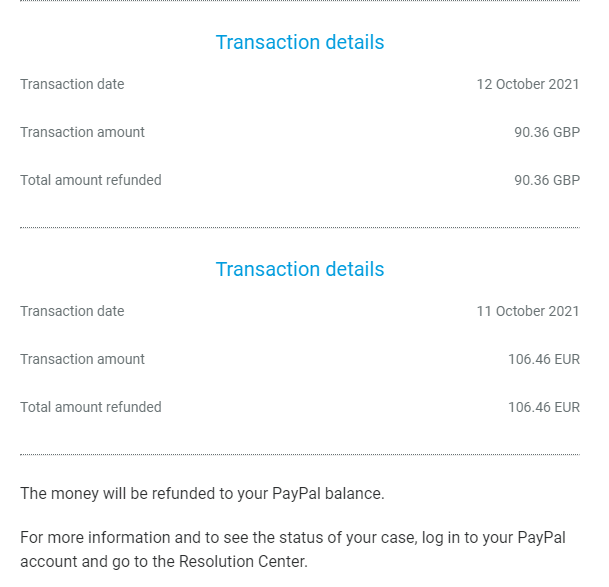
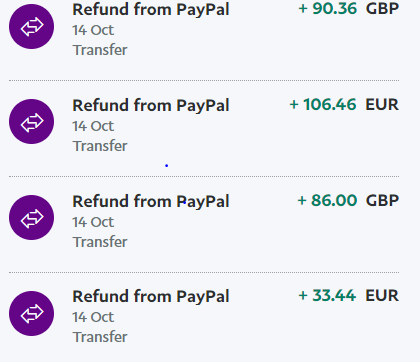
Boom you get your refund from PayPal and have the keys for yourself, heres some proof.
Enjoy!

 !
!