Hi…this is a gem that I have posted on many sites earlier in the past, It was me all the time who invented this guide on internet globe at many sites and many forums that no longer exists or shut down later!
What is MeGUI?
This software is an encoding tool, to encode movies or videos to different bitrate or reduce the movie file size like 1 GB to 350MB file.
This thread will explain how to install and updates works because a lot of users face trouble while installing or update.
Today I’ll show you How To Install MeGUI & How Updates Works Follow me & have rest of good installation!!
Now Install Your MeGUI First, Then Update. continue reading and be careful with all the steps.
Before I start typing let me tell you why I decided to make this thread, I received a lot pm’s within every week, few visitors, friends, still having questions about installation missing, so I decided to share this secret with all of you, and I made it with fresh installation into my PC every screenshot collected during installation, and with this help anyone can install & have rest of encoding movies.
Shall we start? Alright then!!
First of all softwares & programs you need:
- K-Lite Codec
- Microsoft’s .NET Framework
- ffdshow (32bit or 64bit)
- x264 (32bit or 64bit)
- Preferred Filter Tweaker for Windows 7 (32bit or 64bit)
- Avisynth_260
- mkvtoolnix-unicode-6.1.0-setup
- megui-0.3.1.1040.setup Or use version 2525 to start
Let me make it easy anyway!!
Download The Torrent, It Contains All The Tools & Things You Need To Start Following Installation:
[1Hack.Us] MeGUI Encoding Tools & Programs.torrent (19.0 KB)
After installing 7 above-listed programs, Now Run MeGUI setup:
http://i.imgur.com/kTQ2VF8.png
http://i.imgur.com/0O6ZAeZ.png
http://i.imgur.com/xTykmfE.png
Select location & it should be C: Program Files (Win7/10) For Xp C: Program
http://i.imgur.com/UNw3WBT.png
http://i.imgur.com/YXdiluW.png
http://i.imgur.com/iuY0NML.png
Go To Start Menu here & start first Run
http://i.imgur.com/7DpkSlo.png
When it will open then after a few secs a new window will pop up. Click > Yes
http://i.imgur.com/Ak8uy46.png
Keep scrolling down & make sure each box have been check marked. and Click > Update
http://i.imgur.com/LimVXkL.png
http://i.imgur.com/YrTsOc3.png
Next Pop Up
http://i.imgur.com/wWdIKJo.png
Check mark all boxes & press > import.
http://i.imgur.com/MewYGDh.png
Check > don’t ask me again > Overwrite
http://i.imgur.com/LjHmLWR.png
Checkmark all boxes > Import.
http://i.imgur.com/eaBGfuZ.png
http://i.imgur.com/93pS1kS.png
Press > Yes > and wait until MeGUI main window will appear on the screen.
http://i.imgur.com/Suxnnzv.png
After it appeared, again it will ask you to updates, just do it exactly i did. follow the action 1 & 2 carefully, i wrote on screenshots.
http://i.imgur.com/4VmIGFp.png
http://i.imgur.com/QRzSb1m.png
Make sure all boxes check marked & Press > Update.
http://i.imgur.com/CrvTfZ6.png
http://i.imgur.com/FGhundf.png
Check mark all boxes & press > Import. do the same thing again on the next window.
http://i.imgur.com/1d1967n.png
http://i.imgur.com/NIY5swo.png
Restart MeGUI by pressing > Yes
http://i.imgur.com/YxAFFUT.png
Now take a look inside the options what we have now & what missing?
http://i.imgur.com/0WQhCLv.png
http://i.imgur.com/CjVmNYT.png
http://i.imgur.com/2h3PM8O.png
No Worries fellas I’m still here to sort it out
Now open my downloaded torrent folder.
Find > NeroAACCodec-1.5.4.Rar folder.
Extract files > Win32 > copy 3 available file > paste them to > C: Program Files/megui (Overwrite if it asked you) See below:
http://i.imgur.com/YpXfs9x.png
http://i.imgur.com/78JwHw7.png
http://i.imgur.com/RQfnpj6.png
http://i.imgur.com/CYoQDwT.png
‘‘if you’re with Linux then open Linux folder & copy 3 files from it to paste here’’
Alright!! lets do this fellas > Go Back To MeGUI main screen & do exactly which i did.
Option > Settings
http://i.imgur.com/5rRZh3M.png
Tab > External Program Configuration
http://i.imgur.com/hSkOi5B.png
Check mark > Enable NeroAacEnc > new window will pop up > just press > Ok.
http://i.imgur.com/D2QBEl1.png
Now select the location where you have pasted those 3 Nero Aaccode files?
Just go to this location ‘‘C: Program Files/megui’’ and select a file available there > neroAacEnc.exe > Press > Save.
http://i.imgur.com/w1EGbMg.png
(I’ve fast & already selected file, that’s why you guys seeing this file already in there, I went back to get screenshot from here) anyway, keep focus.
http://i.imgur.com/Xm0kg5b.png
http://i.imgur.com/a4MEyBg.png
Okay now step 2 to import all profiles into MeGUI.
find > allprofiles .Rar (Do not open folder which already listed into my torrent) okay Right-click on allprofiles.rar file > Extract files > and copy the folder which is inside the allprofiles folder. open it and then copy the available folder.
See below:
http://i.imgur.com/EVMIHyU.png
Double click on it and copy the same-named folder from it.
http://i.imgur.com/UQHkoy4.png
(Or else you can just copy & paste the allprofile folder which is already available into torrent)
Go to ‘‘C: Program Files/megui’’ and paste this folder here by replacing previous one. Overwrite it.
http://i.imgur.com/5fvss0S.png
http://i.imgur.com/kCYsAXk.png
http://i.imgur.com/qkvAmtG.png
http://i.imgur.com/j2zhvkn.png
http://i.imgur.com/8oVKQ17.png
Now close MeGUI & Open it again.
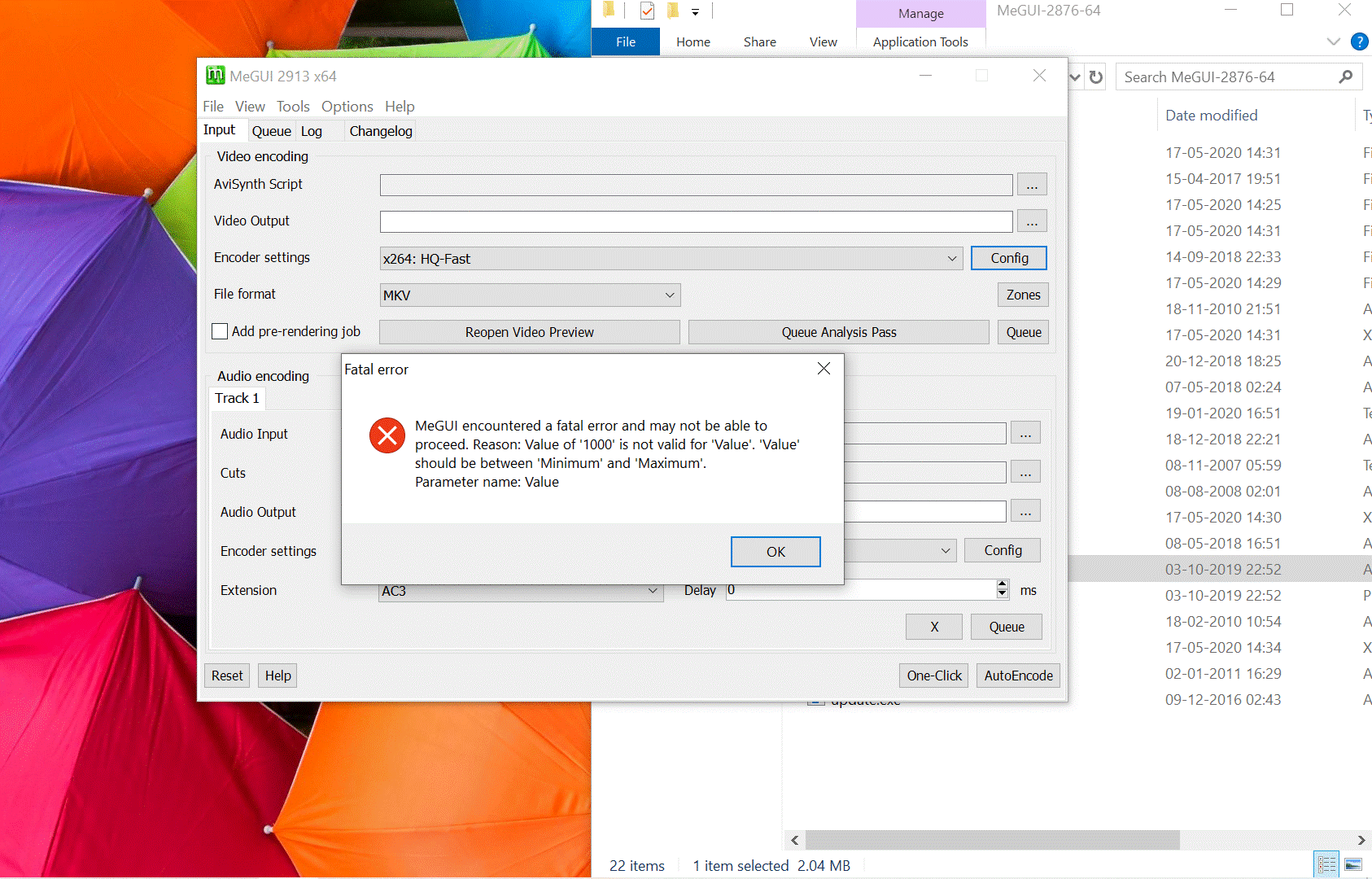
if you see this message then press > Ok
http://i.imgur.com/ziESPtD.png
nothing wrong happened. it just need one more restart. Close & Restart MeGUI again.
Now see what we have into options…
http://i.imgur.com/OB0mcV7.png
http://i.imgur.com/8yDbD8N.png
Remember: before you complain that MeGUI did not store allprofiles? then please Close & Restart MeGUI as I told if not works then Restart your PC/Laptop and try again by opening MeGUI. After doing this if still no luck? Then Check the allprofile folder in ‘‘C: Program Files/megui’’ and see if your system missed any profile folder or try to repeat that part again carefully.
Hola Hola!! all done here!!
Okay I spend 3 hours from fresh installation, screenshots, and creating this thread, at least I made something to help you out, and I hope you guys will appreciate my work. if you still have any question then feel free and ask me through pm or leave a post below.
Thanks For Reading Fellas!! Enjoy!
Looking to encode movies to small size? Visit this thread How To Encode Movie To Small Size (700Mb to 300Mb) MeGUI
Regards, SaM


 !
!