Now this is guide on how to prevent USB Drive Infections.
How to make USB-Drive such that autorun virus don’t creep in. Follow the steps and check the pics Below
-
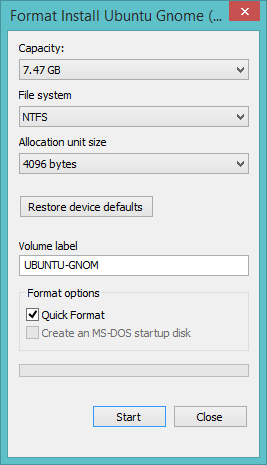
Always Prefer NTFS formatted Drives in Windows Environment over FAT32.
-
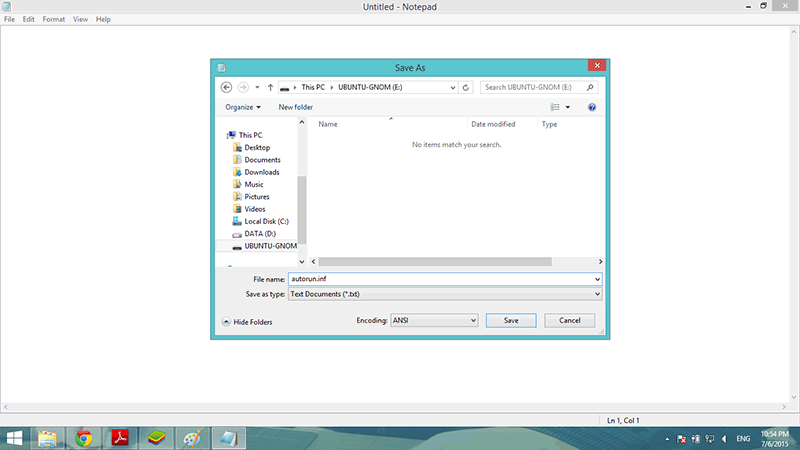
Create a blank notepad file in root of pendrive and save it as Autorun.inf.
- Create a invisible folder with no name.
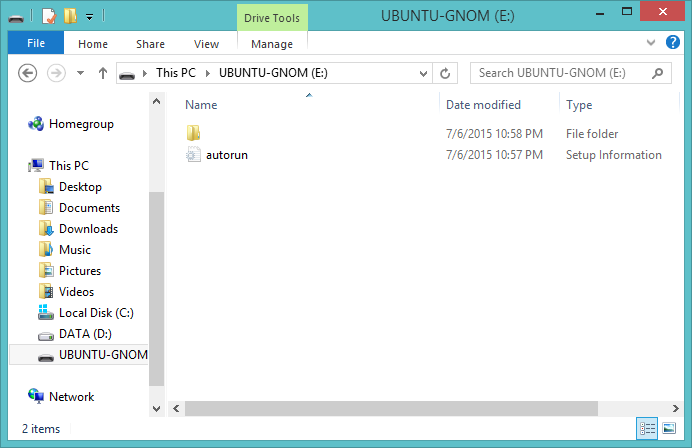
- Now change attributes of both folder and file to read only, system file and Hidden by following command
attrib +s +r +h
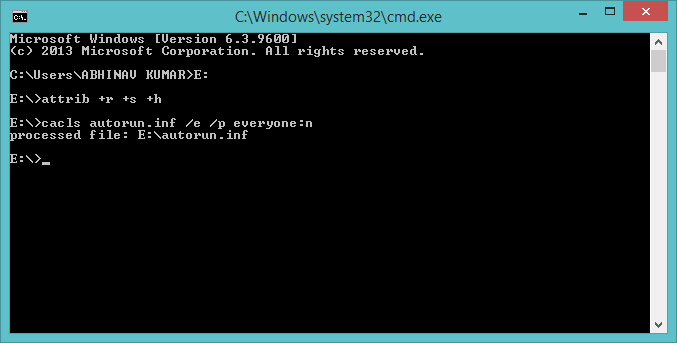
- Now use Cacls Command to make it even more protective by typing the following command and press enter. This command is also used to lock Folders Without Password Or Software
cacls autorun.inf /e /p everyone:n
 !
!