Hey, you asked three things and you’ve been hitting walls on all three. Lining them up before I answer:
| Your question |
Short answer |
| 1. How do I trigger this “no results” message on my list? |
You can’t directly — and the reason is wild |
| 2. Will I see it on my own list if it gets triggered? |
No, you’d still see your full followers normally |
| 3. How do I switch it off if it’s already on me? |
Different button than the one you’ve been pressing |
The part nobody is telling you:
That screen on your screenshot? It’s not made by anything the profile owner turns on. Meta’s classifier shows it to viewers it suspects are sketchy — meaning the trigger lives on the side of whoever is looking at a list, not on the side of the person whose list it is.
You’ve been searching for a switch in the wrong house.
🎭 The backstory — why this exists at all (60-second read)
This whole feature was built in October 2024 as a sextortion shield. Meta’s own announcement says it plainly: accounts they detect as “showing signals of scammy behavior” don’t get to see anyone’s follower or following list.
The signals they watch for:
- How new the viewer’s account is
- Whether they share mutual followers with you
- Whether their session country matches their bio
Trip those and the viewer gets your exact screenshot. Look normal and they see the list like always.
The closest real version of what you actually want
Settings → Account Privacy → Private Account → ON
Hides your followers/following from everyone except approved followers. Different wording — viewers see “This account is private” instead of your exact screenshot — same end result.
 Heads up: if your account was public for a while, expect a quiet week where mutual friends DM “why am I locked out” — that’s normal private-account behavior, not a bug.
I flipped one of my side accounts private about six months back after one random kept screenshotting my following list. Four taps to go private. Three weeks later I wanted reach back, four taps to undo. No penalty either direction.
🪤 If your account is already STUCK showing this message and you want OUT
This is more common than the deliberate-trigger question, and the path is different from the one you’ve already tried.
A user called @adoreeshaa.__ documented being stuck in this exact state for months without breaking any rule.
Three-step de-stick that actually works:
1. Cool-down: 48 hours of zero Instagram activity.
No follow, like, DM, comment, post, story view. Meta’s classifier watches for “this account stopped acting weird” signals before it lifts the hold.
 If you keep clicking around hoping it fixes itself, you reset the timer.
2. Disconnect every third-party app.
Settings → Security → Apps and Websites → Active → Remove all
Most stuck-state cases trace to one of these — Combin, Jarvee, old scheduling tools, that auto-DM bot you forgot about in 2021. Even revoked tokens count if you didn’t fully remove them.
3. File the appeal via the right form.
The in-app Report a Problem button you’ve used several times feeds an auto-queue that’s basically a black hole.
Use the Privacy Rights form instead — pick “I have a question about my privacy rights.” When their auto-email arrives, reply in full detail. That reply is what routes your case to a human reviewer.
EU bonus path: if you’re in Europe, the DSA’s Article 17 gives you a legal right to a written reason for any visibility restriction Meta applies. Cite it in the appeal. They have to respond by law, not by policy.
[details=“ The “secret toggle” rumor floating around 2025–2026”]
You’ll probably see TikToks and articles claiming a Hide Followers and Following toggle is rolling out for some EU/Asia accounts at Settings → Privacy → Account Privacy.
Source for the claim: one November 2025 article on webhakim.com.
Contradicted by: multiple March 2026 testers — outfy and chiangraitimes both say it doesn’t exist when they look for it.
One-time check costs you nothing:
Open Settings → Privacy → Account Privacy and look for that exact line.
- If it’s there → you’re in a test market, you found your answer
- If not → it’s not real for your account/region, stop chasing it
[/details]
You hit Report a Problem multiple times because the screen on your screenshot looked like something you could un-toggle from your side.
It isn’t.
The toggle doesn’t exist on your side of the wall — and now you know which side it actually lives on.

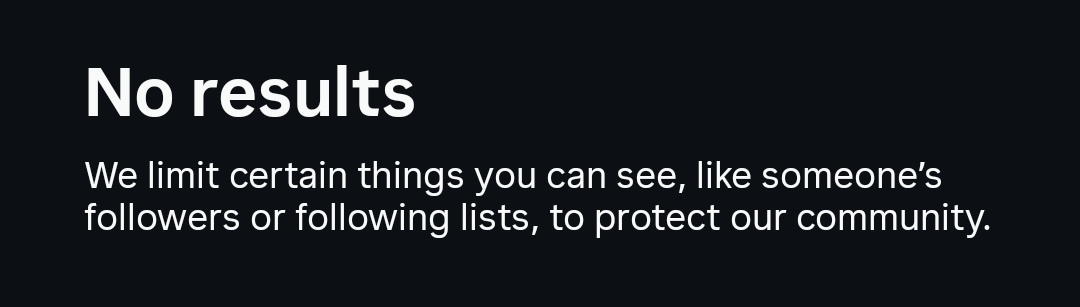
 Instagram “No Results. We Limit Certain Things You Can See…” Message on Followers/Following Lists: The Real 2026 Truth + What Actually Works
 Why That Exact Message Appears (And Why You Can’t Just Flip a Switch)
 Closest Things You Can Actually Do Right Now (Step-by-Step)
 How to Turn the Restriction Off (If Instagram Applied It)
 !
!