Before we get into the method, these methods may not work for all forums. It will only work with poorly coded forums.
THE ARCHIVE METHOD
All you have to do is insert /archive at the end of the forum name.
eg: blackhatsem.com/archive
If you have to go to a specific thread, figure out a way to find the thread id.
You can find it somewhere in the source code, some sites reveal it in the URL itself.
In the case of blackhatsem, you can hit the thread tools and then select view printable version.
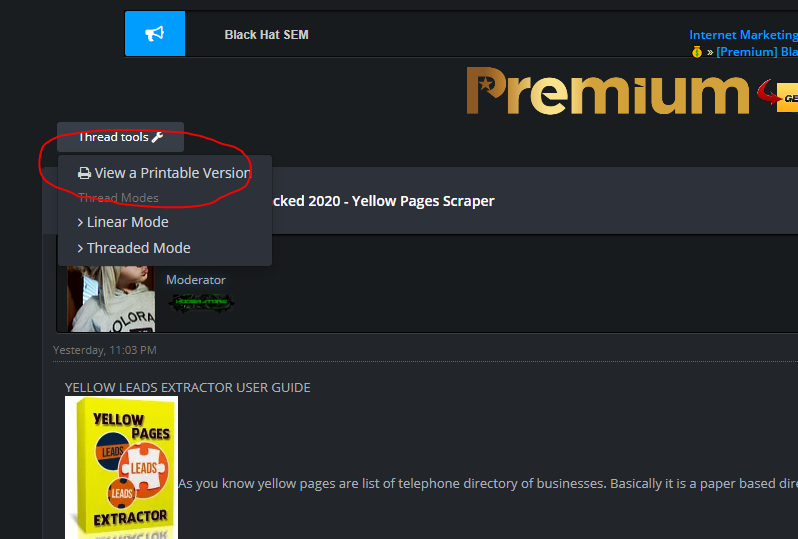
On the next page check the URL. There will some something called tid=xxxxxxxx
That’s the thread id.
So now you have to use the archive and just any random thread and replace the thread id with your preferred post.
eg:https://www.blackhatsem.com/archive/index.php/thread-xxxxxx.html
Replace the Xs with your tid.
So that’s one method…
HIGHLIGHT METHOD
So to do This is Very Simple, When in The Thread Just Add This to The End of URL:
Code:
&highlight=hide
Or, If The Forum Has SEO Friendly URLs Enabled, Then Add This to The End:
Code:
?highlight=hide
So then it will so the [hide] tags in the post and the content in between them.
Just thought I would share this,
Enjoy!
There are other methods too, but… I’m lazy. I’ll just shoot some.
-
Add print thread to the beginning of link or something like that. It works on some forums. I don’t exactly remember the method
-
Use browser addon, eg: Link Grabber. Works 6/10.
-
If you have basic HTML knowledge, hit F12 and go to tab elements and then hit Ctrl+F, type http:// or https:// and pray you’ll find it. This is a good method if you have patience because there are a lot of links in the source code. Use your brain. You’ll get good at this.


 !
!