IDE Eval Resetter
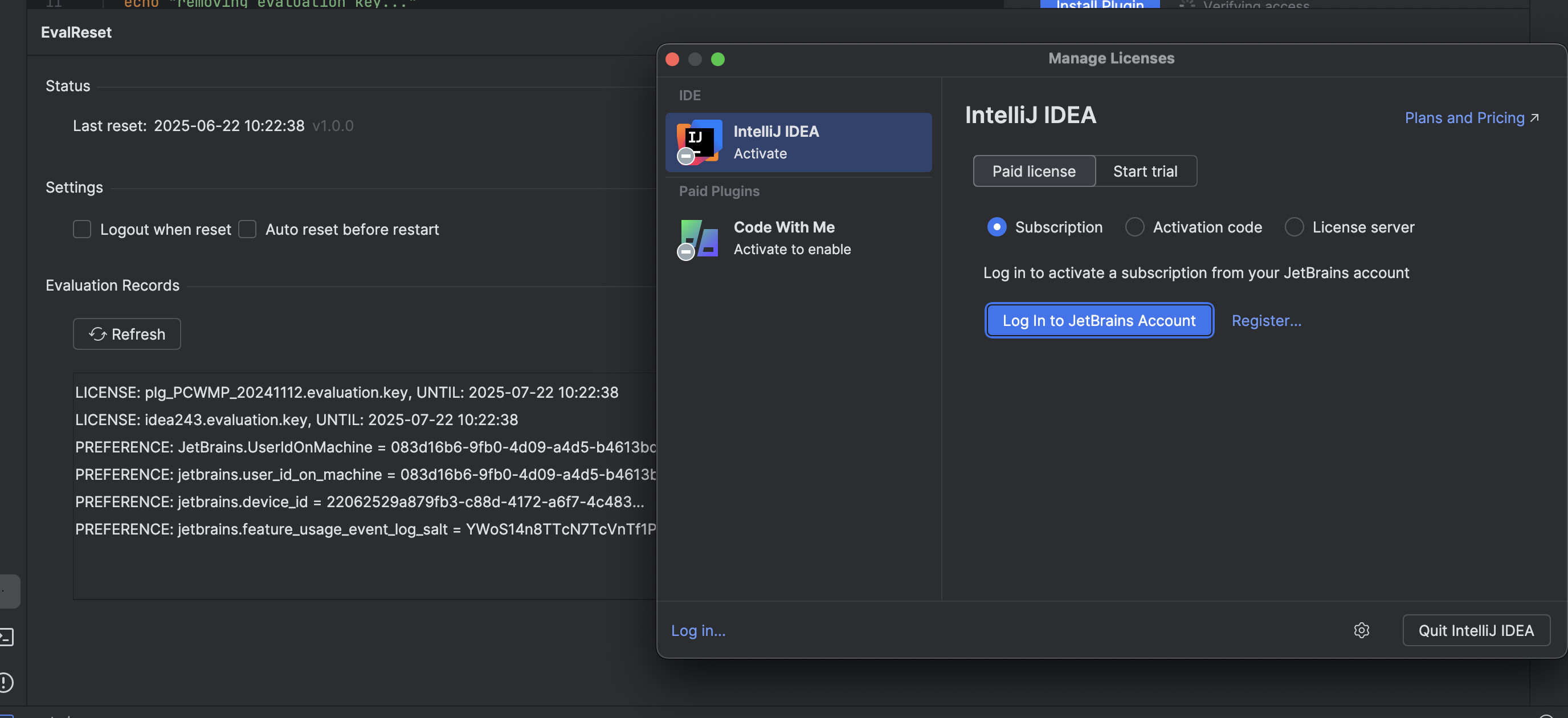
IDE Eval Resetter is a plugin that can reset your IDE evaluation information. This allows you to extend the evaluation period for JetBrains IDEs.
No cracks, no sketchy binaries. Just clean eval resets.
Usage:
- Click
HelporGet Help→Eval Resetmenu - Click
Reset→Yesbutton - Restart your IDE
- You will have another evaluation period
For more information, visit the project repository.
Table of contents
- Installation
- Usage
- Project structure
- Getting started
- Gradle configuration
- Plugin configuration file
- Build commands
- Testing
- Continuous integration
- Contributing
Installation
Manual Installation
- Download the latest plugin ZIP from GitHub Releases
- In your IDE, go to
Settings/Preferences→Plugins - Click the gear icon and select
Install Plugin from Disk... - Select the downloaded ZIP file
Usage
- Click
HelporGet Help→Eval Resetmenu - Click
Reset→Yesbutton - Restart your IDE
- You now have another 30 days evaluation time
Project structure
This IntelliJ Platform Plugin uses modern Kotlin development practices and follows the standard plugin architecture:
.
├── .github/                GitHub Actions workflows
├── .run/                   Predefined Run/Debug Configurations
├── build/                  Output build directory
├── gradle/
│   ├── wrapper/            Gradle Wrapper
│   └── libs.versions.toml  Gradle version catalog
├── scripts/                Platform-specific reset scripts
├── src/                    Plugin sources
│   ├── main/
│   │   ├── kotlin/         Kotlin production sources
│   │   │   └── dev/samhoque/intellij/ier/
│   │   │       ├── action/     User actions (ResetAction, RestartAction)
│   │   │       ├── common/     Core business logic and services
│   │   │       ├── listeners/  Event listeners
│   │   │       ├── ui/         User interface components
│   │   │       └── util/       Utility classes
│   │   └── resources/      Resources - plugin.xml, icons, messages
│   └── test/               Test sources
├── build.gradle.kts        Gradle configuration
├── CHANGELOG.md            Full change history
├── CLAUDE.md               Development instructions
├── gradle.properties       Gradle configuration properties
├── qodana.yml              Qodana configuration file
└── README.md               This file
Getting started
This project uses Kotlin and the IntelliJ Platform Plugin development framework. To get started:
- Clone the repository
- Open the project in IntelliJ IDEA
- Ensure you have Java 17 configured in your Project Structure settings
- Use the predefined Run/Debug configurations to run or test the plugin
Gradle configuration
The project uses Gradle with the IntelliJ Platform Gradle Plugin for development and build automation.
Key features:
- Kotlin DSL configuration with type-safe build scripts
- Version catalog for centralized dependency management
- IntelliJ Platform Plugin 2.6.0 for modern plugin development
- Kotlin 2.1.20 following JetBrains standards
- Java 17 toolchain requirement
- Gradle 8.13 with configuration cache optimization
Gradle properties
The project configuration in gradle.properties includes:
| Property | Description |
|---|---|
pluginGroup |
Package namespace: dev.samhoque.intellij.ier |
pluginName |
Plugin display name |
pluginVersion |
Current version in SemVer format |
platformType |
IDE type (IU = IntelliJ IDEA Ultimate) |
platformVersion |
Target IntelliJ Platform version |
pluginSinceBuild |
Minimum supported IDE build |
pluginUntilBuild |
Maximum supported IDE build |
Plugin configuration file
The plugin.xml file defines:
- Plugin metadata and vendor information
- IDE compatibility ranges
- Action registrations and menu integrations
- Extension points and services
- Resource bundles and icons
Build commands
Important: This project requires Java 17. If you have a newer Java version, specify the path:
With Java 17 as default ./gradlew buildPlugin # With newer Java version (e.g., Java 24) JAVA_HOME=/path/to/java17 ./gradlew buildPlugin
Available commands:
./gradlew buildPlugin- Build the plugin (creates ZIP inbuild/distributions/)./gradlew test- Run unit tests./gradlew clean- Clean build artifacts./gradlew runIde- Run IDE with plugin for testing
Testing
The project includes JUnit 4.13.2 for testing infrastructure. While no tests are currently implemented, the framework is configured and ready for test development.
Run tests with:
./gradlew test
Continuous integration
GitHub Actions workflows handle:
- Build: Triggered on push/PR, runs verification and creates draft releases
- Release: Publishes to JetBrains Marketplace when releases are created
- Quality: Qodana code quality analysis integration
Contributing
- Fork the repository
- Create a feature branch
- Make your changes following the existing code style
- Build and test your changes:
./gradlew buildPlugin test - Submit a pull request
For development guidelines, see CLAUDE.md.
 !
!