📺 InkonabTV — free IPTV player for Android, Android TV & Fire TV, built-in VPN

AI-generated summary

:bullseye: What you get: A free, ad-free IPTV player for Android, Fire TV, and Samsung screens with a built-in VPN.

:white_check_mark: Start here:

  • InkonabTV APK — plays M3U links and Xtream Codes with remote-friendly menus.
  • Downloader code 3727335 — installs the player directly onto Android TV or Fire TV devices.

:toolbox: Also useful:

  • Phone QR setup — pairs a mobile device to paste long playlist URLs without TV remote typing.
  • Public test playlist — tests the player interface with free open-source films before adding paid streams.

InkonabTV is the app you keep looking for once your IPTV provider hands you a link: it turns that one M3U link or Xtream Codes login into live TV, films and series, on your phone and on your TV.

Your provider sells you the channels — this makes them feel like a real TV service. Remote-first menus, posters and descriptions, instant zapping, a VPN switch inside the app. Free, without ads, no second subscription.

:high_voltage: Setup is three taps

  1. Install it (table below)
  2. Pick M3U link or Xtream Codes, paste what your provider sent
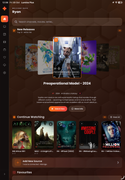
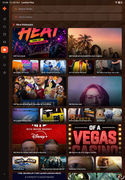
  3. The home screen fills up — live channels grouped the way your provider grouped them, films and series with posters and descriptions

:control_knobs: What you get

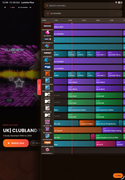
  • :television: Live TV, movies and series in one grid, searchable
  • :joystick: Built for a remote — arrows and OK run the whole interface
  • :high_voltage: A modern video engine (ExoPlayer): fast zapping, subtitles, multiple audio tracks
  • :locked: A VPN toggle inside the app that reconnects on its own
  • :mobile_phone: One app for phone, tablet, Android TV, Fire TV and Google TV

:test_tube: Judge it in a minute — no provider needed

The developer published a test playlist of openly-licensed films (Blender Foundation’s Big Buck Bunny, Sintel, Elephants Dream) plus public test streams. Add it as M3U link:

https://dykel.github.io/InkonabTV/test/samsung-review.m3u

The whole interface runs on that list, so you see exactly what you would get before touching your own source.

:inbox_tray: Install

Device How
:mobile_phone: Phone / tablet Download the APK and allow “install unknown apps” when your browser asks
:television: Android TV / Fire TV / Google TV Open Downloader (by AFTVnews) and enter code 3727335
:desktop_computer: Samsung Smart TV Supported
:red_apple: iPhone / iPad / Mac On the roadmap

:technologist: Behind it

Dykel Away — a solo developer building it in the open, active on GitHub since 2016 — keeps it updated. Updates land on Telegram, and this walkthrough video shows phone, Android TV and Samsung TV side by side. Free to use; the thread also carries an optional donation link.

Feature requests and questions: post them here, he reads the thread.

4 лайка

Starting on the phone first is the practical move here, since it is much easier to test a playlist and spot a broken link there than on the TV. I would keep a backup copy of the playlist URL somewhere safe, because retyping a long link on a TV remote is painful. If the guide data looks empty, a manual EPG refresh usually fixes it before anything else needs changing. For a shared TV, separate favorites lists keep everyone from overwriting each other’s channels. And if playback stutters, trying the same stream on the phone on the same network quickly shows whether the app or the connection is the problem.

1 лайк

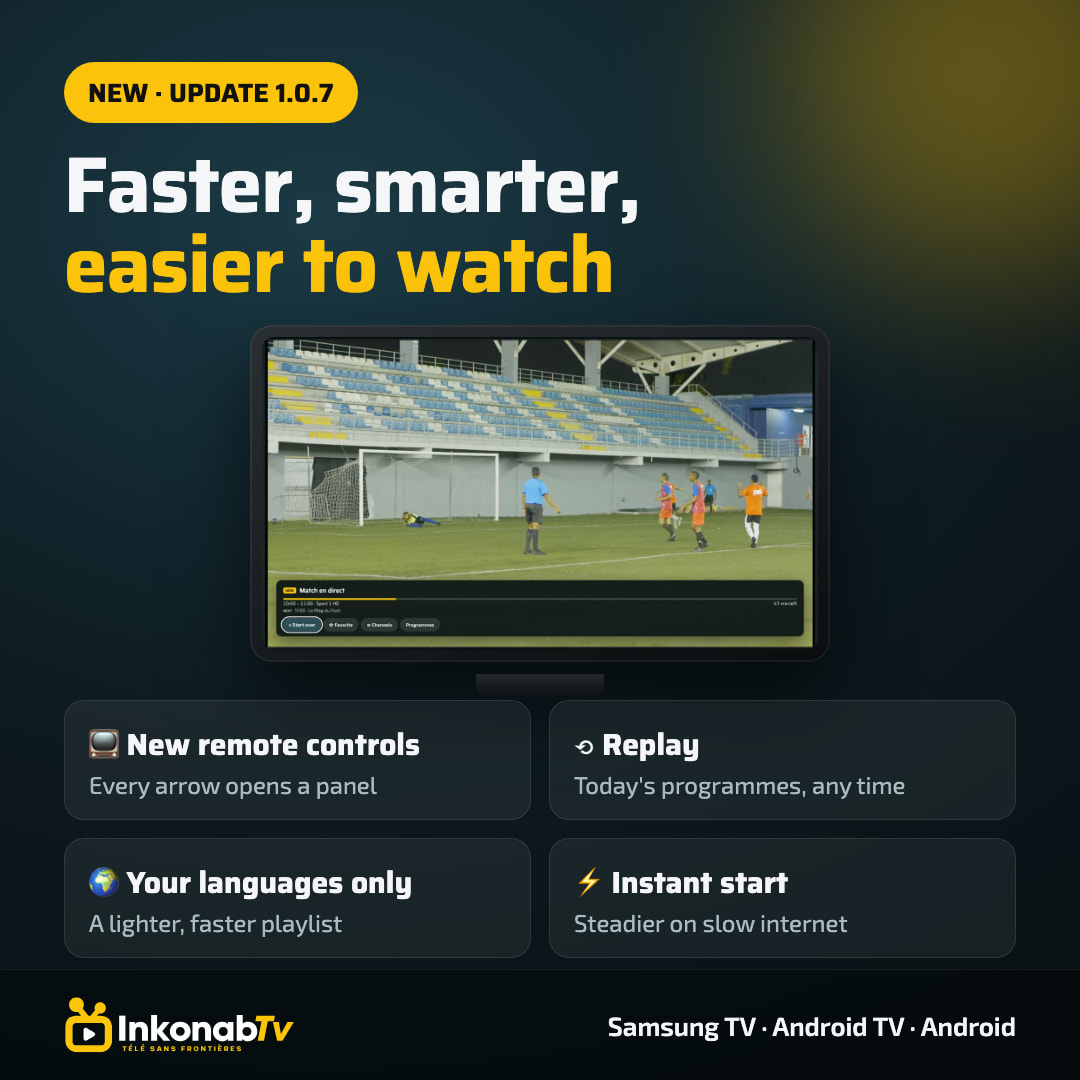
Thanks Grace, great tips! Several of them line up with update 1.0.7, out today:

  • Test on the phone first: agreed. You also don’t need to type the link with the remote: on the TV choose “Set up from phone”, scan the QR code, and paste your playlist on the phone.
  • Stuttering: 1.0.7 plays more smoothly on slow connections. If the network drops, it reconnects by itself, so short dips no longer stop the stream.
  • Guide: while watching a channel, press :play_button: to see today’s programmes. Earlier shows marked Replay can be watched from the start, on channels where your provider offers catch-up.
  • Favourites: press ▼ or OK for the info panel, with now/next, start over and add to favourites.

Also new in 1.0.7:

  • ▲ opens a channel strip and :reverse_button: the full channel list, without leaving the stream
  • Playlist languages: on big multi-language playlists, pick the languages you watch and only those get downloaded
  • Instant start: opens straight to your playlist and refreshes quietly in the background

:mobile_phone: The phone APK and :television: Android TV (Downloader code 3727335) already serve 1.0.7. The Samsung TV update is coming soon.

:speech_balloon: Need help setting it up? Reply here on the forum.
1 лайк

nice app bro, this is mine, it takes a lot of work as a solo developer, lots of stressful nights, you fix, then find another 10 issues :joy::joy::joy:. Goodluck