Here’s the thing nobody tells you: Telegram is cloud-based — your account isn’t welded to that SIM. It lives as a login session on every device you ever signed in on, and the dead number can’t touch those. So the real question isn’t “get the number back” — it’s “is any session still alive?”
 DO THIS FIRST (before you touch anything)
Physically open every device you ever ran Telegram on — old phone (even offline on Wi‑Fi), a tablet, any laptop with Telegram Desktop, and especially web.telegram.org in any browser where “keep me signed in” was left on (it survives months). If one is still logged in → that device IS your account.
 Do NOT tap “Log out” on any old device — that kills the session server-side. And just opening the app resets the delete-timer.
 If ANY session is alive → you’ve already won (no SMS ever needed)
├─  Link a new device with zero typing: on the logged-in one → Settings → Devices → Link Desktop Device → scan the QR at desktop.telegram.org.
├─  A new login’s code arrives in-app in the blue-check “Telegram” (777000) chat on your old device — not by SMS.
├─  Then Change Number onto a new SIM you control — keeps everything, including Secret Chats.
└─  Export your whole account FIRST (Telegram Desktop → Settings → Advanced → Export Telegram Data) in case a fragile session drops mid-rescue.
💻 No live app, but you have an OLD device / backup? Revive the session with NO code
├─  Old PC: copy the whole
 tdata folder (%AppData%\Roaming\Telegram Desktop\tdata, or ~/.local/share/TelegramDesktop/tdata) into a fresh portable Telegram Desktop → launch → straight in, no phone. (If you’d set a local passcode, tdata is encrypted — you’ll need it.)
├─  Expert, codeless: opentele with the
 UseCurrentSession flag reuses the exact auth-key inside a tdata/.session → logs in with no code (the CreateNewSession flag would instead need the old session to QR-approve). Bridges tdata ↔ Telethon ↔ Pyrogram.
├─  Old Android: the login is one file —
 tgnet.dat — AndroidTelePorter turns it into a working session (needs root / a full app-data backup). From an old bot .session? UCmod tdata-converter (offline).
└─  Old iPhone: restore an ENCRYPTED iTunes/Finder backup (only encrypted carries the keychain that holds the auth-key) — Telegram wakes up logged in. Browse it first with OpenExtract.
 The clocks — the honest correction
├─  Telegram deletes only after 18 MONTHS of no login (their FAQ), not 1 year — and any login on any device resets it. So the Telegram clock is NOT your emergency.
└─  Your real deadline is the carrier’s ~90-day quarantine before your number gets recycled to someone else. That’s the race.
 If NO session exists anywhere → reclaim the SAME number (the only real path)
├─  Reactivate it within the quarantine window by clearing dues — front-line reps say “it’s gone,” so escalate to the nodal officer and cite the reassignment window. India: the govt Sanchar Saathi reconnect flow. (US → FCC ~45-day aging, UK → Ofcom — swap your regulator.)
├─ Reactivate FIRST, then port-out to a cheap MVNO — you can’t port a dead number, and an MVNO won’t die from a missed recharge.
└─  The hard truth: if the number’s already recycled and you never set 2FA + a recovery email, there is no ID-based recovery — “I can prove ownership” does not work; Telegram never does manual account returns for a lost number.
🔒 Once you're back in — make a dead SIM never able to strand you again
├─  2FA + a RECOVERY EMAIL (Settings → Privacy & Security → Two-Step Verification) — this is the SIM-free reset lever (recover.telegram.org emails you, never a stranger).
├─ Add a Passkey (Face ID / fingerprint login, no SMS).
└─  Endgame: bind a Fragment +888 anonymous number — logs into Telegram with no physical SIM at all.
 While you’re panicking, don’t get robbed
├─ Any “Telegram recovery” bot / paid service that asks you to forward your login code or 2FA password is the hijack — 777000 sends codes TO you; anyone asking FOR your code is the attacker. Pay nobody. The only real support: telegram.org/support (@SpamBot only lifts bans, it can’t recover accounts).
└─  Skip the folklore: “Call me” voice-code and flash-call do NOT help a dead SIM — they ring the number that no longer exists (and voice-code needs 2FA already on).
Your account isn’t behind the SIM — it’s behind a session. Find a live one and you keep everything; if there’s none, race the carrier’s clock, not Telegram’s.

 Your account isn’t lost — Telegram’s real inactivity window is longer than most people think, and you have several genuine recovery paths since you can prove ownership.
 First: the timeline you feared is wrong
 What you feared
 What’s actually true
 Adjustable
 Your case
 Recovery — ranked by speed

 A pre-set login email
 Telegram support →
 Push your ISP for a firm date
 How it plays out
 Outcome
 Calculate your real deadline from your last login, not the SIM date
 Once you’re back in, set a login email so this can never strand you again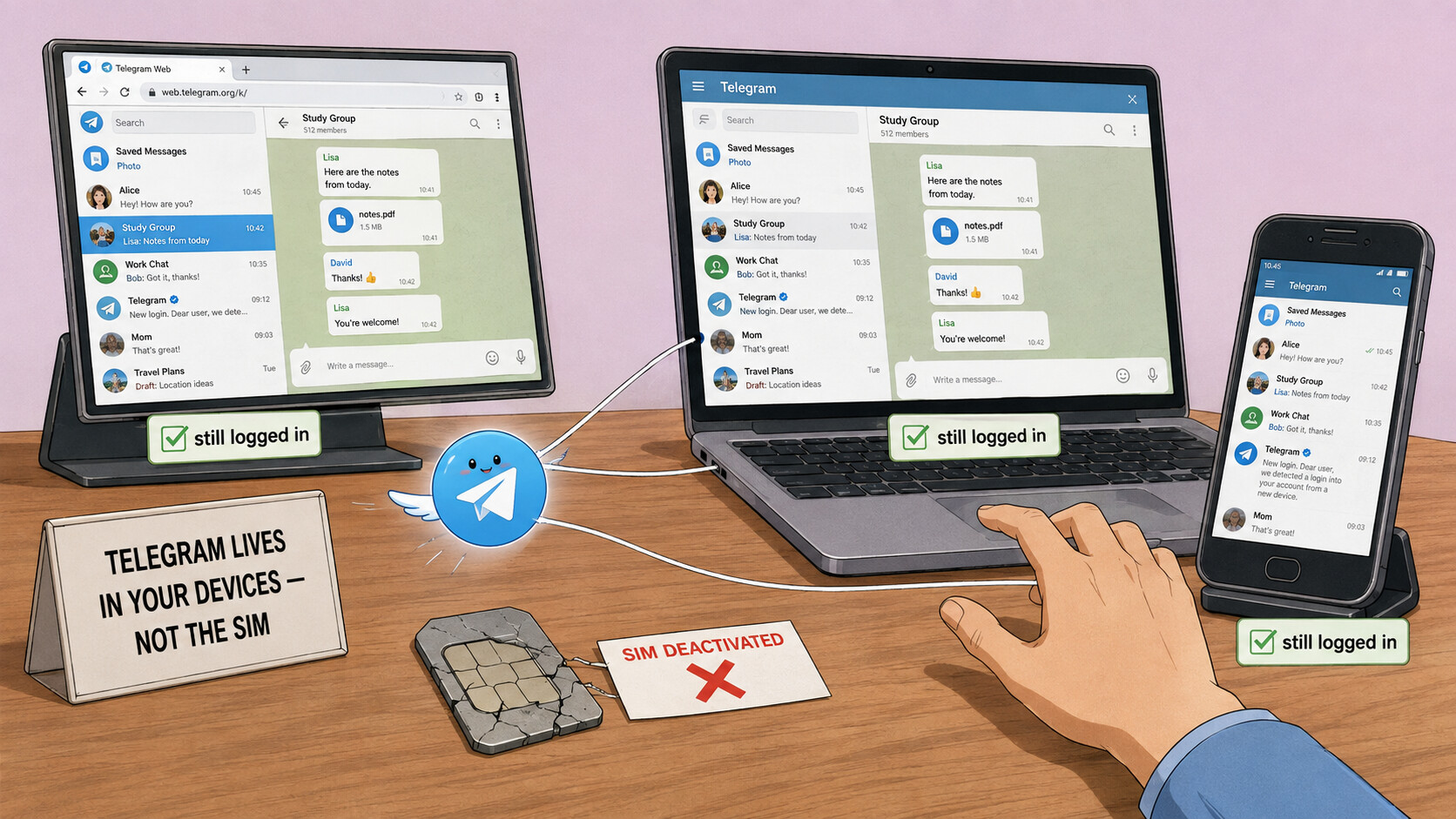
 !
!