
Free .edu Email via Maricopa College — No Enrollment, Just the Email
 One-Line Flow: Fake apply to Arizona community college → get real student email → unlock every student discount on earth.
 Why This Slaps
GitHub Pro. Free Notion. Adobe discounts. Amazon Prime at half price. Autodesk. JetBrains. The entire internet bends over backwards for students.
You’re about to become one. Kinda.
 Links You Need
 The Process
Step 1: Start the Application
Go to the registration page.
“Do you have a Maricopa?” → NO.
Step 2: Personal Info (Fake It)
- Random name, your real email (for recovery)
- Google a US phone number, remove dashes
- Birthdate before 2007 (e.g.,
01/01/2006)
- SSN → leave blank (optional = skip)
- No middle name? Check the box
- Marketing? No
- CAPTCHA →
CREATE USERNAME
Step 3: Password & Security
Scroll down. Set password. Pick a security question you’ll remember.
Press NEXT.
Step 4: Address (Also Fake)
Google “random US address generator.” Copy-paste.
Check the “Affidavit of Information” box.
Press NEXT.
Step 5: Education History
Previous education: “No high school diploma or GED”
Everything else? Random. Nobody’s checking.
Press NEXT.
Step 6: College Selection
- Pick any college from the list
- Select “Take a Class (not pursuing degree/certificate)”
- Random plan, random start date
ADD TO MY APPLICATION- Press
NEXT
Step 7: Final Agreements
- First checkbox ✓
- FERPA →
Yes + random 4-digit PIN
- Vehicle Emissions → “I do not park on campus”
- Press
NEXT
Step 8: Get Your Email
Wait a few seconds. Set a new password when prompted.
SAVE THESE:
- Your student email
- Your MEID
- Your password
You’re done here.
Step 9: Actually Access Gmail
Wait ~6 hours (sometimes up to 24).
Go to google.maricopa.edu. Log in.
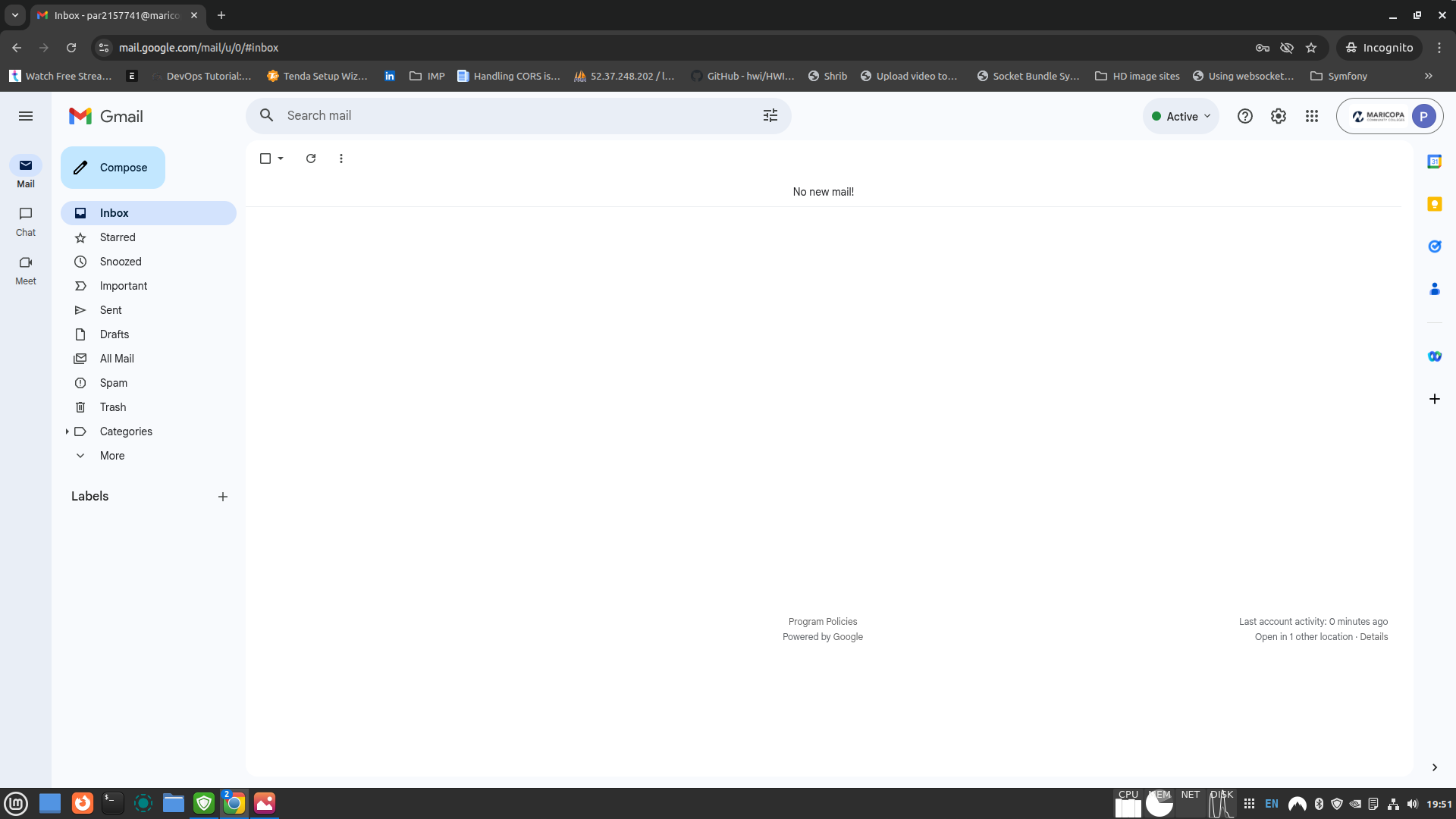
Set up Duo Security (2FA). Then you’re in Gmail.
 You now have a working
 .edu email.
 Troubleshooting
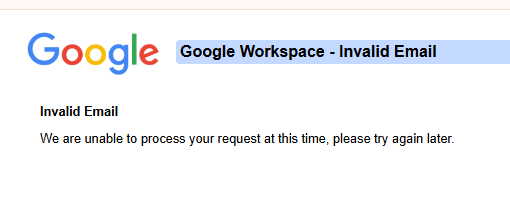
'Google Workspaces Invalid Email' Error
Chill. Wait longer. Usually 24 hours max.
If it’s been 2+ days, something’s actually wrong.
ID Verification Warning
You’ll see: “Unfortunately your application was submitted without ID verification…”
Ignore it. Works anyway.
 Pro Tips
- The login portal is moody. If it fails, try again later.
- This email works for most student verification services.
- Don’t do anything actually stupid with it.
Welcome to the student discount industrial complex. 
tidied up by @SRZ so it’s easier to follow 
32 Likes
Sarah
2
 Intel Drop: What Actually Works (Jan 2026)
Maricopa = still golden. California = dead. Here’s the full breakdown.
 Maricopa Status
Still works. Few things to know:
Duo 2FA (Required Since 2023)
You’ll need a real phone number for this part.
Options:
- Duo Mobile app (recommended)
- SMS code
- Phone call
Can’t skip it. But SMS works fine if you don’t want another app.
How Long Does It Last?
Indefinitely — as long as you log in once a year.
MEID stays active. Email stays active. Simple.
 What Died
| Method |
Why |
| California (CCCApply) |
ID.me verification required since Nov 2025 |
| ASU Universal Learner |
They stopped issuing emails entirely |
| ASU Starbucks trick |
Same — no more .edu for non-enrolled |
RIP to the California methods. Arizona didn’t follow (yet).
 What You Can Claim
Easy Mode — Just .edu Email
- Amazon Prime Student — 6 months free, then 50% off
- Microsoft 365 — free Word, Excel, 1TB OneDrive
- JetBrains — free PyCharm, IntelliJ, all IDEs
- Autodesk — free AutoCAD, Maya, Fusion 360
- Canva Pro — free
- Notion Pro — free
- Google One AI Premium — free until Spring 2026
Medium Mode — May Ask for More
- Spotify + Hulu — $5.99/mo (SheerID checks)
- Apple Music — 50% off (UNiDAYS)
- GitHub Student Pack — $200k+ in tools (location check sometimes)
Insider Notes
- New .edu emails sometimes fail SheerID on day one. Wait 3-5 days.
- GitHub checks your IP vs campus location. VPN to Arizona if rejected.
- 51% of alumni keep their .edu emails. Most services don’t re-verify for years.
- Amazon is getting stricter — occasionally asks for class schedules now.
 Prediction
California went ID.me. More states will follow.
Maricopa works because Arizona hasn’t locked down yet. Use it while it’s open.
11 Likes
WOW, YOU WILL BE BLESSED BY GOD. Thanks!!
1 Like
Thanks for sharing brother, and yes i got the invalid error, ill try it again later
3 Likes
bro he did mentioned in his post to wait for sometime dude
3 Likes
Obito
6
Got edu email id. will wait for 6 hours to login using gmail. Will update later.
2 Likes
Its work, i waited exactly 6 hours so be patient and good luck everyone
5 Likes
Thanks it’s working just got mine after 6 hours!! 
3 Likes
Obito
9
I got my gmail account activated. Can confirm that Method is working.
2 Likes
Obito
11
Tried Github student dev pack.
Github is asking for a proof of education.
Seems like many people will get angry.
1 Like
@Vikvippro mine got activated without any waiting .. thanks for great sharing bro 
1 Like
Note: after activation wait for 2-3 days before getting any offer
pkumar
15
Thanks!!! got it instantly, btw one thing, can i use it for figma education?
nope it’s not working there
Does anyone have tips or tricks for getting approved for the GitHub Student Developer Pack?
1 Like
Awesome post, worked for me same day. I turned off my vpn and used addy gen. Thank OG!
1 Like
Any idea How long this edu mail will be accessible ?
kanji
20
how long do we have access to the mail
1 Like





 !
!