I did as you said but its not uploading in the colab??
Pls help.
How do I do That
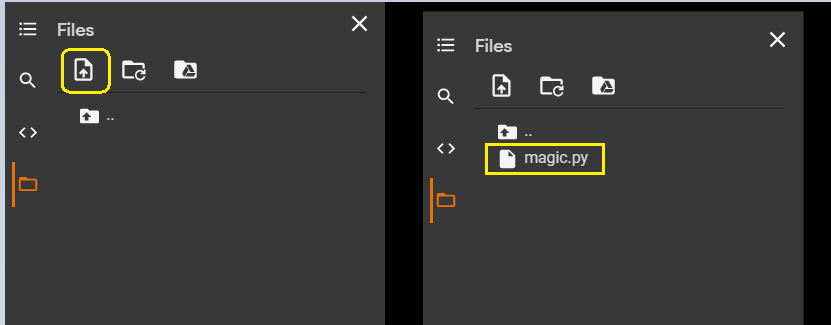
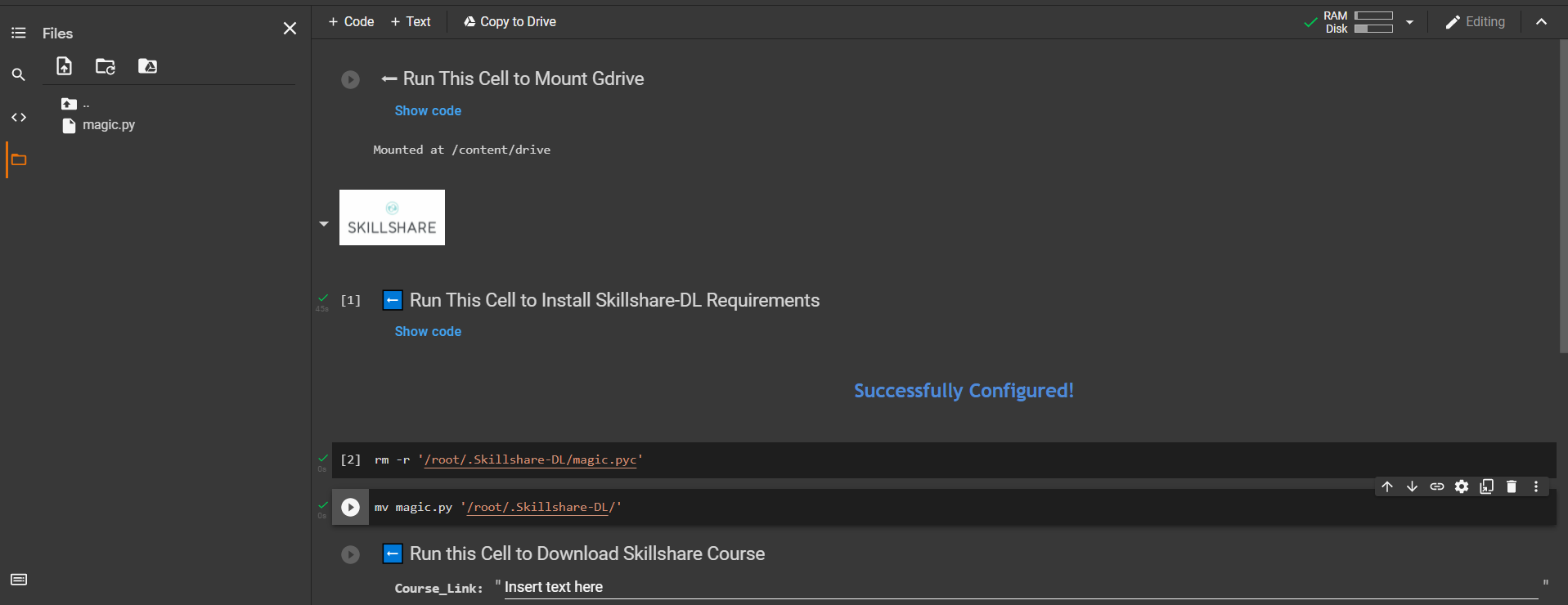
Thanks for upgrading the trick and showing me how to do it, 
there are some skillshare courses that I cannot download, those relatively new.
For example,
@Capricorn_Hunk API response seems to have changed
Replace the skillshare.py file with the attached file
skillshare.py.txt (7.7 KB)
 It’s working for courseId: 855773348
I am not understanding ,how to do it ,can anyone help me
Thank you very much. It’s worked. Can you please also tell us how to create that cookie file magic.py file if I have premium account on Skillshare? Thanks
- Download magic.py.txt and skillshare.py.txt & remove the .txt extension
- After executing Step 2 ( Run This Cell to Install Skillshare-DL Requirements ) in the notebook;
Upload magic.py and skillshare.py files and then Replace the old files by running these commands
!rm -r '/root/.Skillshare-DL/magic.pyc'
!mv magic.py '/root/.Skillshare-DL/'
!rm -r '/root/.Skillshare-DL/skillshare.py'
!mv skillshare.py '/root/.Skillshare-DL/'
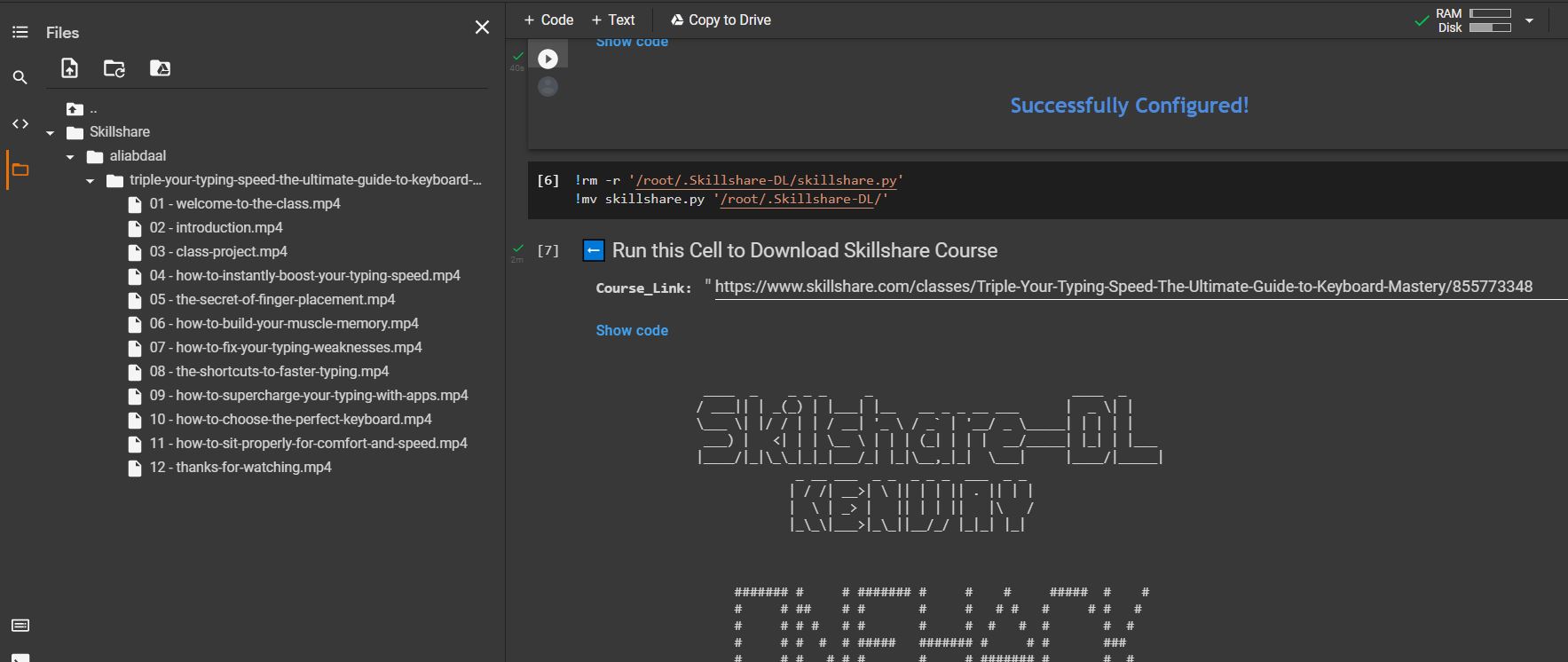
And proceed to download 
Sign in, go to Dev tools (Ctrl+Shift+I) and in console run
document.cookie
You can then replace the string in py file.
Thanks a lot
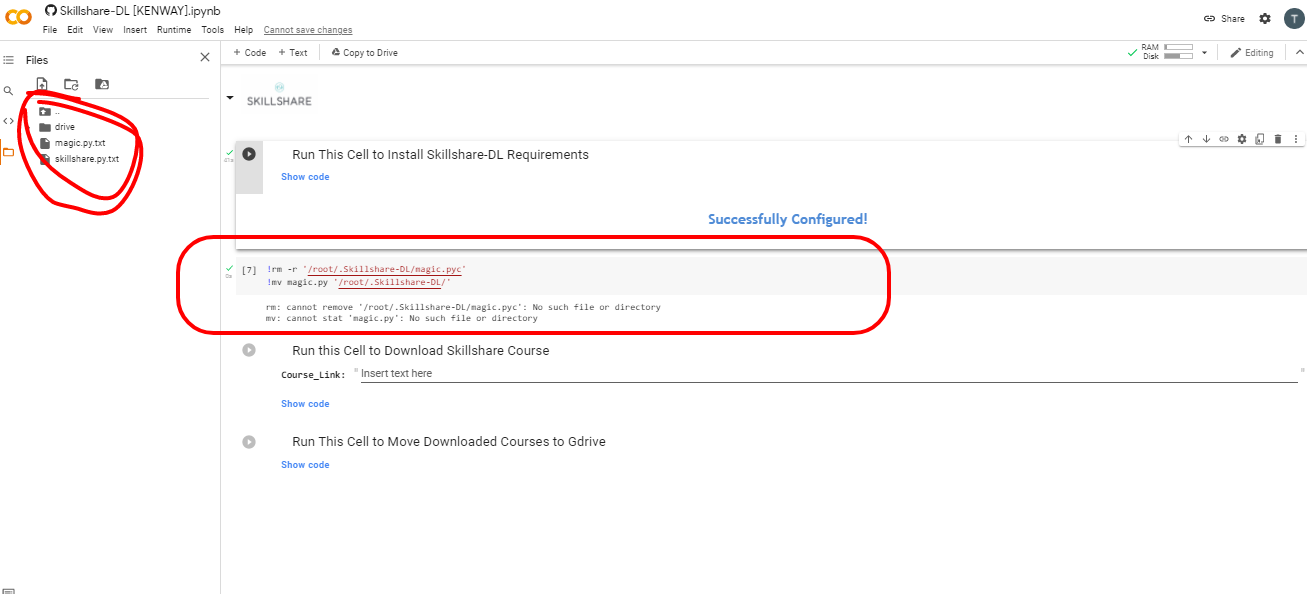
can you please give all the steps ???
- Download magic.py.txt and skillshare.py.txt & remove the .txt extension
You need to remove the .txt extension first and then upload.
In your screenshot you have uploaded them without removing the txt format.
Incase you are uploading with .txt extension,
You can change the extension using the mv command itself;
!rm -r '/root/.Skillshare-DL/magic.pyc'
!mv magic.py.txt '/root/.Skillshare-DL/magic.py'
!rm -r '/root/.Skillshare-DL/skillshare.py'
!mv skillshare.py.txt '/root/.Skillshare-DL/skillshare.py'
Regards

how to replace .txt file
Hello Sir!
Thanks for your efforts to explain how to fix this issue!
I followed each step but I am having a problem!
After step 2 I uploaded the 2 files magic.py and skilshare.py
but after that, I couldn’t figure out how to execute these commands
!rm -r ‘/root/.Skillshare-DL/magic.pyc’
!mv magic.py ‘/root/.Skillshare-DL/’
!rm -r ‘/root/.Skillshare-DL/skillshare.py’
!mv skillshare.py ‘/root/.Skillshare-DL/’
hintairo
click on that(+code) to add those commands then run them
Seems like you are confused.
No worries please try uploading this notebook to your colab.
I have added additional steps to make the changes required.
CC: @hintairo
Regards,
=)
Thanks mate this was helpful! 
Thanks a lot! you are da best!
 !
!