Thanks for the Reply. It says “This service is temporarily unavailable due to a high volume of requests. Please try again later.” when I click set up E5 subscription.
1 Like
kudos Man, thats perfect. However, you did mentioned in the forum that, one can one get the azure rdp?
2 Likes
In Active user it shows 5120mb but when I go onedrive it still shows 5GB ? Any solution.. ?
Thanks though
1 Like
Am I doing something wrong? I can’t download the offline version on my PC. It’s asking me to upgrade. Please help!
1 Like
Welcome! Wait for a few hours…and try again! Once, it’s done. Then follow the next steps…
It is optional… No need to download “Offline Version”. Easily, you will get 5 TB to 25 TB of OneDrive Cloud Storage.
Great tutorial, will give it a go 
1 Like
DId it same problem
1 Like
Due to a high volume of requests… try it again! Hope, they will approve ASAP.
@Aina Totally works, i renew the dev license for 90 days more. and it’s very interesting to know how operate microsoft apps, and i can bind a domail that works as corporative e mail.
Ty @Aina 4 share your knowledge
1 Like
I am not getting modifier option that is mentioned in step 16 with guest user. Could you help me with that ?
1 Like
Seems MS really having some issue or this alert meant something else maybe they are done no more free subscription
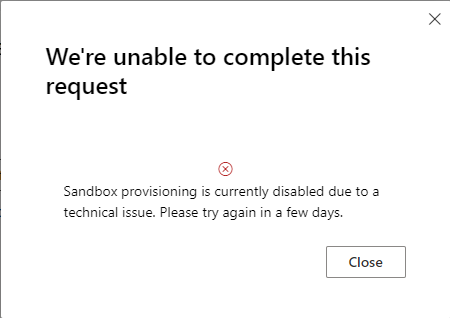
Sandbox provisioning is currently disabled due to a technical issue. Please try again in a few days.
1 Like
No,I think they are having a problem because I have a perfectly legit account and I applied through the Visual Studio option but still I am getting the error from last 4 days.
1 Like
Thank you for the information and let us know what’s going on there I hope problem will be solved
1 Like
Wow… Cool.!
Thanks man.!
1 Like
Problem is resolved. Can configure sandbox now.
1 Like
Am you are the best 
1 Like
This works! thank you awesome trick 
1 Like
You don’t have access to this
Your sign-in was successful but you don’t have permission to access this resource.
[Sign out and sign in with a different account]
I facing this issue when subscrib
 !
!