 What you get: Turn a YouTube link into high-quality video, audio, timed subtitles, and plain text transcripts on your machine.
 Start here:
 Also useful:
 Watch out:
One link in — four files out
 one YouTube link →
  video ·
  audio ·
  subtitles ·
  text
text
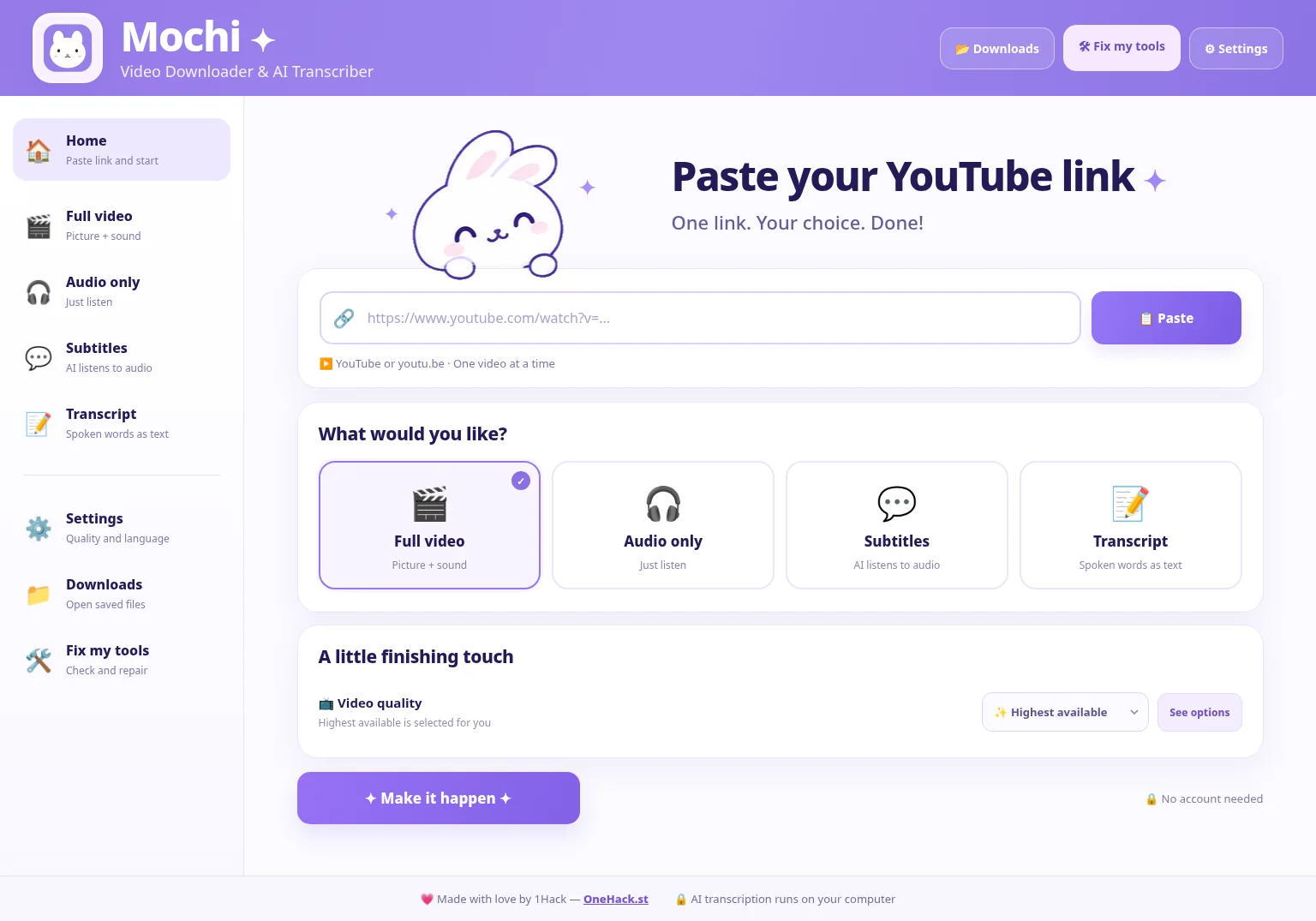
 Mochi turns a single YouTube link into four useful files — free, on your own computer, for Windows, macOS and Linux.
| You pick | You get |
|---|---|
| Full video |
Video + audio, best available quality |
| Audio only |
Original audio or MP3 |
| Subtitles |
.srt + .vtt, timed to the speech |
| Transcript |
.txt of everything said |
The rare bit — subtitles and transcript come from AI listening to the real audio on your machine, so you get captions even when the video has none. Works without an account and without any cloud speech service.
latest release · Windows · macOS · Linux

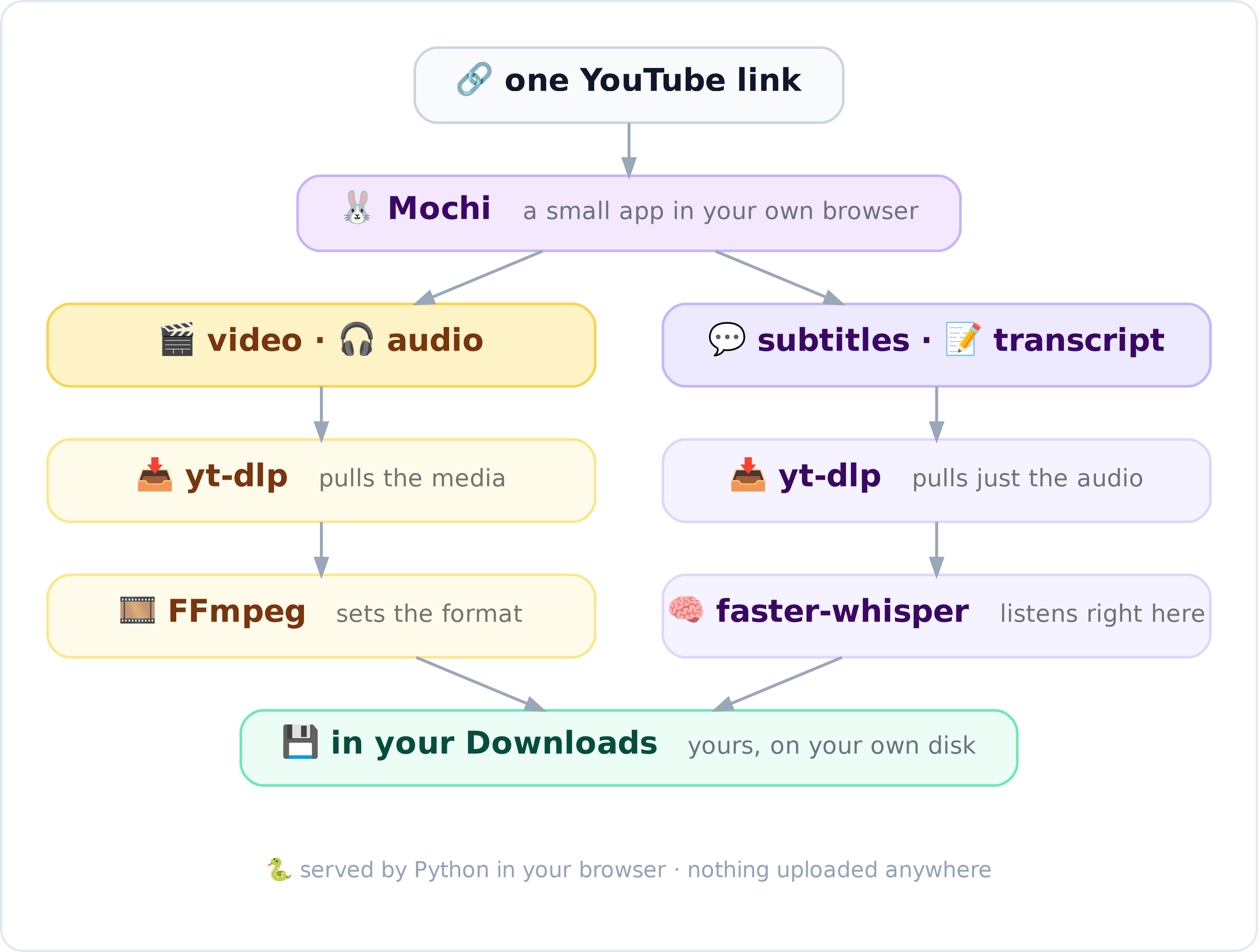
Under the hood — Mochi just wires four well-known tools together:
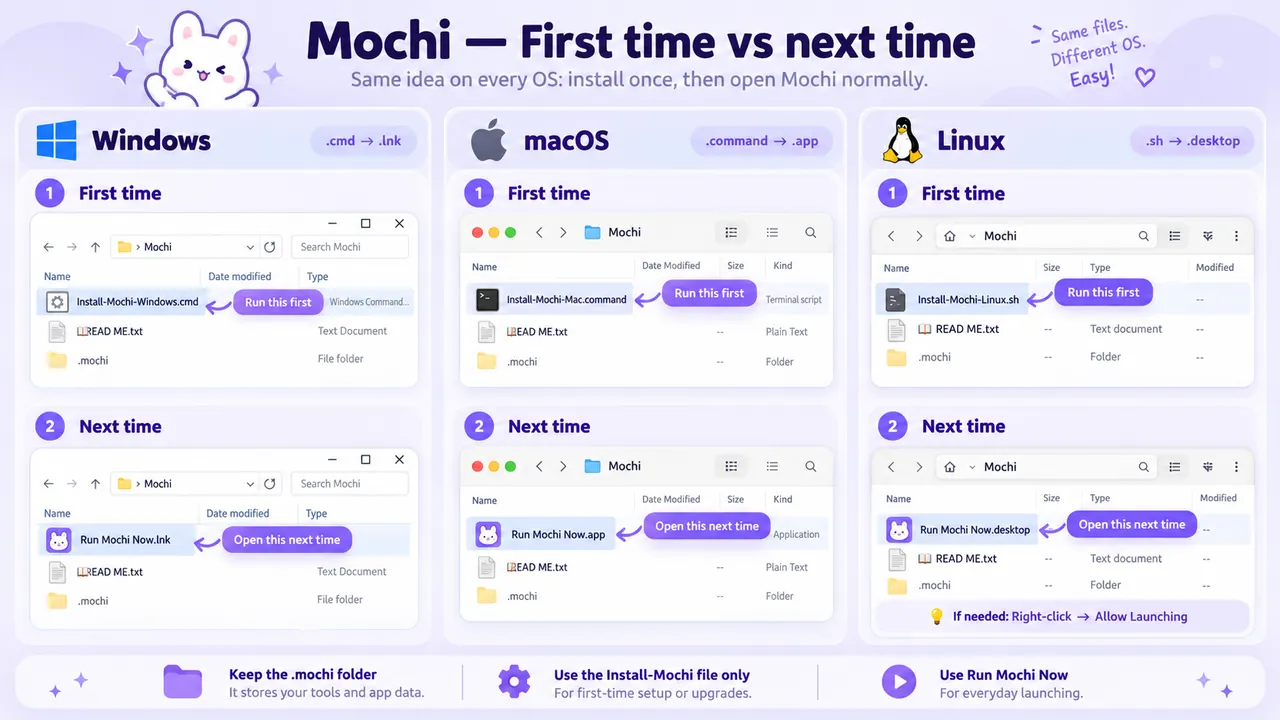
First run — one file per system
1. Extract the ZIP and open the Mochi folder.
2. Run the installer for your system:
| System | First time / update | Every day after |
|---|---|---|
 Windows Windows |
Install-Mochi-Windows.cmd |
Run Mochi Now.lnk |
 macOS macOS |
Install-Mochi-Mac.command |
Run Mochi Now.app |
 Linux Linux |
Install-Mochi-Linux.sh |
Run Mochi Now.desktop |
3. Paste the link → pick the output → Make it happen ✦ → Downloads / Open my saved files.
First run uses the internet to install the tools and fetch the AI model; after that, speech recognition runs on your own machine. Grab videos you have permission to save. Built-in Fix my tools sorts out known tool issues, and your saved files are kept across updates.
More → source + full guide on GitHub · report an OS bug or idea at Issues
Made with  by 1Hack — tell us which OS you run it on
 !
!